

Photo to PDF AI Converter
TLINKCLOUD TECHNOLOGY Productivity iPhoneiPadiPod touch
Photo to PDF AI Converter is a free Productivity app for iPhone and iPad by TLINKCLOUD TECHNOLOGY. Requires iOS 16.6. Updated September 8, 2025.
- Price
- Free
- on the App Store
- Size
- 4 MB
- Age 4+
- Updated
- Sep 8
- 2025 · v1.1
Screenshots
About Photo to PDF AI Converter
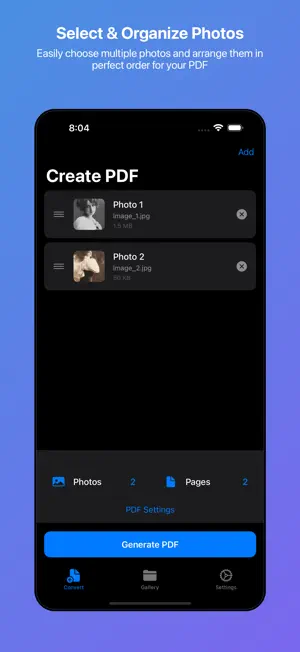
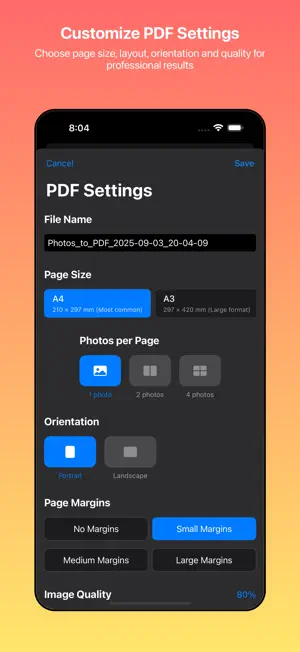
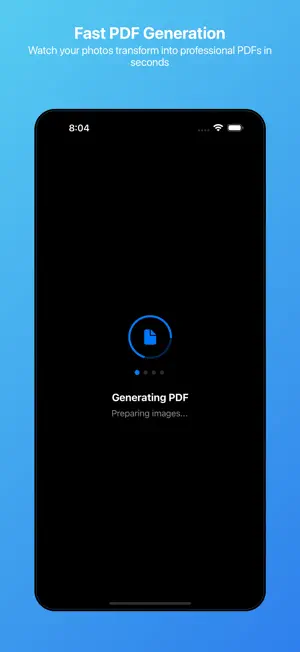
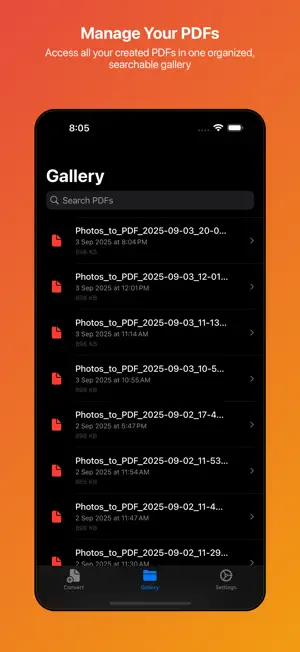
Transform your photos into professional PDF documents with Photo to PDF - the ultimate image to PDF converter for iOS. Whether you need to digitize documents, create portfolios, or compile photo collections, our app makes PDF creation simple, fast, and efficient. **KEY FEATURES:** **Multiple Image Selection** Select multiple photos from your gallery or capture new ones directly with your camera. Organize and arrange them in your preferred order with our intuitive drag-and-drop interface. **Professional PDF Creation** Convert your images into high-quality PDF documents instantly. Perfect for scanning documents, creating photo albums, or preparing presentations. **Customizable Settings** • Choose from multiple page sizes (A4, Letter, Legal, and more) • Adjust compression quality for optimal file size • Select portrait or landscape orientation • Add margins and customize page layout **Smart Processing** Our advanced image processing ensures your photos look their best in PDF format. Automatic optimization maintains quality while keeping file sizes manageable. **Seamless Integration** • Direct camera integration for quick document scanning • Access your entire photo library • Share PDFs instantly via email, messaging, or cloud services • Save to Files app for easy access **Privacy Focused** All processing happens on your device. Your photos and documents never leave your phone, ensuring complete privacy and security. **PERFECT FOR:** • Students digitizing notes and assignments • Professionals creating document portfolios • Photographers sharing image collections • Anyone needing to convert photos to PDF format **WHY CHOOSE PHOTO TO PDF?** • Lightning-fast conversion • No watermarks or ads • No internet connection required • Unlimited conversions • Regular updates and improvements **SIMPLE THREE-STEP PROCESS:** 1. Select your photos from gallery or camera 2. Arrange and customize settings 3. Generate and share your PDF Experience the easiest way to create PDFs from your photos. Download Photo to PDF today and transform your image management workflow! Terms of Use: http://phototopdf.keepeasyapp.com/terms Privacy: http://phototopdf.keepeasyapp.com/privacy
What’s new
Version 1.1 · Updated September 8, 2025
this version has fixed some minor bugs
App privacy
The developer, TLINKCLOUD TECHNOLOGY, reported these privacy practices to Apple.
Data Not Collected
The developer does not collect any data from this app.
Alternatives to Photo to PDF AI Converter
Looking for apps like Photo to PDF AI Converter? Here are 6 similar apps on the App Store. The highest rated is Chay: Habbit Tracker (5.0/5), and all 6 are free to download.
-
 photo to pdf convert scanner *
-
 PDF & Image Toolkit
-
 Foldly: Booklet PDF
-
 Chay: Habbit Tracker
5.0
Chay: Habbit Tracker
5.0
-
 SignIt - Pdf Doc Photo Image
5.0
SignIt - Pdf Doc Photo Image
5.0
-
 Transcribe Speech to Text Note
| App | Rating | Price | Last updated | Compare |
|---|---|---|---|---|
| Photo to PDF AI Converter | – | Free | September 8, 2025 | |
| photo to pdf convert scanner * | – | Free | Sep 3, 2025 | Compare |
| PDF & Image Toolkit | – | Free | Apr 8, 2026 | Compare |
| Foldly: Booklet PDF | – | Free | Sep 30, 2026 | Compare |
| Chay: Habbit Tracker | 5.0 / 5 (1) | Free | Feb 27, 2026 | Compare |
| SignIt - Pdf Doc Photo Image | 5.0 / 5 (1) | Free | Oct 15, 2026 | Compare |
| Transcribe Speech to Text Note | – | Free | Mar 7, 2026 | Compare |