

Handwriting Scan - WriteScan
Kodai Hiradate Productivity iPhoneiPadiPod touch
Handwriting Scan - WriteScan is a free Productivity app for iPhone and iPad by Kodai Hiradate. Rated 5.0/5 from 1 ratings. Requires iOS 17.0.
- Rating
- 5.0
- 1 ratings
- Price
- Free
- on the App Store
- Size
- 71 MB
- Age 4+
- Updated
- Oct 6
- 2026 · v1.5.0
Screenshots


About Handwriting Scan - WriteScan
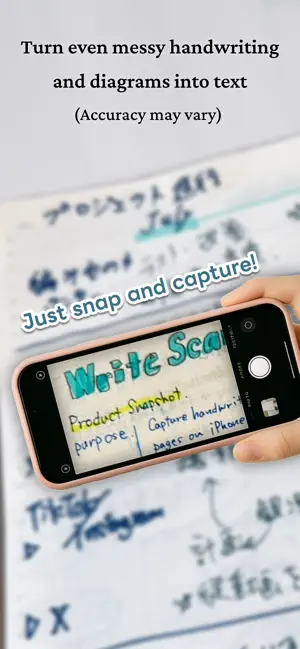
WriteScan helps you capture handwritten notes and paper memos, turn them into searchable text, and keep them organized. It keeps the freedom of writing on paper while making your notes easier to find, review, and share later. Main Features - Capture notebooks and journals with your camera and convert them to text with OCR - Save each page with both the original image and recognized text - Search past notes by keyword - Copy and share notes in Markdown format - iCloud support: data is stored on your device and in iCloud - Scan multiple pages in a single flow - Extract handwritten TODO lists and manage them as tasks - Organize detected tasks by parent groups - Sync tasks with Apple Reminders - Optionally save captured images to your photo library Perfect for - Digitally managing notebooks and journals - Quickly capturing shopping lists and ideas - Reviewing meeting notes or study notes later - Turning paper TODO lists into a task list - Archiving past notebooks for future reference Privacy & Security Your data is stored on your device and in iCloud. Text recognition uses an external AI service, but submitted data is never used for training. Terms of Use & Privacy Policy Terms of Use: https://writescan.app/en/terms/ Privacy Policy: https://writescan.app/en/privacy/
What’s new
Version 1.5.0 · Updated October 6, 2026
Move posts in bulk: select multiple posts (or Select All) to move or export them together. Scan from images and PDFs in the Files app. PDFs are scanned page by page. Quick menu for posts: long-press a post to move, copy, export, or delete it. Keyboard shortcuts on iPad. Fixed an issue where the app could quit when opening the scan screen on iPad.
App privacy
The developer, Kodai Hiradate, reported these privacy practices to Apple.
Data Linked to You
The following data, which may be collected and linked to your identity, may be used for the following purposes:
- Identifiers: User ID
Used for: App Functionality
Data Not Linked to You
The following data, which may be collected but is not linked to your identity, may be used for the following purposes:
- Usage Data: Product Interaction, Other Usage Data
- Diagnostics: Crash Data, Performance Data
Used for: Analytics
Alternatives to Handwriting Scan - WriteScan
Looking for apps like Handwriting Scan - WriteScan? Here are 6 similar apps on the App Store. The highest rated is QuickScan:PDF OCR Text Scanner (4.9/5), and all 6 are free to download.
-
 Handwriting to Text PenToPrint
4.4
Handwriting to Text PenToPrint
4.4
-
 QuickScan:PDF OCR Text Scanner
4.9
QuickScan:PDF OCR Text Scanner
4.9
-
 Notebloc Scanner - Scan to PDF
4.7
Notebloc Scanner - Scan to PDF
4.7
-
 EasyNotes: Notes, Memo & Lists
4.6
EasyNotes: Notes, Memo & Lists
4.6
-
 MyScript Notes: AI Handwriting
4.7
MyScript Notes: AI Handwriting
4.7
-
 Noteshelf: AI Notes & PDF
4.6
Noteshelf: AI Notes & PDF
4.6
| App | Rating | Price | Last updated | Compare |
|---|---|---|---|---|
| Handwriting Scan - WriteScan | 5.0 / 5 (1 rating) | Free | October 6, 2026 | |
| Handwriting to Text PenToPrint | 4.4 / 5 (4,031) | Free | Oct 1, 2026 | Compare |
| QuickScan:PDF OCR Text Scanner | 4.9 / 5 (4,050) | Free | Oct 7, 2026 | Compare |
| Notebloc Scanner - Scan to PDF | 4.7 / 5 (1,305) | Free | Sep 16, 2026 | Compare |
| EasyNotes: Notes, Memo & Lists | 4.6 / 5 (4,040) | Free | Oct 14, 2026 | Compare |
| MyScript Notes: AI Handwriting | 4.7 / 5 (38,654) | Free | Oct 6, 2026 | Compare |
| Noteshelf: AI Notes & PDF | 4.6 / 5 (6,999) | Free | Oct 11, 2026 | Compare |