

Text Talker Subtitles Reader
Mark Bennett Utilities iPhoneiPadiPod touch
Text Talker Subtitles Reader is a free Utilities app for iPhone and iPad by Mark Bennett. Rated 5.0/5 from 2 ratings. Requires iOS 15.6.
- Rating
- 5.0
- 2 ratings
- Price
- Free
- on the App Store
- Size
- 1 MB
- Age 12+
- Updated
- Sep 25
- 2025 · v1.0.2
Screenshots
About Text Talker Subtitles Reader
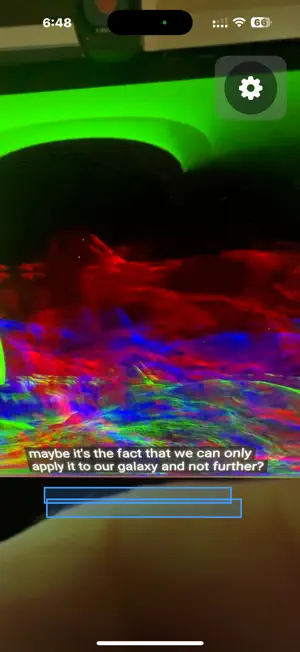
Do you have trouble reading the subtitles of movies, TV shows or Internet videos, perhaps due to low vision / blindness or a reading disability? Or perhaps you'd like to focus on the on-screen action instead of racing to read every subtitle before it disappears. This app uses OCR (optical character recognition) and TTS (text to speech) to look for subtitles and read them out loud through the iPhone speaker or headphones. How to use: Just run the app! It starts looking for text right away, and will read out loud anything it finds. If the app starts reading a bunch of random text, you can shake the phone to make it shut up. Put your hand over the camera to temporarily keep it from talking, or switch to another app. For best results, use it in an area that doesn't have extra visual distractions like digital clocks or AV equipment with lots of numbers and letters. If watching a video on a computer or laptop, maximize the video to full screen and let the status indicator fade away. Some scenes may have other text on screen that the app might try to also read; heavily stylized text might not be recognized. The app attempts to deduplicate the recognized text to reduce text being read more than once, though you may still get some duplication. For longer videos, you might want to use a tripod or phone holder. Use the gear icon to change options and view help text. You can also use this to read closed captions. Perhaps you're watching a show with the volume off and only closed captioning turned on. You can use your iPhone and AirPods to have captions read just to you privately, so as to not disturb other people nearby. The In-App purchase items are only for the totally optional Tip Jar. For Support please visit http://ideaeng.com/texttalker This app does NOT record any user data, nor photos, nor video nor sound. This TextTalker should not be confused by the similarly named Text Talker by Smartbox Assistive; despite the names, they two programs are extremely different in use and should hopefully not confuse the intended audience.. Screenshots in the App store description use Creative Commons Attribution 4.0 content originating from UniverseToday.com
What’s new
Version 1.0.2 · Updated September 25, 2025
Changes to deduplication and positional logic. Changes to settings screen. Change to handling case where app does not have permission for the camera.
App privacy
The developer, Mark Bennett, reported these privacy practices to Apple.
Data Not Collected
The developer does not collect any data from this app.
Alternatives to Text Talker Subtitles Reader
Looking for apps like Text Talker Subtitles Reader? Here are 6 similar apps on the App Store. The highest rated is PDF Protector (5.0/5), and 5 of the 6 are free to download.
-
 SubReader
2.8
SubReader
2.8
-
 Screen Track
-
 SubLive-Live Translation
-
 PDF Protector
5.0
PDF Protector
5.0
-
 Revilio
-
 Subtify: All in One Translator
3.0
Subtify: All in One Translator
3.0
| App | Rating | Price | Last updated | Compare |
|---|---|---|---|---|
| Text Talker Subtitles Reader | 5.0 / 5 (2 ratings) | Free | September 25, 2025 | |
| SubReader | 2.8 / 5 (4) | Free | Jan 22, 2025 | Compare |
| Screen Track | – | 0.99 USD | May 21, 2025 | Compare |
| SubLive-Live Translation | – | Free | Oct 16, 2026 | Compare |
| PDF Protector | 5.0 / 5 (4) | Free | Oct 18, 2026 | Compare |
| Revilio | – | Free | Aug 23, 2025 | Compare |
| Subtify: All in One Translator | 3.0 / 5 (2) | Free | Oct 27, 2026 | Compare |