

Audio Cleaner: AI Denoise
KnotSmith Ltd. Utilities iPhoneiPadiPod touch
Audio Cleaner: AI Denoise is a free Utilities app for iPhone and iPad by KnotSmith Ltd. Rated 4.9/5 from 21 ratings. Requires iOS 18.0.
- Rating
- 4.9
- 21 ratings
- Price
- Free
- on the App Store
- Size
- 67 MB
- Age 4+
- Updated
- Nov 4
- 2026 · v3.2.7
Screenshots

About Audio Cleaner: AI Denoise
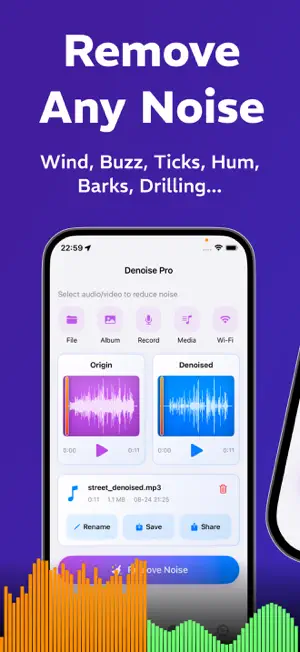
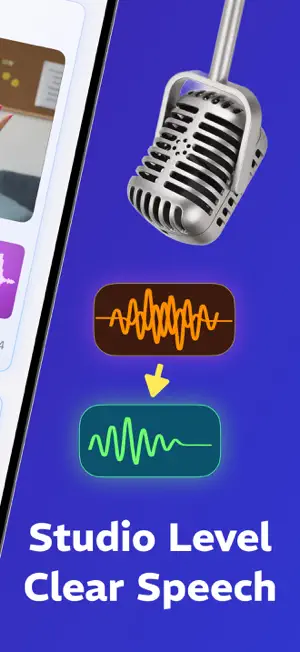
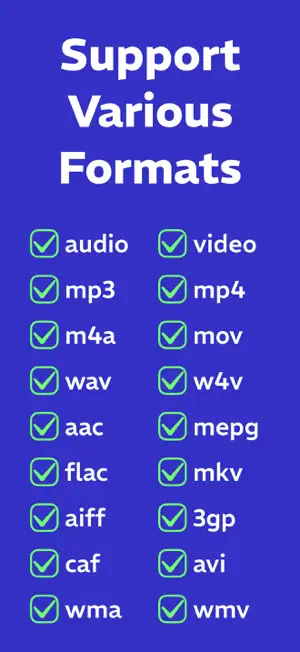
Audio Cleaner uses AI to remove background noise from audio and video recordings on your iPhone. Denoise your audio and video - Reduce noise such as fan sounds, hum, hiss, and wind. - Adjust the noise reduction strength to suit your recording. - Compare the original and processed audio to hear the difference. Improve the sound of your recordings - Enhance voices to make speech clearer and easier to follow. - Adjust the volume when a recording is too quiet or too loud. - Shape the sound with EQ and audio effects. - Try presets for podcasts, short videos, and warm narration. For work, study, and the things you create - Podcasters and journalists: clean up conversations and recorded interviews. - Video creators: make voices easier to hear in vlogs, tutorials, and voiceovers. - Students and teachers: improve the clarity of recorded lectures and lessons. - Professionals: reduce distracting noise in recorded meetings and presentations. - Everyday use: clean up voice memos and personal videos before sharing. Import your audio or video - Choose files from Photos or Files. - Bring in recordings from other apps or through AirDrop. - Transfer files from your computer over Wi-Fi. - Record audio directly in the app. Keep processing on your device - AI noise removal runs locally on your iPhone. - Your recordings don’t need to be uploaded to a server for processing. AI noise reduction, optimized for iPhone - Dedicated speech-denoising models, optimized by our team for Apple Core ML. - Refined model execution and memory handling for efficient on-device processing. - Our high-quality mode uses a specialized speech-denoising model with nearly 4 million parameters. Keep the character of your voice - Our denoising models filter your original recording to reduce unwanted noise. - Designed to preserve your voice’s natural tone and expression. - Adjust the strength and compare before and after to find the balance you prefer. Preview, adjust, and export - Listen to the result and fine-tune your settings. - Choose your export format and audio quality. - Save your recording or share it with another app. Supported formats - Audio: MP3, WAV, AAC, M4A, and more. - Video: MP4, MOV, and more. What results can you expect? - Results depend on the original recording and the type of noise. - Some sounds may remain, especially when they overlap with speech. Terms of use: https://audiocleaner.app/terms Privacy policy: https://audiocleaner.app/privacy Support: [email protected]
Ratings & reviews
4.9
21 ratings
What’s new
Version 3.2.7 · Updated November 4, 2026
Improved noise reduction for a smoother experience. Remove noise with one tap—simple and easy to use.
App privacy
The developer, KnotSmith Ltd., reported these privacy practices to Apple.
Data Not Linked to You
The following data, which may be collected but is not linked to your identity, may be used for the following purposes:
- Usage Data: Product Interaction
Used for: Analytics
Alternatives to Audio Cleaner: AI Denoise
Looking for apps like Audio Cleaner: AI Denoise? Here are 6 similar apps on the App Store. The highest rated is Noise Remover (5.0/5), and all 6 are free to download.
-
 Noise Reducer & Enhancer
3.4
-
 Noise Reducer & Recorder
4.0
-
 Noise Reducer
4.3
-
 Noise Reducer · Audio Tool
-
 Noise Remover
5.0
-
 Noise Reducer: Audio Enhancer+
1.0
| App | Rating | Price | Last updated | Compare |
|---|---|---|---|---|
| Audio Cleaner: AI Denoise | 4.9 / 5 (21 ratings) | Free | November 4, 2026 | |
| Noise Reducer & Enhancer | 3.4 / 5 (7) | Free | Oct 30, 2026 | Compare |
| Noise Reducer & Recorder | 4.0 / 5 (4) | Free | Apr 1, 2026 | Compare |
| Noise Reducer | 4.3 / 5 (6) | Free | Feb 2, 2026 | Compare |
| Noise Reducer · Audio Tool | – | Free | Apr 1, 2026 | Compare |
| Noise Remover | 5.0 / 5 (4) | Free | Aug 1, 2026 | Compare |
| Noise Reducer: Audio Enhancer+ | 1.0 / 5 (1) | Free | Aug 7, 2026 | Compare |