

eSignly: Sign PDF Fast
Baha Gokce Business iPhoneiPadiPod touch
eSignly: Sign PDF Fast is a free Business app for iPhone and iPad by Baha Gokce. Rated 5.0/5 from 2 ratings. Requires iOS 17.0. Updated May 28, 2026.
- Rating
- 5.0
- 2 ratings
- Price
- Free
- on the App Store
- Size
- 16 MB
- Age 4+
- Updated
- May 28
- 2026 · v1.3.3
Screenshots

About eSignly: Sign PDF Fast
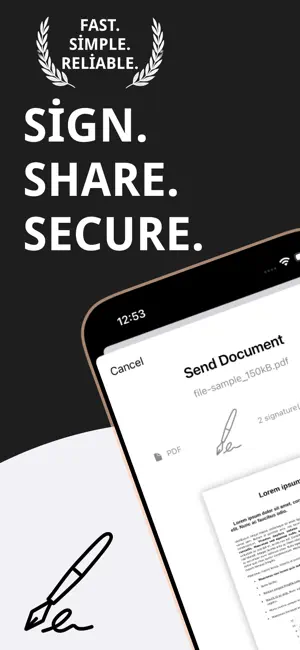
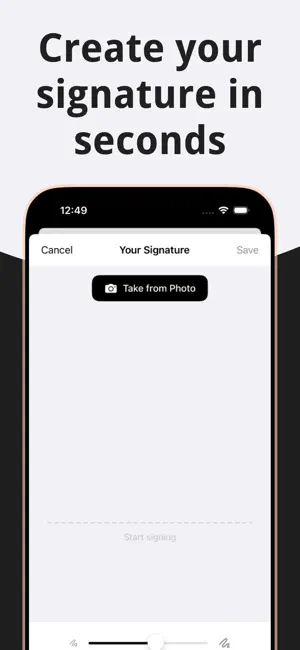
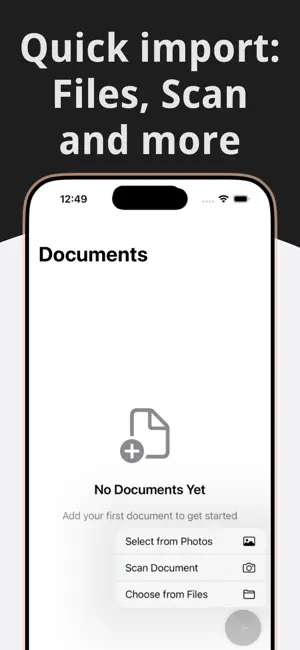
Sign PDFs in seconds. Fill forms. Keep your documents on your device. eSignly is the fastest way to sign PDFs, fill out forms, and send documents from iPhone or iPad. No printing, no scanning, no back-and-forth email chains. Tap, sign, share — done. KEY FEATURES • Draw Your Signature Once — sign with your finger or Apple Pencil and save it for every future document • Photo-to-Signature — take a picture of a signature on paper, and eSignly extracts a clean digital version automatically • Fill PDF Forms — tap any field, auto-fill your name, email, phone, address from your saved profile • Smart OCR in 3 Languages — our Vision-powered OCR detects form fields in English, Turkish, and German • Add Text, Dates, Stamps — drop text fields, date picker, approval stamps anywhere on the page • Bold, Italic, Custom Fonts — style your text without leaving the app • Quick Templates — one-tap insert: "Approved", "Rejected", signature line, date, name field • Multi-Page Documents — sign contracts across dozens of pages without performance loss • Share as PDF — export clean, flat PDFs ready for email, Slack, or Files • Face ID / Touch ID Lock — biometric protection for sensitive documents WHY eSignly? Most eSign apps charge $15-30/month and lock basic features behind paywalls. eSignly costs a fraction of that, works 100% on-device, and ships with enterprise-grade features (multi-signer, Apple Pencil support, high-resolution PDF export) in the standard plan. WHAT YOU GET • No printing, no scanning — sign anywhere, anytime • Native iOS performance — smooth on iPhone 13 through iPhone 17 Pro, and every iPad • Full Apple Pencil support on iPad with pressure sensitivity • Dark mode, iOS 17+ native design language • Offline first — your device does all the work PRIVACY FIRST Your documents and signatures never leave your device. We don't upload, store, or transmit them. We don't see them. No cloud backup, no third-party sharing, no analytics on document contents. The only thing that reaches our servers is an anonymous install count. This is why eSignly is trusted by freelancers, solo lawyers, real estate agents, HR managers, and anyone who signs legal, financial, or medical documents on their phone. FREE TRIAL 3 days free, then the plan of your choice. No auto-charge without explicit consent. Cancel anytime from Settings → Apple ID → Subscriptions. Ready to sign PDFs in 10 seconds? Download eSignly and start today. Terms of Use (EULA): https://bahagokce.com/apps/esignly/terms
What’s new
Version 1.3.3 · Updated May 28, 2026
We've polished eSignly under the hood: • Smoother performance across signing and editing • Several small bug fixes for a more reliable experience • Refined UI details for a cleaner feel Thanks for using eSignly. Feedback? Email us — every reply gets read.
App privacy
The developer, Baha Gokce, reported these privacy practices to Apple.
Data Not Collected
The developer does not collect any data from this app.
Alternatives to eSignly: Sign PDF Fast
Looking for apps like eSignly: Sign PDF Fast? Here are 6 similar apps on the App Store. The highest rated is MoneyChat: Expense Tracker (5.0/5), and all 6 are free to download.
-
 Word to PDF Converter: PDF Pro
4.7
-
 Optiq: AI Lens & Identifier
-
 PDF Scanner: Scan Dox
4.9
-
 Hidden Camera Detector Tracker
4.6
-
 MoneyChat: Expense Tracker
5.0
-
 PDF Scanner. Scan Document.
4.5
| App | Rating | Price | Last updated | Compare |
|---|---|---|---|---|
| eSignly: Sign PDF Fast | 5.0 / 5 (2 ratings) | Free | May 28, 2026 | |
| Word to PDF Converter: PDF Pro | 4.7 / 5 (38) | Free | Aug 31, 2026 | Compare |
| Optiq: AI Lens & Identifier | – | Free | May 18, 2026 | Compare |
| PDF Scanner: Scan Dox | 4.9 / 5 (8) | Free | Dec 9, 2025 | Compare |
| Hidden Camera Detector Tracker | 4.6 / 5 (33) | Free | Dec 19, 2025 | Compare |
| MoneyChat: Expense Tracker | 5.0 / 5 (5) | Free | Oct 9, 2026 | Compare |
| PDF Scanner. Scan Document. | 4.5 / 5 (32) | Free | Dec 11, 2025 | Compare |