

Photos To PDF Camera Scanner
Iram Shehzad Business iPhoneiPadiPod touch
Photos To PDF Camera Scanner is a free Business app for iPhone and iPad by Iram Shehzad. Requires iOS 16.0. Updated February 12, 2026.
- Price
- Free
- on the App Store
- Size
- 30 MB
- Age 4+
- Updated
- Feb 12
- 2026 · v1.3.4
Screenshots



About Photos To PDF Camera Scanner
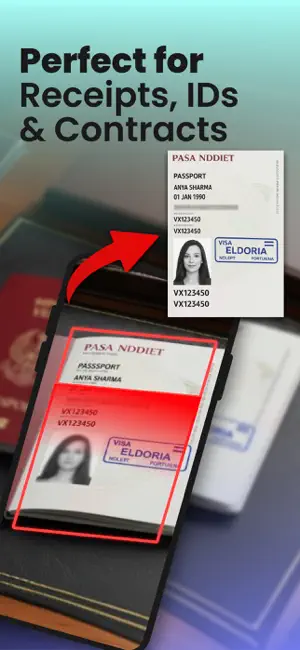
PDF Scanner – Fast, Smart & Secure Transform your iPhone into a powerful pocket scanner. With PDF Scanner, you can scan anything—documents, receipts, notes, whiteboards, business cards, books—and save it as a high-quality PDF or image in just seconds. Designed with speed and simplicity in mind, PDF Scanner helps you stay productive whether you’re at home, in the office, or on the go. Features You’ll Love: Instant Scanning – Point your camera, snap, and let the app do the rest. Smart Edge Detection – Automatically detects document borders for a clean scan. Auto-Enhancement – Adjusts brightness, sharpness, and contrast for crystal-clear text. Multi-Page PDF – Scan multiple pages and combine them into one seamless document. Organize with Ease – Rename, sort, and categorize files for quick access. Secure Your Files – Lock sensitive documents with Face ID or Touch ID. Flexible Export Options – Save as PDF or image, share via email, AirDrop, messaging apps, or upload to your favorite cloud services. Print Directly – Send scans to any connected printer with a tap. Perfect For: Students scanning class notes and assignments Professionals managing contracts and receipts Small businesses digitizing paperwork Anyone who wants a clutter-free, paperless lifestyle With PDF Scanner, you’ll never lose an important document again. Say goodbye to bulky office scanners—everything you need to scan, save, and share is right in your pocket. Note: If you subscribe via Apple, payment will be charged to App Store Account at confirmation of purchase. Subscription automatically renews unless auto-renew is turned off at least 24 hours before the end of the current period. Account will be charged for renewal within 24 hours prior to the end of the current period at the rate of the selected plan. Subscriptions and auto-renewal may be managed by going to Account Settings after purchase. • User agreement: https://gunshooting.games/termsandconditions.html • Privacy policy: https://www.gunshooting.games/privacy.html
What’s new
Version 1.3.4 · Updated February 12, 2026
Bug fixing and performance optimization
App privacy
The developer, Iram Shehzad, reported these privacy practices to Apple.
Data Used to Track You
The following data may be used to track you across apps and websites owned by other companies:
- Usage Data: Other Usage Data
Data Linked to You
The following data, which may be collected and linked to your identity, may be used for the following purposes:
- Usage Data: Other Usage Data
Used for: Third-Party Advertising, Developer’s Advertising or Marketing, Analytics
Data Not Linked to You
The following data, which may be collected but is not linked to your identity, may be used for the following purposes:
- Purchases: Purchase History
- Identifiers: User ID, Device ID
- Usage Data: Product Interaction, Advertising Data
Used for: Third-Party Advertising, Developer’s Advertising or Marketing, Analytics
Alternatives to Photos To PDF Camera Scanner
Looking for apps like Photos To PDF Camera Scanner? Here are 6 similar apps on the App Store. The highest rated is Allowance Tracker: Kash (5.0/5), and all 6 are free to download.
-
 WhatsMyNetWorth
-
 GoodSplit - Splitwise & simple
-
 Allowance Tracker: Kash
5.0
-
 FOCUS STOCK BROKERS LTD
-
 StartupPal
-
 TreeInspect
| App | Rating | Price | Last updated | Compare |
|---|---|---|---|---|
| Photos To PDF Camera Scanner | – | Free | February 12, 2026 | |
| WhatsMyNetWorth | – | Free | Jan 27, 2026 | Compare |
| GoodSplit - Splitwise & simple | – | Free | Nov 4, 2025 | Compare |
| Allowance Tracker: Kash | 5.0 / 5 (1) | Free | Jul 14, 2026 | Compare |
| FOCUS STOCK BROKERS LTD | – | Free | Oct 7, 2026 | Compare |
| StartupPal | – | Free | Oct 19, 2026 | Compare |
| TreeInspect | – | Free | Jul 18, 2026 | Compare |