

Camera Display
Nataliia Kovryzhenko Photo & Video iPhoneiPadiPod touch
Camera Display is a free Photo & Video app for iPhone and iPad by Nataliia Kovryzhenko. Requires iOS 17.6. Updated October 19, 2026.
- Price
- Free
- on the App Store
- Size
- 6 MB
- Age 4+
- Updated
- Oct 19
- 2026 · v1.3.4
Screenshots
About Camera Display
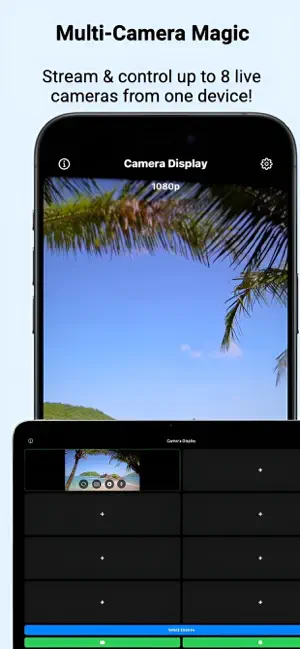
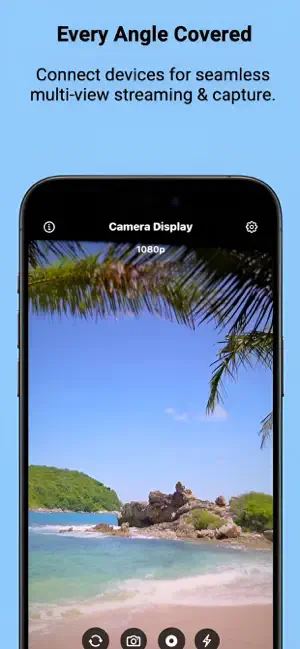
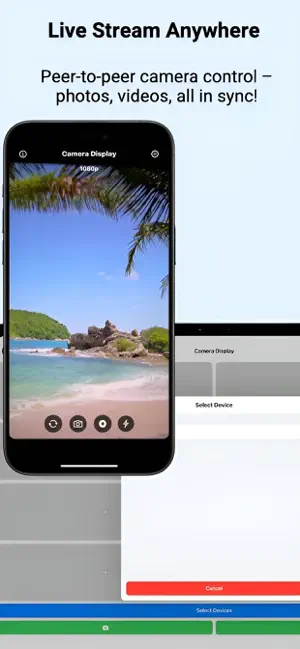
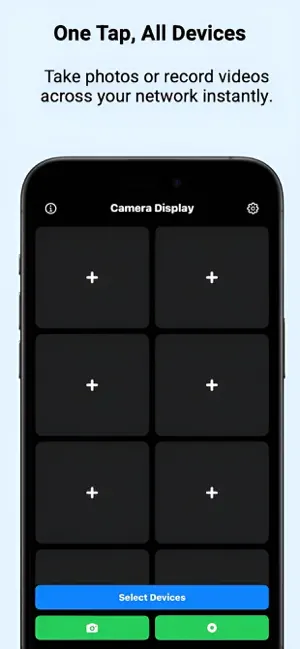
See the shot before you take it. Camera Display turns your iPhone or iPad into a live camera monitor and remote control for nearby devices. Place a camera where you need it, check the framing on another screen, and capture the moment without walking back to the device. Use it for solo videos, tutorials, product shots, group photos, and multi-angle creative projects. LIVE CAMERA PREVIEW View connected cameras in a grid or open an individual feed full screen. Keep an eye on different angles from one place. REMOTE CAMERA CONTROLS Switch between front and rear cameras, adjust zoom and focus, choose video quality, and control the flash or torch on supported devices. ONE TAP, MULTIPLE CAMERAS Use the main photo and recording buttons to send capture commands to all connected devices. Use the controls in an individual camera view to control just that device. Timing depends on the connection and each device. SAVE ON THE CAPTURING DEVICE Photos and videos are saved on the device that captures them, with permission to access Photos. Video can include audio when microphone access is allowed. FREE TO START Connect to one other device with the free, ad-supported plan. The optional one-time Pro purchase removes ads and unlocks connections to multiple devices. No subscription. MADE FOR IPHONE AND IPAD Choose a light, dark, or system appearance. The app interface supports English, Spanish, German, Russian, and Ukrainian. GET CONNECTED Install Camera Display and keep it open on each device. Keep the devices nearby, enable Wi-Fi and Bluetooth, and allow Local Network access when prompted. Camera controls and available quality depend on the device hardware. Camera Display is designed for nearby-device use, not remote monitoring over the internet. Support: https://www.myhvn.space/camera-display-support/ Privacy: https://www.myhvn.space/camera-display-support/privacy.html
What’s new
Version 1.3.4 · Updated October 19, 2026
The version number in Settings now matches the installed app version. Updated App Store information with clearer descriptions of remote camera controls, multi-device capture, and the optional Pro upgrade.
App privacy
The developer, Nataliia Kovryzhenko, reported these privacy practices to Apple.
Data Used to Track You
The following data may be used to track you across apps and websites owned by other companies:
- Purchases: Purchase History
- Usage Data: Advertising Data
- Diagnostics: Crash Data
Data Not Linked to You
The following data, which may be collected but is not linked to your identity, may be used for the following purposes:
- Purchases: Purchase History
- Usage Data: Advertising Data
- Diagnostics: Crash Data
Used for: Third-Party Advertising, Analytics
Alternatives to Camera Display
Looking for apps like Camera Display? Here are 6 similar apps on the App Store. The highest rated is CamMonitor: Live Viewfinder (5.0/5), and all 6 are free to download.
-
 CamMonitor: Live Viewfinder
5.0
CamMonitor: Live Viewfinder
5.0
-
 Full Screen Camera Pro
3.0
Full Screen Camera Pro
3.0
-
 NetMagen Vision
-
 Dualz Stream Player
-
 Filmers
-
 Filmgate - Cinematic Camera
| App | Rating | Price | Last updated | Compare |
|---|---|---|---|---|
| Camera Display | – | Free | October 19, 2026 | |
| CamMonitor: Live Viewfinder | 5.0 / 5 (1) | Free | Oct 30, 2026 | Compare |
| Full Screen Camera Pro | 3.0 / 5 (2) | Free | Sep 28, 2026 | Compare |
| NetMagen Vision | – | Free | Oct 29, 2026 | Compare |
| Dualz Stream Player | – | Free | Apr 10, 2026 | Compare |
| Filmers | – | Free | Jun 11, 2026 | Compare |
| Filmgate - Cinematic Camera | – | Free | Oct 11, 2026 | Compare |
Compare Camera Display with the top alternatives: ratings, updates, ASO score and keyword gaps →