

Pivot Workspace
Pivot Technologies Holdings Inc. Productivity iPhoneiPadiPod touch
Pivot Workspace is a free Productivity app for iPhone and iPad by Pivot Technologies Holdings Inc. Requires iOS 26.0. Updated October 22, 2026.
- Price
- Free
- on the App Store
- Size
- 49 MB
- Age 4+
- Updated
- Oct 22
- 2026 · v2.0.0
Screenshots

About Pivot Workspace
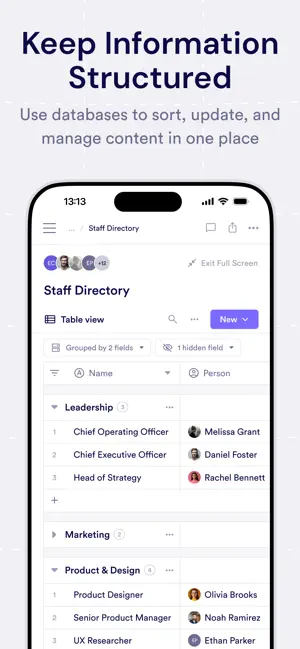
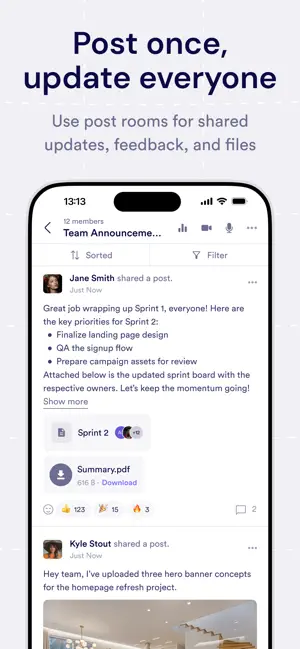
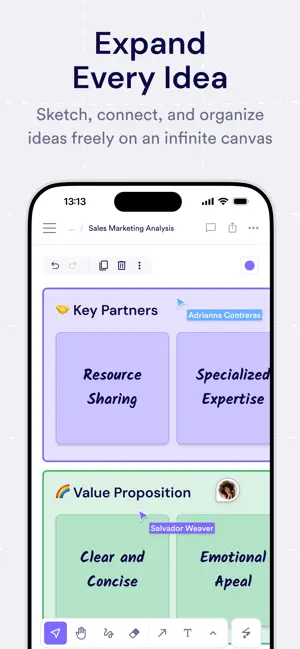
Pivot brings structure to collaboration, communication, and content. If you're building a community, running a course, managing a team, or leading a project, Pivot helps you evolve and thrive over time. Updates become action, and messages stay tied to context—you focus on what needs to get done, and the platform keeps it moving. WHAT YOU CAN DO ON iOS • Spaces — Switch between projects, communities, courses, or teams. Each space holds pages, rooms, and shared resources in one organized home. • Rooms — Join chat, audio, video, or post rooms depending on how your group works. Conversations stay where the work lives, not scattered across tools. • Chat & threads — Follow discussions, reply in threads, react to messages, and keep context next to decisions and updates. • Live collaboration — Join voice and video conversations from your phone when you need to meet face to face, not just message. • Content & files — Open blocks, documents, and uploaded files so briefs, strategies, and assets are always at hand. • Stay in the loop — Notifications surface new messages, replies, and room activity so you can respond without hunting through tabs. WHO IT'S FOR Pivot is for groups that need conversations, content, and tasks in one place: product and marketing teams, cohort-based learning, member communities, and anyone who outgrows chat-only apps. Learn more: https://pivot.app/platform Help & docs: https://pivot.app/docs Privacy: https://pivot.app/privacy
What’s new
Version 2.0.0 · Updated October 22, 2026
Pivot 2.0 brings a new iPhone experience for your workspace. Stay connected with messaging, spaces, pages, search, notifications, and voice and video calls. Requires iOS 26 or later.
App privacy
The developer, Pivot Technologies Holdings Inc., reported these privacy practices to Apple.
Data Linked to You
The following data, which may be collected and linked to your identity, may be used for the following purposes:
- Diagnostics: Crash Data, Performance Data, Other Diagnostic Data
- Contact Info: Email Address, Name, Phone Number
- Identifiers: User ID, Device ID
Used for: Analytics, App Functionality
Data Not Linked to You
The following data, which may be collected but is not linked to your identity, may be used for the following purposes:
- User Content: Emails or Text Messages, Photos or Videos, Audio Data, Other User Content
Used for: App Functionality
Alternatives to Pivot Workspace
Looking for apps like Pivot Workspace? Here are 6 similar apps on the App Store. The highest rated is Aster: AI Chat & Image Creator (5.0/5), and all 6 are free to download.
-
 Aster: AI Chat & Image Creator
5.0
-
 Linda-AI
5.0
-
 Perfect Prompt AI
5.0
-
 Questri
5.0
-
 Text to Natural Speech: TTS
3.0
-
 PromptHub - AI Prompt Library
| App | Rating | Price | Last updated | Compare |
|---|---|---|---|---|
| Pivot Workspace | – | Free | October 22, 2026 | |
| Aster: AI Chat & Image Creator | 5.0 / 5 (1) | Free | Oct 3, 2026 | Compare |
| Linda-AI | 5.0 / 5 (11) | Free | Jun 22, 2026 | Compare |
| Perfect Prompt AI | 5.0 / 5 (4) | Free | Jun 18, 2026 | Compare |
| Questri | 5.0 / 5 (9) | Free | Oct 18, 2026 | Compare |
| Text to Natural Speech: TTS | 3.0 / 5 (2) | Free | Jun 23, 2024 | Compare |
| PromptHub - AI Prompt Library | – | Free | Oct 13, 2026 | Compare |
Compare Pivot Workspace with the top alternatives: ratings, updates, ASO score and keyword gaps →