

App Blocker - Focus Pal
Manuel Fessen Productivity iPhoneiPadiPod touch
App Blocker - Focus Pal is a free Productivity app for iPhone and iPad by Manuel Fessen. Rated 4.6/5 from 74 ratings. Requires iOS 18.0.
- Rating
- 4.6
- 74 ratings
- Price
- Free
- on the App Store
- Size
- 268 MB
- Age 4+
- Updated
- Jul 22
- 2026 · v1.2.14
Screenshots
About App Blocker - Focus Pal
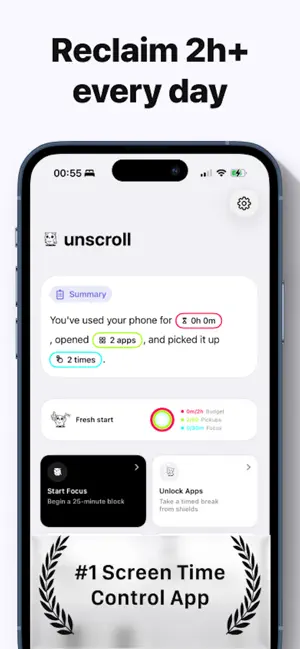
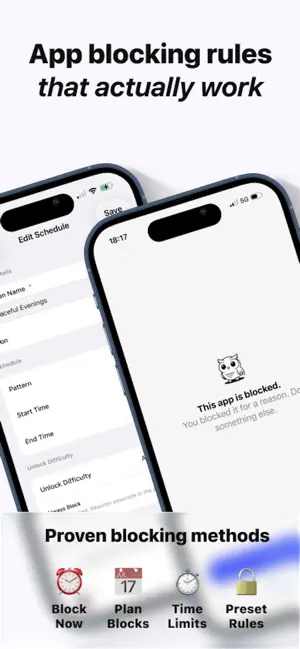
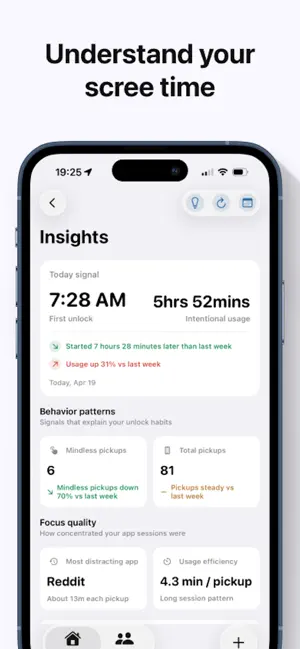
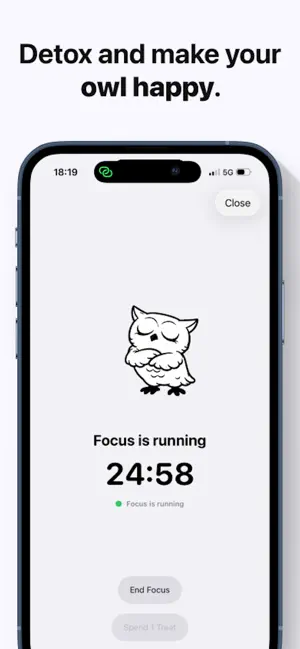
Focus Pal - Take Back Your Screen Time Reclaim focus. Build better habits. Feel in control. Focus helps you step away from distracting apps and create intentional screen breaks - on your terms - using native Screen Time capabilities for a seamless, private, and reliable experience. Why You’ll Love It - Calm the noise and be present in moments that matter. - Make focused work (or true rest) effortless with one‑tap breaks. - See your progress with clear, privacy‑first insights. - Works with iOS Screen Time for trustworthy app shielding. What Focus Does - One‑Tap Focus: Instantly shield distracting apps you choose for a set duration. - Smart Schedules: Plan recurring breaks that fit your day (morning focus, evening wind‑down, deep‑work blocks). - App & Category Control: Select specific apps or entire categories to reduce temptation and save your attention. - Gentle Reminders: Nudge yourself to take healthy breaks before fatigue or doom‑scrolling kicks in. - Clear Insights: Track time saved and trends with beautiful, native charts (iOS 16+). - Widgets: Start a break or check progress right from your Home or Lock Screen. How It Works 1. Choose apps you find distracting. 2. Start a Focus (now or on a schedule). 3. Your chosen apps are gently shielded during the break. 4. Review insights to fine‑tune your routine and stay consistent. Thoughtfully Designed - Privacy‑First: No accounts, no ads - your data stays on your device. - Native & Lightweight: Built for fast, reliable performance. - Mindful Defaults: Sensible presets to help you start strong without overthinking. Perfect For - Focused work and study sessions. - Tech‑lite mornings and restful evenings. - Reducing social media or news overload. - Parents and caregivers encouraging healthy device habits on shared devices. Privacy & Safety - Built on Apple’s Screen Time framework for secure, system‑level app shielding. - Data stays on your device. - You control what’s shielded and when. Requirements - iPhone or iPad running iOS/iPadOS 16 or later. - Screen Time authorization is required to enable app shielding. A Quick Note Focus shields the apps you select during your breaks. You can always adjust which apps are affected, tweak schedules, or pause/resume with a tap. Take a breath. Take a break. Take back your time with Focus. Terms of Use: https://www.apple.com/legal/internet-services/itunes/dev/stdeula/
Ratings & reviews
4.6
74 ratings
What’s new
Version 1.2.14 · Updated July 22, 2026
This update includes stability and quality improvements to make Focus Pal better and more reliable.
App privacy
The developer, Manuel Fessen, reported these privacy practices to Apple.
Data Not Linked to You
The following data, which may be collected but is not linked to your identity, may be used for the following purposes:
- Identifiers: User ID
- Usage Data: Product Interaction
Used for: Analytics, App Functionality
Alternatives to App Blocker - Focus Pal
Looking for apps like App Blocker - Focus Pal? Here are 6 similar apps on the App Store. The highest rated is ScreenFast (5.0/5), and all 6 are free to download.
-
 Habit Tracker - Habit Pixel
4.7
Habit Tracker - Habit Pixel
4.7
-
 Special Dates
4.0
Special Dates
4.0
-
 FlowIn - Screen Time Control
4.8
FlowIn - Screen Time Control
4.8
-
 ScreenFast
5.0
ScreenFast
5.0
-
 Aim: Goals & Progress Counter
4.8
Aim: Goals & Progress Counter
4.8
-
 Simple Habit and Goal Tracker
4.1
Simple Habit and Goal Tracker
4.1
| App | Rating | Price | Last updated | Compare |
|---|---|---|---|---|
| App Blocker - Focus Pal | 4.6 / 5 (74 ratings) | Free | July 22, 2026 | |
| Habit Tracker - Habit Pixel | 4.7 / 5 (25) | Free | Oct 27, 2026 | Compare |
| Special Dates | 4.0 / 5 (5) | Free | Sep 29, 2026 | Compare |
| FlowIn - Screen Time Control | 4.8 / 5 (18) | Free | Feb 26, 2026 | Compare |
| ScreenFast | 5.0 / 5 (31) | Free | Sep 23, 2026 | Compare |
| Aim: Goals & Progress Counter | 4.8 / 5 (22) | Free | Feb 22, 2024 | Compare |
| Simple Habit and Goal Tracker | 4.1 / 5 (18) | Free | Jan 16, 2026 | Compare |