

Video Eraser: AI Remove Object
Amor Tecnology Limited Photo & Video iPhoneiPadiPod touch
Video Eraser: AI Remove Object is a free Photo & Video app for iPhone and iPad by Amor Tecnology Limited. Rated 1.0/5 from 1 ratings. Requires iOS 14.0.
- Rating
- 1.0
- 1 ratings
- Price
- Free
- on the App Store
- Size
- 17 MB
- Age 4+
- Updated
- Aug 20
- 2025 · v1.0.0
Screenshots
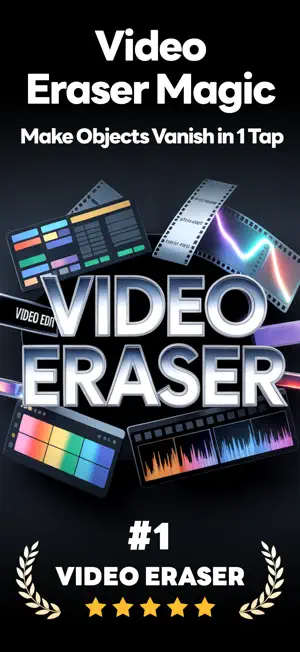


About Video Eraser: AI Remove Object
Video Eraser – AI Remove Anything, Enhance Everything Clean up your videos in seconds with the power of AI. Video Eraser makes it effortless to erase unwanted objects, text, logos, or even passersby — and instantly polish your footage to perfection. What You Can Do with Video Eraser: - Erase Unwanted Elements – Logos, text, watermarks, clutter… gone. - Object Removal – Tap and watch distracting objects vanish seamlessly. - AI Tracking – Remove moving objects or people frame by frame. Why You’ll Love It: - Powered by advanced AI for flawless, natural-looking edits. - No editing skills required — just paint over what you want gone. - Fast, intuitive, and works right on your phone. From clearing watermarks to removing photo-bombers, Video Eraser gives you complete creative control over your videos. Make your content cleaner, sharper, and ready to share. Download now and make distractions disappear. New users receive free credits to try the app. Once they’re used up, subscribe to our auto-renewing plans to keep enjoying all features. Cancel anytime. Automatic subscription service instructions: 1.Subscription service: Video Eraser AI Pro(1 Week / 1 Month) 2.Subscription price: - Video Eraser AI Pro Weekly:$9.99 - Video Eraser AI Pro Monthly:$29.99 You will be charged in your local currency at the prevailing exchange rate as defined by iTunes. 3.Payment: Subscriptions can be managed by the user, and the payment will be credited to the iTunes account after the user confirms the purchase and payment. 4.Renewal: Apple's iTunes account will be deducted within 24 hours before expiration. After the deduction is successful, the subscription period will be extended by one subscription period. 5.Unsubscribe: To unsubscribe, please open the "Settings" section of your Apple phone 24 hours before the expiration of the current subscription period, enter the "iTunes Store and App Store" section, click on "App ID", select "View Apple ID", enter the "Account Settings" page, click "Subscribe", and choose to unsubscribe. If you do not unsubscribe at least 24 hours before the end of the subscription period, your subscription will be automatically renewed. Privacy Policy:https://app.hkamor.com/help/videoEraser/PrivacyPolicy Terms of Use:https://app.hkamor.com/help/videoEraser/TermsOfUse We greatly appreciate your feedback as it helps us make our app better. Feel free to reach out to us anytime at [email protected].
App privacy
The developer, Amor Tecnology Limited, reported these privacy practices to Apple.
Data Used to Track You
The following data may be used to track you across apps and websites owned by other companies:
- Identifiers: Device ID
Data Linked to You
The following data, which may be collected and linked to your identity, may be used for the following purposes:
- Identifiers: Device ID, User ID
- User Content: Photos or Videos
Used for: Developer’s Advertising or Marketing, Analytics, App Functionality
Alternatives to Video Eraser: AI Remove Object
Looking for apps like Video Eraser: AI Remove Object? Here are 6 similar apps on the App Store. The highest rated is Video Eraser - Remove Object (4.6/5), and all 6 are free to download.
-
 Video Eraser - Remove Object
4.6
-
 Video Retouch:Object Removal
4.1
-
 Video Eraser .
4.5
-
 Video Eraser & Remove Objects
3.9
-
 Remove Unwanted Object
4.5
-
 AI Videos Text Remover
4.4
| App | Rating | Price | Last updated | Compare |
|---|---|---|---|---|
| Video Eraser: AI Remove Object | 1.0 / 5 (1 rating) | Free | August 20, 2025 | |
| Video Eraser - Remove Object | 4.6 / 5 (1,308) | Free | Oct 28, 2026 | Compare |
| Video Retouch:Object Removal | 4.1 / 5 (2,277) | Free | Aug 14, 2025 | Compare |
| Video Eraser . | 4.5 / 5 (1,411) | Free | Mar 17, 2026 | Compare |
| Video Eraser & Remove Objects | 3.9 / 5 (133) | Free | Feb 19, 2025 | Compare |
| Remove Unwanted Object | 4.5 / 5 (87) | Free | Aug 5, 2024 | Compare |
| AI Videos Text Remover | 4.4 / 5 (258) | Free | Jun 19, 2026 | Compare |