

Loop: Screen Time Control
Onur Ugur Productivity iPhoneiPadiPod touch
Loop: Screen Time Control is a free Productivity app for iPhone and iPad by Onur Ugur. Rated 4.8/5 from 4 ratings. Requires iOS 16.0.
- Rating
- 4.8
- 4 ratings
- Price
- Free
- on the App Store
- Size
- 39 MB
- Age 4+
- Updated
- Oct 20
- 2025 · v1.1
Screenshots

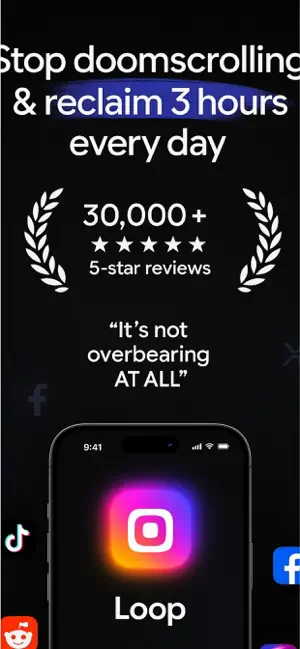


About Loop: Screen Time Control
Loop – Focus & Screen Time Control Stay focused, reduce distractions, and build better habits with Loop. Whether you're studying, working, or trying to break phone addiction, Loop helps you take control. Why Loop? Screen Time Control: Limit your daily or weekly phone usage Study Timer / Pomodoro Mode: Focus sessions + scheduled breaks App Blocker / Block Apps / App Lock: Temporarily disable distracting apps Stats & Analytics: Monitor usage trends, session durations, top apps Habit Tracker: Build consistent routines and keep streaks Boost Productivity & Focus: Transition into deep work mode Key Features Set custom limits per app or category Pomodoro-style intervals (e.g. 25 min focus / 5 min break) Temporarily lock social media, games, or any apps you choose Visual dashboards: screen time, focus ratio, app ranking Streaks, habit reminders, progress tracking Clean, intuitive UI with alerts, notifications & usage insights Who is Loop for? Students needing study focus Remote workers, freelancers Users wanting better time & screen time control Anyone seeking improved productivity and healthier phone habits “Loop helped me cut screen time and stay in flow during study sessions.” Download Loop now — focus more, waste less time, master your habits. To use this app, you must agree to our End User License Agreement(EULA), avaliable: https://www.apple.com/legal/internet-services/itunes/dev/stdeula/ To use this app you must agree to our Privacy Policy, avaliable at https://sites.google.com/view/focus-loop-privacy-policy/home
What’s new
Version 1.1 · Updated October 20, 2025
Bug fixes
App privacy
The developer, Onur Ugur, reported these privacy practices to Apple.
Data Used to Track You
The following data may be used to track you across apps and websites owned by other companies:
- Usage Data: Product Interaction
Data Not Linked to You
The following data, which may be collected but is not linked to your identity, may be used for the following purposes:
- Identifiers: Device ID
- Usage Data: Product Interaction, Other Usage Data
- Diagnostics: Crash Data, Performance Data, Other Diagnostic Data
- Other Data: Other Data Types
Used for: Analytics, Product Personalization, App Functionality
Alternatives to Loop: Screen Time Control
Looking for apps like Loop: Screen Time Control? Here are 6 similar apps on the App Store. The highest rated is TouchGrass Screen Time Control (5.0/5), and all 6 are free to download.
-
 App Blocker ADHD: MindfulPause
-
 MindfulBytes: Earn Screen Time
-
 TouchGrass Screen Time Control
5.0
-
 Tranquil: Block Apps & Focus
3.3
-
 Screen Time Limit App Blocker
4.8
-
 Spiral: Screen Time App
2.0
| App | Rating | Price | Last updated | Compare |
|---|---|---|---|---|
| Loop: Screen Time Control | 4.8 / 5 (4 ratings) | Free | October 20, 2025 | |
| App Blocker ADHD: MindfulPause | – | Free | May 29, 2026 | Compare |
| MindfulBytes: Earn Screen Time | – | Free | May 17, 2026 | Compare |
| TouchGrass Screen Time Control | 5.0 / 5 (5) | Free | Apr 9, 2026 | Compare |
| Tranquil: Block Apps & Focus | 3.3 / 5 (3) | Free | Sep 4, 2025 | Compare |
| Screen Time Limit App Blocker | 4.8 / 5 (6) | Free | Aug 11, 2026 | Compare |
| Spiral: Screen Time App | 2.0 / 5 (1) | Free | Jun 9, 2026 | Compare |