

Authenticator App • 2FA, MFA
Solid Apps LLC Utilities iPhoneiPadiPod touchApple Watch
Authenticator App • 2FA, MFA is a free Utilities app for iPhone and iPad by Solid Apps LLC. Rated 4.1/5 from 196 ratings. Requires iOS 18.0.
- Rating
- 4.1
- 196 ratings
- Price
- Free
- on the App Store
- Size
- 138 MB
- Age 12+
- Updated
- Oct 25
- 2026 · v2.3.1
Screenshots


About Authenticator App • 2FA, MFA
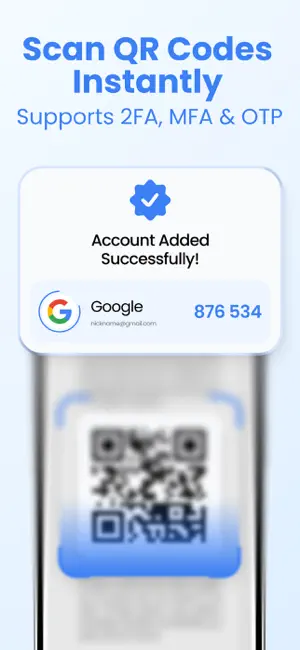
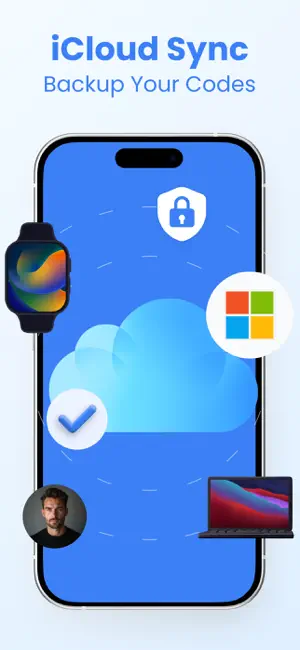
Authenticator App: 2FA is a powerful tool that adds an extra layer of security to your online accounts. This app generates unique, time-sensitive codes that you must enter alongside your password when logging into your accounts. This ensures that even if your password is compromised, unauthorized access is prevented. The 2FA Authenticator App is user-friendly, easy to set up, and can be used for multiple accounts. It provides peace of mind knowing that your sensitive information is well-protected. Once you set up the app, you simply scan a QR code or enter a secret key provided by the website or service you are trying to secure. From then on, whenever you log in, you will be prompted to enter the code generated by the app. Using a 2FA Authenticator App is a simple and effective way to enhance the security of your online accounts. It is highly recommended for anyone who wants to safeguard their information from cyber threats and hackers. By adding this extra layer of protection, you can be confident that your accounts are secure and your personal data remains private. The app is built to work seamlessly across the Apple ecosystem. Authenticator App: 2FA is available on iPhone, iPad, Apple Watch, and can also be used on Mac with Apple silicon, allowing you to access your authentication codes wherever you are. View your codes directly on your Apple Watch, enjoy an optimized experience on iPad, and manage your accounts comfortably on your Mac. Home Screen widget provide instant access to your codes without opening the app. Your security is further enhanced with Face ID protection, ensuring that only you can access your authentication codes. Biometric authentication adds an extra safeguard for your sensitive data while keeping the experience fast and convenient. A built-in Help section explains what 2FA is and how to set it up. Step-by-step guides and instructions for popular services make it easy to secure your accounts quickly and confidently. iCloud synchronization for a 2FA Authenticator app allows you to store your 2FA codes securely in the cloud, making it easier to access them across multiple devices. With iCloud synchronization, you can easily backup and restore your 2FA codes if you change or lose your device. It also provides added security in case your device is lost or stolen, as you can still access your 2FA codes from another device. Overall, iCloud synchronization for a 2FA Authenticator app offers convenience and peace of mind, ensuring that your online accounts remain secure and protected. For Terms of Use, please visit https://sites.google.com/view/authenticator-app2fa/terms-conditions For Privacy Policy, please visit https://sites.google.com/view/authenticator-app2fa/privacy-policy
Ratings & reviews
4.1
196 ratings
What’s new
Version 2.3.1 · Updated October 25, 2026
Bug fixes and stability improvements
App privacy
The developer, Solid Apps LLC, reported these privacy practices to Apple.
Data Used to Track You
The following data may be used to track you across apps and websites owned by other companies:
- Identifiers: Device ID
Data Not Linked to You
The following data, which may be collected but is not linked to your identity, may be used for the following purposes:
- Identifiers: Device ID
Used for: Developer’s Advertising or Marketing
Alternatives to Authenticator App • 2FA, MFA
Looking for apps like Authenticator App • 2FA, MFA? Here are 6 similar apps on the App Store. The highest rated is 2FA Authenticator: MFA RSA (4.7/5), and all 6 are free to download.
-
 Authenticator App - 2FA Totp
4.5
Authenticator App - 2FA Totp
4.5
-
 2FA Authenticator: MFA RSA
4.7
2FA Authenticator: MFA RSA
4.7
-
 Find & Detect Hidden Trackers
4.4
Find & Detect Hidden Trackers
4.4
-
 Authenticator: Secure 2FA Auth
4.5
Authenticator: Secure 2FA Auth
4.5
-
 eSign - Fill Out Documents Now
4.7
eSign - Fill Out Documents Now
4.7
-
 Authenticator: AuthSnap
4.5
Authenticator: AuthSnap
4.5
| App | Rating | Price | Last updated | Compare |
|---|---|---|---|---|
| Authenticator App • 2FA, MFA | 4.1 / 5 (196 ratings) | Free | October 25, 2026 | |
| Authenticator App - 2FA Totp | 4.5 / 5 (24) | Free | Sep 8, 2025 | Compare |
| 2FA Authenticator: MFA RSA | 4.7 / 5 (29) | Free | Aug 29, 2025 | Compare |
| Find & Detect Hidden Trackers | 4.4 / 5 (163) | Free | Jul 11, 2025 | Compare |
| Authenticator: Secure 2FA Auth | 4.5 / 5 (26) | Free | Aug 6, 2025 | Compare |
| eSign - Fill Out Documents Now | 4.7 / 5 (14) | Free | Aug 20, 2025 | Compare |
| Authenticator: AuthSnap | 4.5 / 5 (11) | Free | Aug 27, 2025 | Compare |