

Swipe To Delete Photos - Edit
Can Kalender Utilities iPhoneiPadiPod touch
Swipe To Delete Photos - Edit is a free Utilities app for iPhone and iPad by Can Kalender. Requires iOS 17.0. Updated October 1, 2026.
- Price
- Free
- on the App Store
- Size
- 49 MB
- Age 4+
- Updated
- Oct 1
- 2026 · v1.0.4
Screenshots

About Swipe To Delete Photos - Edit
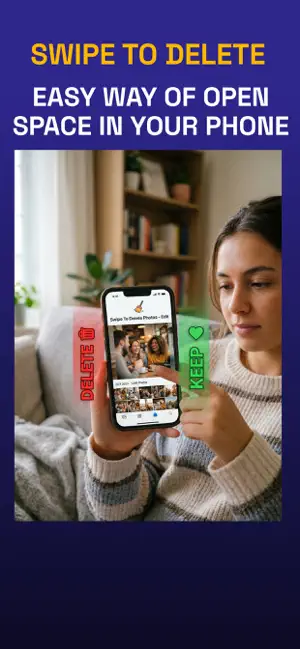
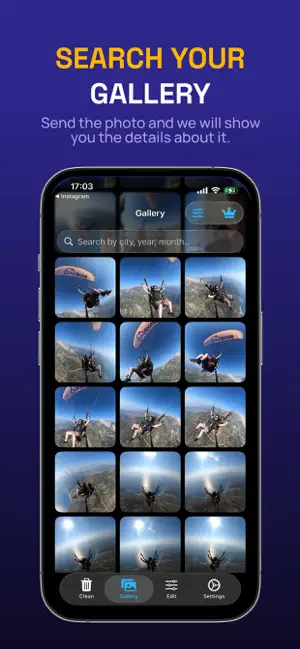
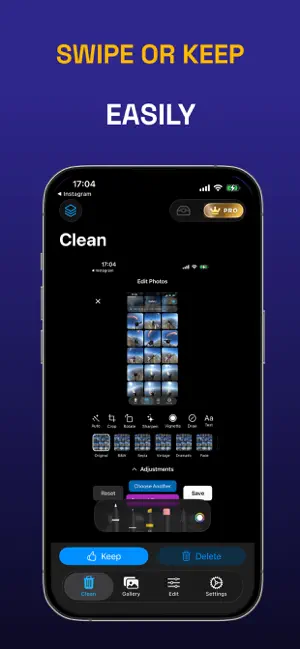
Reclaim Your Storage. Relive Your Memories. Is your gallery buried under thousands of screenshots, blurry shots, and duplicates? Swipe To Delete Photos - Edit is the fastest, most intuitive way to declutter your life. Transform your messy library into a curated collection of your best moments in just minutes. Key Features The Power of the Swipe: Cleaning your gallery shouldn't be a chore. Swipe left to discard and right to keep. It’s fast, satisfying, and incredibly effective. Smart AI Grouping: No more endless scrolling. We automatically organize your photos by Year, Month, and City, making it easy to tackle specific events or trips. Precision Search & Filtering: Instantly find what you’re looking for. Filter your entire library by location or date with a single tap. Customizable Grid View: View your world your way. Choose between a dense 6-column grid for rapid scanning or a spacious 2-column layout to appreciate every detail. Full-Screen Confidence: Never delete the wrong photo again. Review every image in high-resolution full-screen before committing to a cleanup. Tailored to You: Support for System, Light, and Dark modes, plus a multi-language interface that feels native to your device. Go Premium Unlock the full potential of your gallery. Choose the plan that fits your lifestyle: Swipe To Clean Weekly: $1.99 / week – Perfect for a one-time deep clean. Swipe To Clean Yearly: $29.99 / year – The best value for keeping your gallery pristine year-round. Remove Ads: $4.99 one-time – Enjoy a focused, ad-free experience forever. Premium subscriptions include an ad-free experience, priority smart grouping, and unlimited high-speed cleanup tools. Privacy & Safety Total Control: Optional delete confirmations and haptic feedback ensure you stay in command of every action. Privacy First: We support both Full and Limited Photos access. Your photos never leave your device—we just help you manage them. Permanent Results: Deletions sync directly with your system library to instantly free up hardware and iCloud storage. Why Wait? A cluttered gallery is a cluttered mind. Download Swipe To Delete today and reach your favorite memories faster than ever before. Terms of Use (EULA): https://www.apple.com/legal/internet-services/itunes/dev/stdeula/ Privacy Policy URL: https://sites.google.com/view/swipe-to-delete-privacy/home
What’s new
Version 1.0.4 · Updated October 1, 2026
Bug fixes and improvements.
App privacy
The developer, Can Kalender, reported these privacy practices to Apple.
Data Used to Track You
The following data may be used to track you across apps and websites owned by other companies:
- Diagnostics: Crash Data
Data Not Linked to You
The following data, which may be collected but is not linked to your identity, may be used for the following purposes:
- Usage Data: Advertising Data, Other Usage Data
- Diagnostics: Crash Data
Used for: Third-Party Advertising, Analytics, App Functionality
Alternatives to Swipe To Delete Photos - Edit
Looking for apps like Swipe To Delete Photos - Edit? Here are 6 similar apps on the App Store. The highest rated is Swipify: Clean Your Photos (3.0/5), and all 6 are free to download.
-
 Swipify: Clean Your Photos
3.0
Swipify: Clean Your Photos
3.0
-
 SweepIt: Swipe Photo Cleaner
-
 Ways Entregas
-
 Glide Clean
-
 SafeOut
-
 Photo Swipe Cleaner: Clean Up
| App | Rating | Price | Last updated | Compare |
|---|---|---|---|---|
| Swipe To Delete Photos - Edit | – | Free | October 1, 2026 | |
| Swipify: Clean Your Photos | 3.0 / 5 (1) | Free | Sep 4, 2026 | Compare |
| SweepIt: Swipe Photo Cleaner | – | Free | Apr 18, 2026 | Compare |
| Ways Entregas | – | Free | May 19, 2024 | Compare |
| Glide Clean | – | Free | Sep 12, 2026 | Compare |
| SafeOut | – | Free | Nov 22, 2025 | Compare |
| Photo Swipe Cleaner: Clean Up | – | Free | Dec 5, 2025 | Compare |