

Swipe Clean: Tidy Gallery
OGUZHAN 0ZDEMIR Utilities iPhoneiPadiPod touch
Swipe Clean: Tidy Gallery is a free Utilities app for iPhone and iPad by OGUZHAN 0ZDEMIR. Requires iOS 15.0. Updated September 16, 2026.
- Price
- Free
- on the App Store
- Size
- 57 MB
- Age 4+
- Updated
- Sep 16
- 2026 · v1.5
Screenshots


About Swipe Clean: Tidy Gallery
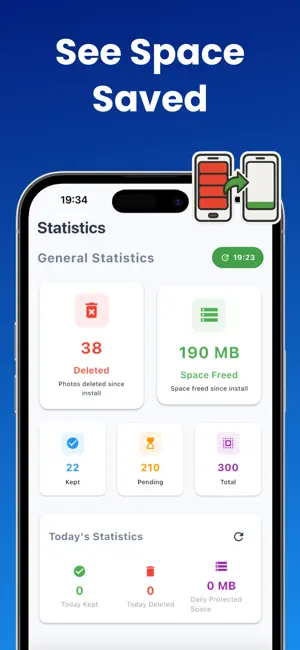
Clean your camera roll faster with a simple swipe-based review flow. Gallery Cleaner Swipe Photos helps you review photos, screenshots, large files, low-quality images, and old memories in one place. Decide what stays, remove what you no longer need, and keep your gallery easier to manage. CLEAN PHOTOS FASTER Go through your camera roll with a simple keep-or-delete flow. Review photos more easily without manually searching through your entire gallery. SWIPE TO KEEP OR DELETE Use a fast swipe workflow to review items one by one. Keep what matters and remove unwanted clutter with more control. FIND LARGE FILES Large videos and media files can take up more storage than expected. Find large files so you can review and remove them faster. CLEAN SCREENSHOTS Screenshots pile up quickly. Find old screenshots, saved pages, receipts, chats, and other clutter that you may no longer need. REMOVE LOW-QUALITY PHOTOS Find blurry, low-resolution, or low-quality photos and decide which ones should be removed. CUSTOM CLEANING RULES Set your own cleaning preferences. Choose filters for large files, low-quality photos, and old photos to control how your gallery is reviewed. REVIEW BEFORE DELETE Your memories matter. Nothing is deleted without your confirmation. You stay in control until the final review step. GO PRO Unlock unlimited cleaning, advanced filters, and a faster way to manage your camera roll. Gallery Cleaner Swipe Photos helps you reduce clutter, review faster, and keep your camera roll organized. Less clutter. More space. A cleaner camera roll. Terms of Use / EULA: https://www.apple.com/legal/internet-services/itunes/dev/stdeula/
What’s new
Version 1.5 · Updated September 16, 2026
Improved screenshot cleanup and large file review.Faster swipe-based review before delete.Small fixes for a smoother, more reliable cleaning experience.
App privacy
The developer, OGUZHAN 0ZDEMIR, reported these privacy practices to Apple.
Data Not Linked to You
The following data, which may be collected but is not linked to your identity, may be used for the following purposes:
- Usage Data: Product Interaction
- Other Data: Other Data Types
Used for: Developer’s Advertising or Marketing, Analytics
Alternatives to Swipe Clean: Tidy Gallery
Looking for apps like Swipe Clean: Tidy Gallery? Here are 6 similar apps on the App Store.
-
 Swiper: Photo Gallery Cleaner
-
 CleanUp AI: Storage Cleaner
-
 PureSweep: Storage Cleaner
-
 SnapDetox - Screenshot Cleaner
-
 SwipeClean Photo Clean
-
 Tidii Photo Cleaner
| App | Rating | Price | Last updated | Compare |
|---|---|---|---|---|
| Swipe Clean: Tidy Gallery | – | Free | September 16, 2026 | |
| Swiper: Photo Gallery Cleaner | – | Free | Oct 12, 2026 | Compare |
| CleanUp AI: Storage Cleaner | – | Free | Oct 14, 2026 | Compare |
| PureSweep: Storage Cleaner | – | Free | Sep 30, 2026 | Compare |
| SnapDetox - Screenshot Cleaner | – | Free | Apr 18, 2026 | Compare |
| SwipeClean Photo Clean | – | Free | Jun 22, 2026 | Compare |
| Tidii Photo Cleaner | – | Free | Jan 31, 2026 | Compare |