

eSign - Sign, Fill, Form, PDF
Jignesh Thakkar Huf Business iPhoneiPadiPod touch
eSign - Sign, Fill, Form, PDF is a free Business app for iPhone and iPad by Jignesh Thakkar Huf. Requires iOS 15.6. Updated July 1, 2026.
- Price
- Free
- on the App Store
- Size
- 157 MB
- Age 4+
- Updated
- Jul 1
- 2026 · v1.6
Screenshots


About eSign - Sign, Fill, Form, PDF
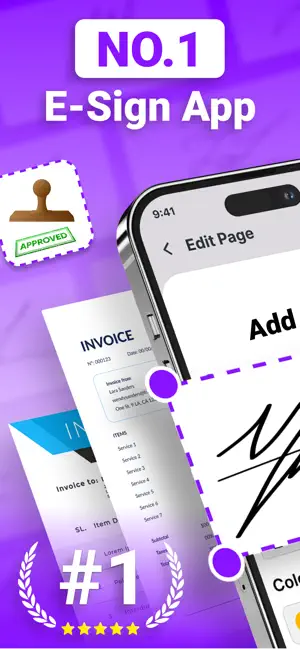
eSign Pro is your all-in-one solution to sign, fill, and secure PDF documents with ease. Whether you’re finalizing contracts, completing forms, or sharing important files, our app makes the process fast, secure, and stress-free. Designed for professionals, businesses, and individuals who want to save time and go paperless, eSign Pro combines multiple powerful PDF tools in one simple app. Key Features: • Sign Documents Instantly Add legally binding electronic signatures to PDFs and forms in just a few taps. Import files from email, cloud storage, or your device and sign on the go. • Fill & Edit PDF Forms Easily type text, check boxes, insert dates, and complete forms without printing. Perfect for contracts, applications, agreements, and more. • Password Protect & Encrypt PDFs Keep sensitive documents safe by adding a password lock. Control access and ensure your files remain private and secure. • Print, Export & Share Send completed documents via email, cloud storage (Google Drive, Dropbox, iCloud), or print directly from your device. • Organize Documents Keep all your signed and filled PDFs neatly stored in one place for easy access whenever you need them. • Cross-Device Access Work seamlessly across devices — sign and manage your files anytime, anywhere. Why Choose eSign Pro? Unlike other apps, eSign Pro combines signing, editing, filling, printing, and protecting PDFs in one powerful yet easy-to-use tool. No extra apps or complicated steps required.eSign Pro is designed to handle both professional and personal needs. From signing business contracts to completing personal forms, our app helps you work smarter and faster.Make the switch to digital today. Download eSign Pro and experience the easiest way to manage your documents with speed, security, and convenience. Privacy policy : https://docs.google.com/document/d/1iC3REr5Oyrd95bCjK9RH_utJvGdNjIe3bMsiwAnDzB8/edit?tab=t.0#heading=h.g0ojbmac528e Terms of Use (EULA) : https://docs.google.com/document/d/1SotW3GnhJv0SIXZv3pDnpfeW55F3XEQdIWUdqa99-gA/edit?tab=t.0#heading=h.gc29gtk8u6ji Subscription Policy : https://docs.google.com/document/d/171sl24vWf9O-12tUe8YSbZw4IE6zwdv_fw8mhC-2TqY/edit?tab=t.0
What’s new
Version 1.6 · Updated July 1, 2026
Minor bug fixes we constantly update app in order to improve user expirienece.
App privacy
The developer, Jignesh Thakkar Huf, reported these privacy practices to Apple.
Data Used to Track You
The following data may be used to track you across apps and websites owned by other companies:
- Identifiers: Device ID
Data Linked to You
The following data, which may be collected and linked to your identity, may be used for the following purposes:
- Identifiers: Device ID
Used for: Developer’s Advertising or Marketing
Alternatives to eSign - Sign, Fill, Form, PDF
Looking for apps like eSign - Sign, Fill, Form, PDF? Here are 6 similar apps on the App Store. The highest rated is Kinster: Family Forms (5.0/5), and all 6 are free to download.
-
 Kinster: Family Forms
5.0
-
 Trust Konnect
-
 PortalForms
-
 SingleForm
-
 Digital Mart: Skills & Reels
-
 My Rickshaw Driver
| App | Rating | Price | Last updated | Compare |
|---|---|---|---|---|
| eSign - Sign, Fill, Form, PDF | – | Free | July 1, 2026 | |
| Kinster: Family Forms | 5.0 / 5 (1) | Free | Aug 29, 2026 | Compare |
| Trust Konnect | – | Free | Sep 24, 2026 | Compare |
| PortalForms | – | Free | Jul 10, 2026 | Compare |
| SingleForm | – | Free | May 10, 2026 | Compare |
| Digital Mart: Skills & Reels | – | Free | Apr 24, 2026 | Compare |
| My Rickshaw Driver | – | Free | Jul 15, 2026 | Compare |