
Water Eject: Speaker Buddy
Shailebhyanand Govindavajjula Utilities iPhoneiPadiPod touch
Water Eject: Speaker Buddy is a free Utilities app for iPhone and iPad by Shailebhyanand Govindavajjula. Requires iOS 17.6. Updated May 14, 2026.
- Price
- Free
- on the App Store
- Size
- 7 MB
- Age 4+
- Updated
- May 14
- 2026 · v1.0.3
Screenshots

About Water Eject: Speaker Buddy
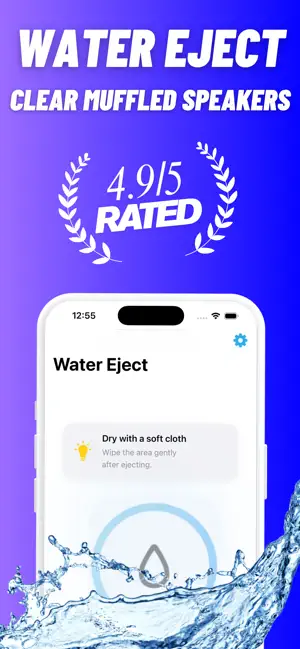
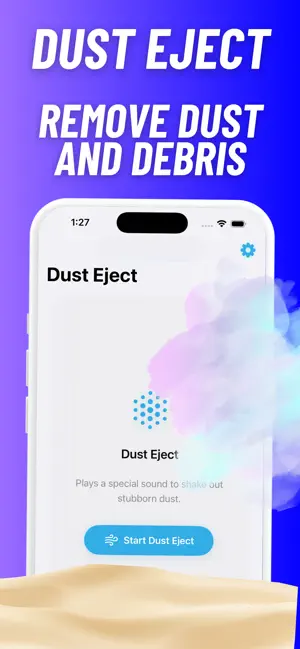
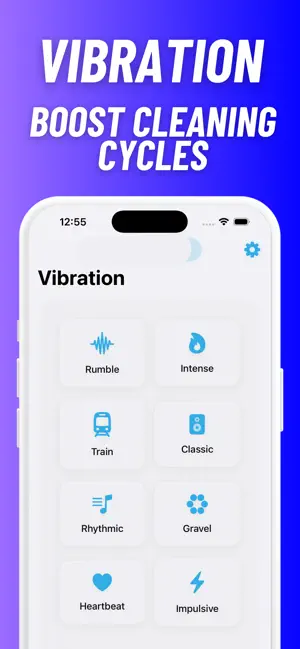
Water Eject: Speaker Buddy helps clear muffled iPhone speakers after water, dust, rain, splashes, beach sand or everyday pocket debris. Use guided sound waves, clear wave cycles and optional vibration tools to help push moisture and dust out of your speaker. Whether your audio sounds low, blocked or distorted after a splash, Speaker Buddy gives you simple one-tap tools to clean, test and check your sound. Water Eject Start a guided water eject cycle designed to help move trapped moisture out of your speaker using focused audio pulses. For best results, dry the outside of your device first and keep the speaker facing down during the cycle. Speaker Cleaner Use speaker cleaner tools to help loosen dust, lint and small debris that can make audio sound quiet or muffled. Clear Wave Cycles Run clean sound wave cycles built for quick speaker clearing. Simple controls make it easy to start, stop and repeat a cycle when needed. Sound Check Test your speaker after cleaning with Left, Right and Stereo sound checks. Confirm whether your audio sounds clearer before running another cycle. Vibration Tools On supported iPhone models, optional vibration modes can add extra movement during cleaning cycles. Tone and Frequency Tools Use tone generator, hertz, sound test and decibel-style tools to check speaker output and audio clarity. Useful for: Water in speaker Muffled speaker sound Dust in speaker Low speaker volume Rain and splash accidents Beach sand and pocket lint Speaker sound checks Left, Right and Stereo testing How to use: 1. Dry the outside of your device. 2. Open Speaker Buddy. 3. Start a water eject or speaker cleaner cycle. 4. Keep the speaker facing down if possible. 5. Run Sound Check to test the result. 6. Repeat if needed. Speaker Buddy runs on-device with no accounts or signups. Just open the app, choose a cleaning cycle and check your speaker sound. Disclaimer: Results can vary depending on device condition, amount of water or dust, speaker blockage and hardware damage. This app is not a repair service and does not guarantee water damage repair. If your speaker remains distorted, quiet or damaged, contact an authorized technician. Terms of Use: https://www.apple.com/legal/internet-services/itunes/dev/stdeula/
What’s new
Version 1.0.3 · Updated May 14, 2026
Speaker Buddy is now faster and cleaner for water eject, speaker cleaning and sound testing. This update improves clear wave playback, dust eject cycles, liquid remover tools, vibration support, left/right speaker checks and overall sound test performance. We also fixed bugs and improved reliability across supported iPhone and iPad devices.
App privacy
The developer, Shailebhyanand Govindavajjula, reported these privacy practices to Apple.
Data Not Collected
The developer does not collect any data from this app.
Alternatives to Water Eject: Speaker Buddy
Looking for apps like Water Eject: Speaker Buddy? Here are 6 similar apps on the App Store. The highest rated is FlushWater - Speaker Cleaner (5.0/5), and all 6 are free to download.
-
 FlushWater - Speaker Cleaner
5.0
FlushWater - Speaker Cleaner
5.0
-
 Water Eject - Ejectify
4.0
Water Eject - Ejectify
4.0
-
 Water Eject for Earbuds
-
 Water Eject - Clean Speakers
-
 Water Eject Pro
-
 Clear Speaker Water Eject
| App | Rating | Price | Last updated | Compare |
|---|---|---|---|---|
| Water Eject: Speaker Buddy | – | Free | May 14, 2026 | |
| FlushWater - Speaker Cleaner | 5.0 / 5 (1) | Free | Apr 16, 2026 | Compare |
| Water Eject - Ejectify | 4.0 / 5 (3) | Free | Nov 21, 2025 | Compare |
| Water Eject for Earbuds | – | Free | Jun 25, 2026 | Compare |
| Water Eject - Clean Speakers | – | Free | Sep 7, 2026 | Compare |
| Water Eject Pro | – | Free | Oct 28, 2025 | Compare |
| Clear Speaker Water Eject | – | Free | Jan 27, 2026 | Compare |