

HomePad - Smart Home Dashboard
Quentin Van Eylen Lifestyle iPhoneiPadiPod touch
HomePad - Smart Home Dashboard is a paid Lifestyle app for iPhone and iPad by Quentin Van Eylen. Rated 4.6/5 from 33 ratings. Requires iOS 17.6.
- Rating
- 4.6
- 33 ratings
- Price
- 8.99 USD
- on the App Store
- Size
- 51 MB
- Age 4+
- Updated
- Oct 6
- 2026 · v4.1.2
Screenshots

About HomePad - Smart Home Dashboard
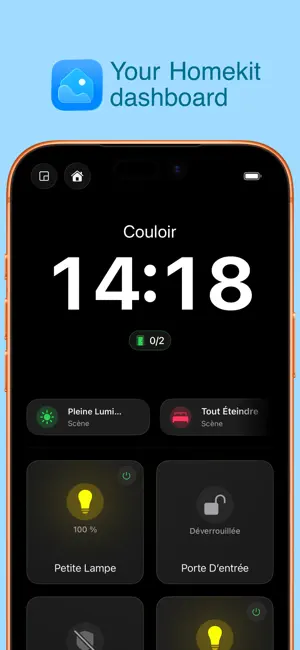
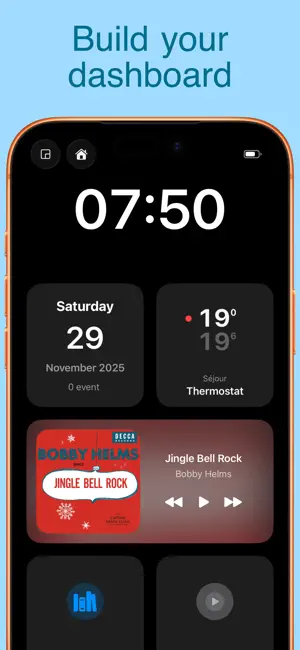
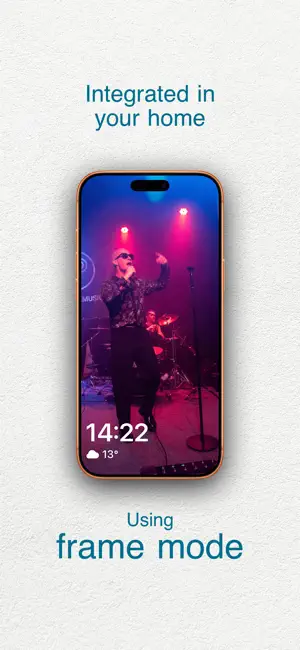
Transform your wall-mounted or tabletop iPad into a true control center for the whole family. HomePad brings your entire smart home together within a smooth, clear interface designed to stay always on. Compatible with Apple Home (HomeKit) and Home Assistant, it also adapts seamlessly to your iPhone. CUSTOMIZABLE MAIN DASHBOARD your central home screen by combining your smart accessories with everyday widgets: * Useful widgets: Weather, clocks, calendar, reminders, commute times, and shortcuts. * Web pages: Embed any website directly into your dashboard. * Flexible layout: Place and resize every element exactly the way you want. ROOM NAVIGATION & DEDICATED PAGES A clear organization to instantly access every control: * Room views: Quickly find all accessories and sensors tied to a specific space. * Thematic views: Dedicated screens for specific needs, such as surveillance and security. * Detailed accessory views: Dimmers, color pickers, blinds, thermostats, fans, or robot vacuums. CAMERAS & SENSORS AT A GLANCE * Video surveillance: Fullscreen or grid camera feeds (up to 4 simultaneously). * Smart doorbell: Video feed pops up automatically whenever a visitor arrives. * Comprehensive monitoring: Temperature, humidity, air quality, motion, contact sensors, water leaks, and smoke. BEYOND HOME AUTOMATION * Media player: Control Apple Music, Spotify, and your favorite online radio stations. * Photo Frame Mode: When idle, your albums display elegantly alongside the weather and current music. HOMEPAD GUARD: REPURPOSE YOUR OLD IPADS Give your older devices a second life. The iPad can be exposed as a full-fledged HomeKit accessory—its camera, microphone, and built-in siren become directly accessible right from the Apple Home app. DESIGNED FOR EVERYDAY LIFE * Always-on: Engineered to run continuously with rock-solid smoothness. * Secure: Protected by Face ID, Touch ID, or passcode for sensitive actions (doors, alarms). * Multi-home: Manage multiple properties and switch between them in a single tap. * One-time purchase: No subscription—all features are unlocked permanently.
Ratings & reviews
4.6
33 ratings
What’s new
Version 4.1.2 · Updated October 6, 2026
Thank you for using HomePad every day and for providing us with your feedback. This update includes: - Bug fixes - Timer integration - Improvements to website widgets
App privacy
The developer, Quentin Van Eylen, reported these privacy practices to Apple.
Data Not Collected
The developer does not collect any data from this app.
Alternatives to HomePad - Smart Home Dashboard
Looking for apps like HomePad - Smart Home Dashboard? Here are 6 similar apps on the App Store. The highest rated is Itsyhome for HomeKit (5.0/5), and 5 of the 6 are free to download.
-
 HomeDeck for HomeKit
-
 Hearth for HomeKit
4.5
Hearth for HomeKit
4.5
-
 Homerise
4.5
Homerise
4.5
-
 Itsyhome for HomeKit
5.0
Itsyhome for HomeKit
5.0
-
 HomeCare for HomeKit
4.8
HomeCare for HomeKit
4.8
-
 SmartHome Dashboard - HomeView
4.0
SmartHome Dashboard - HomeView
4.0
| App | Rating | Price | Last updated | Compare |
|---|---|---|---|---|
| HomePad - Smart Home Dashboard | 4.6 / 5 (33 ratings) | 8.99 USD | October 6, 2026 | |
| HomeDeck for HomeKit | – | Free | Oct 15, 2026 | Compare |
| Hearth for HomeKit | 4.5 / 5 (2) | Free | Oct 15, 2026 | Compare |
| Homerise | 4.5 / 5 (4) | Free | May 27, 2026 | Compare |
| Itsyhome for HomeKit | 5.0 / 5 (12) | Free | Jul 24, 2026 | Compare |
| HomeCare for HomeKit | 4.8 / 5 (123) | 9.99 USD | Jul 30, 2026 | Compare |
| SmartHome Dashboard - HomeView | 4.0 / 5 (2) | Free | Oct 15, 2026 | Compare |