

Yaru Memo
Daisuke Inoue Productivity iPhoneiPadiPod touch
Yaru Memo is a free Productivity app for iPhone and iPad by Daisuke Inoue. Requires iOS 17.6. Updated October 8, 2026.
- Price
- Free
- on the App Store
- Size
- 8 MB
- Age 4+
- Updated
- Oct 8
- 2026 · v1.2
Screenshots
About Yaru Memo
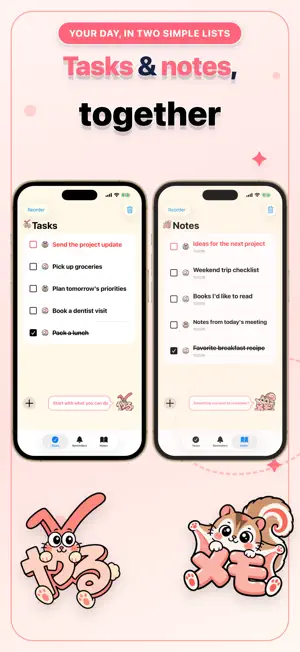
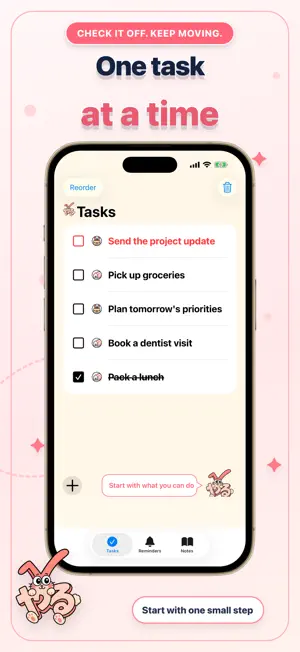
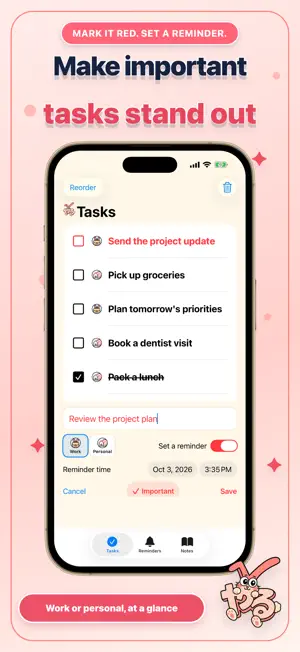
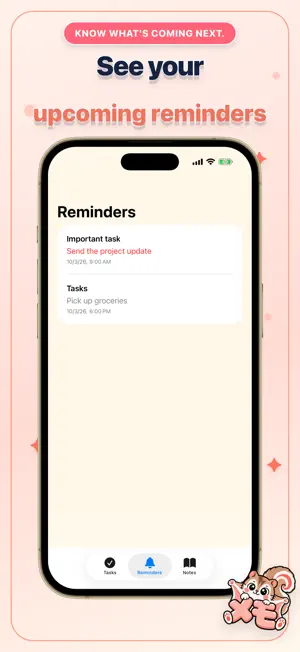
A little less to keep in your head. Yaru Memo gives your daily tasks and notes a simple place to live. Keep track of what you need to do, save things you want to remember, and take your day one step at a time. TWO LISTS, ONE APP Use Tasks for your to-dos and Notes for ideas, lists, and things you want to keep. Switch between them whenever you need to. MAKE IMPORTANT ITEMS STAND OUT Mark a task or note as important to show it in red. See what deserves your attention at a glance. SET REMINDERS FOR TASKS Choose a date and time when adding a task. View your scheduled reminders in one list, with important items easy to spot. Reminders for important tasks use the title "Important task". Completing or deleting a task cancels its reminder. KEEP WORK AND PERSONAL ITEMS CLEAR Choose Work or Personal when adding a task or note. Category icons help you tell them apart in your lists. CHECK, REORDER, AND TIDY UP Check off tasks as you finish them, and check notes when you have reviewed or remembered them. Put items in the order that works for you, delete individual items, or clear completed items. SAVE NOTES WITH THEIR DATES Notes show the date they were created, so you can see when you saved a thought or idea. SEE YOUR NEXT TASKS WITH WIDGETS Add a widget to your Home Screen or Lock Screen to see the unfinished tasks at the top of your list, in your chosen order. Check what to tackle next without opening the app. The number of tasks shown depends on the widget type. A LITTLE ENCOURAGEMENT Yaru Bunny and Memonnga offer friendly comments as you add items and make progress. MADE FOR IPHONE AND IPAD Use English or Japanese to match your device or app language setting. Dates follow the selected language and regional format. The tasks and notes you write stay exactly as you entered them; they are not automatically translated. The app contains ads. Notifications require permission in Settings. Start with one task. Save one thought. Make a little room for your day.
What’s new
Version 1.2 · Updated October 8, 2026
- Improved task and note input fields to make them easier to read. - Added Work and Personal icons to help you tell tasks and notes apart at a glance. Yaru Memo now supports English alongside Japanese. App text, task reminder titles, and date displays adapt to your language setting. Your saved tasks and notes stay as you wrote them.
App privacy
The developer, Daisuke Inoue, reported these privacy practices to Apple.
Data Used to Track You
The following data may be used to track you across apps and websites owned by other companies:
- Identifiers: Device ID
- Usage Data: Product Interaction, Advertising Data
- Diagnostics: Crash Data
Data Linked to You
The following data, which may be collected and linked to your identity, may be used for the following purposes:
- Identifiers: Device ID
- Usage Data: Product Interaction, Advertising Data
- Diagnostics: Crash Data
Used for: Third-Party Advertising, Analytics, App Functionality
Alternatives to Yaru Memo
Looking for apps like Yaru Memo? Here are 6 similar apps on the App Store. The highest rated is たのみん | QRコード注文アプリ (5.0/5), and all 6 are free to download.
-
 ひび
-
 いつかはやるリスト
-
 To Day Do|今日のタスク管理
-
 ぴよToDo - シンプルなタスク管理
-
 Lustrous ToDo: Task & Shopping
-
 たのみん | QRコード注文アプリ
5.0
| App | Rating | Price | Last updated | Compare |
|---|---|---|---|---|
| Yaru Memo | – | Free | October 8, 2026 | |
| ひび | – | Free | Oct 27, 2026 | Compare |
| いつかはやるリスト | – | Free | Sep 2, 2026 | Compare |
| To Day Do|今日のタスク管理 | – | Free | Oct 23, 2026 | Compare |
| ぴよToDo - シンプルなタスク管理 | – | Free | Oct 25, 2026 | Compare |
| Lustrous ToDo: Task & Shopping | – | Free | Feb 12, 2026 | Compare |
| たのみん | QRコード注文アプリ | 5.0 / 5 (1) | Free | Oct 23, 2026 | Compare |
Compare Yaru Memo with the top alternatives: ratings, updates, ASO score and keyword gaps →