

AI Transcribe by Evernote
Evernote Corporation Productivity iPhoneiPadiPod touch
AI Transcribe by Evernote is a free Productivity app for iPhone and iPad by Evernote Corporation. Rated 1.3/5 from 4 ratings. Requires iOS 18.0.0.
- Rating
- 1.3
- 4 ratings
- Price
- Free
- on the App Store
- Size
- 48 MB
- Age 4+
- Updated
- Dec 22
- 2025 · v1.0.5
Screenshots
About AI Transcribe by Evernote
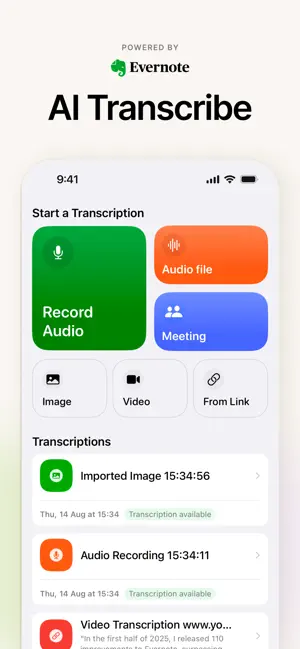
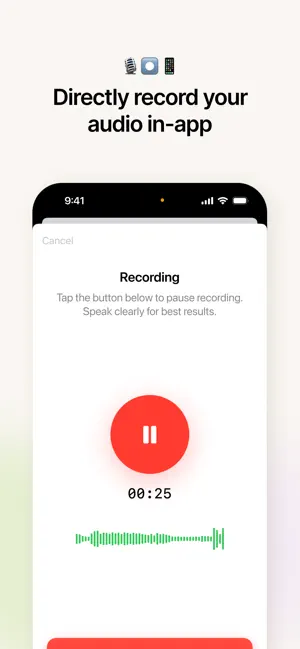
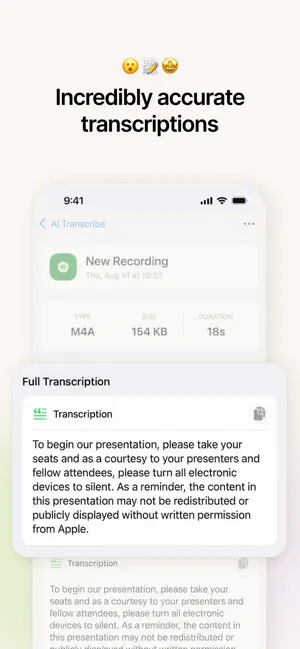
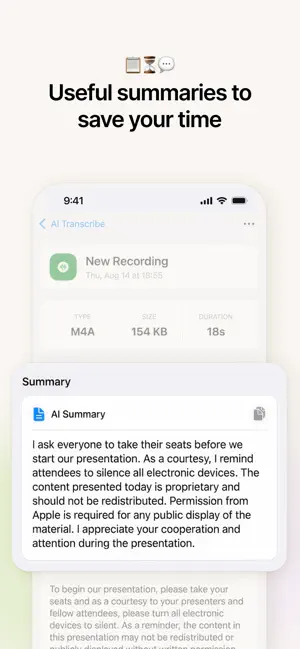
Unlock the full power of your ideas instantly. Evernote's AI Transcribe turns your audio, video, and images into editable, searchable text on the go: at work, in class, or anywhere in between. Key Features - Multimodal Transcription Upload or record audio, video, or images and transform them into text with a tap. Supports popular formats like MP3, WAV, MP4, MOV, JPG, PNG, PDFs, and more. Even paste video URLs (YouTube, social media, cloud links) and watch your content transform into text. - Powerful OCR and Handwriting Recognition Your handwritten or printed notes are no longer stuck on paper. Snap a photo or upload a scan. AI Transcribe converts handwritten content into editable, searchable text in multiple languages. - Zoom & Meeting-Ready Transcribe Zoom meetings effortlessly, just by uploading the recording. Your transcription will automatically recognize speakers, making it easier to follow. - Accurate in Real-World Conditions AI trained to handle diverse accents, background noise, and less-than-ideal recordings. A high-quality mic helps but results stay impressive even in noisy environments. - Global Language Support Transcribe in over 50 languages! Perfect for international use, multilingual teams, students, and researchers. - Privacy-First by Design Your content is only used to power the transcription, period. AI doesn't learn from your files, and uploads are processed securely by third parties and erased within 30 days. Why You'll Love It - Never miss a word again. From lectures and meetings to voice memos and handwritten notes capture everything into searchable, editable text effortlessly. - Boost productivity. Less typing, more time organizing and creating. Instantly search transcripts, extract highlights, tag key points, or draft summaries—all in one place. - Super flexible, super helpful. Works with almost any file type or source and fits seamlessly into your Evernote workflow. - Global-ready. Accurate transcription across languages makes it perfect for international students, professionals, and teams. - Trustworthy and secure. Evernote prioritizes privacy: your data stays private and protected. Your words. Wherever they come from, whatever they are make them yours. Download now to simplify transcription and make your notes work for you. Useful Links: Privacy Policy: https://evernote.com/privacy/policy Terms of Service: https://evernote.com/legal/terms-of-service
What’s new
Version 1.0.5 · Updated December 22, 2025
- Bug fixes and minor improvements
App privacy
The developer, Evernote Corporation, reported these privacy practices to Apple.
Data Used to Track You
The following data may be used to track you across apps and websites owned by other companies:
- Diagnostics: Other Diagnostic Data
Data Not Linked to You
The following data, which may be collected but is not linked to your identity, may be used for the following purposes:
- Diagnostics: Other Diagnostic Data, Crash Data, Performance Data
- Identifiers: User ID, Device ID
- Usage Data: Product Interaction
Used for: Developer’s Advertising or Marketing, Analytics
Alternatives to AI Transcribe by Evernote
Looking for apps like AI Transcribe by Evernote? Here are 6 similar apps on the App Store. The highest rated is Transcribe AI Voice Note Taker (4.6/5), and all 6 are free to download.
-
 Transcribe Video to Text: Vid2
4.5
Transcribe Video to Text: Vid2
4.5
-
 Transcribe AI Voice Note Taker
4.6
Transcribe AI Voice Note Taker
4.6
-
 HappyScribe: AI Notetaker
4.5
HappyScribe: AI Notetaker
4.5
-
 Clipto - Notes & Transcribe
3.9
Clipto - Notes & Transcribe
3.9
-
 Note AI: Smart Note Taker
4.5
Note AI: Smart Note Taker
4.5
-
 Craft Web Clipper
3.8
Craft Web Clipper
3.8
| App | Rating | Price | Last updated | Compare |
|---|---|---|---|---|
| AI Transcribe by Evernote | 1.3 / 5 (4 ratings) | Free | December 22, 2025 | |
| Transcribe Video to Text: Vid2 | 4.5 / 5 (188) | Free | Oct 27, 2026 | Compare |
| Transcribe AI Voice Note Taker | 4.6 / 5 (62) | Free | Sep 24, 2026 | Compare |
| HappyScribe: AI Notetaker | 4.5 / 5 (16) | Free | Oct 28, 2026 | Compare |
| Clipto - Notes & Transcribe | 3.9 / 5 (53) | Free | Oct 21, 2026 | Compare |
| Note AI: Smart Note Taker | 4.5 / 5 (738) | Free | Oct 28, 2026 | Compare |
| Craft Web Clipper | 3.8 / 5 (6) | Free | Jan 21, 2026 | Compare |