

LoroNote - Speech to Text
Rich Soft Co., Ltd Productivity iPhoneiPadiPod touchApple Watch
LoroNote - Speech to Text is a free Productivity app for iPhone and iPad by Rich Soft Co., Ltd. Rated 4.7/5 from 50 ratings. Requires iOS 18.6.
- Rating
- 4.7
- 50 ratings
- Price
- Free
- on the App Store
- Size
- 696 MB
- Age 4+
- Updated
- Sep 28
- 2026 · v3.7.1
Screenshots
About LoroNote - Speech to Text
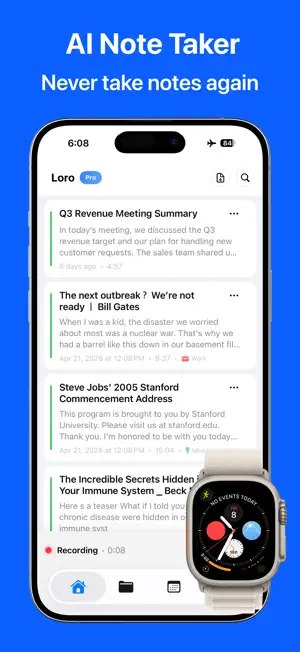
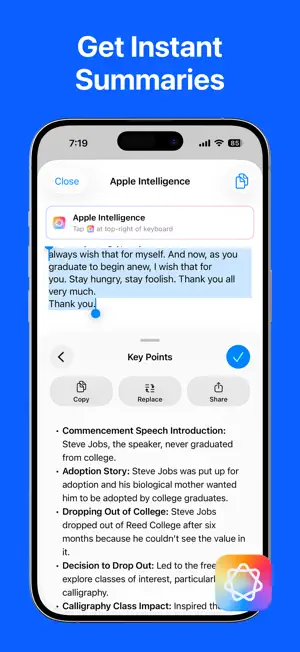
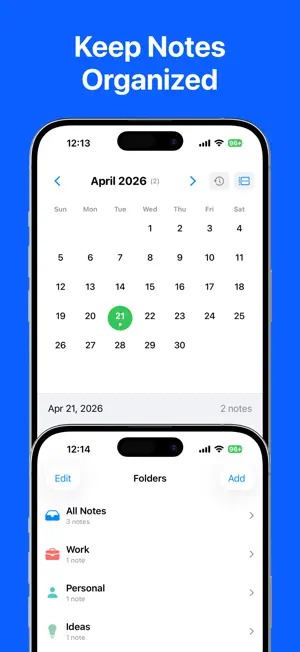
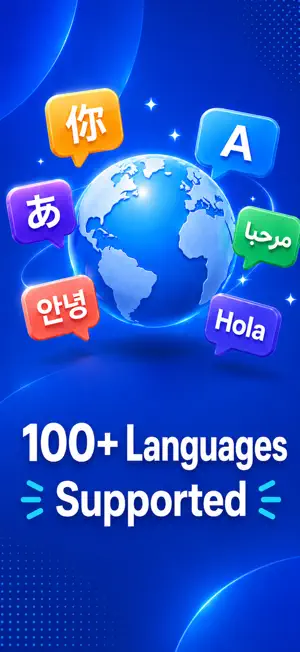
LoroNote is the ultimate AI transcription voice recorder. Experience studio-grade accuracy with OpenAI’s Whisper Large V3 Turbo engine, processed 100% on-device for unmatched privacy and security. ■ Why LoroNote? • Fast & Accurate: High-speed transcription with professional-grade accuracy. • 100% Private: All audio and text are processed locally on your iPhone. No data ever leaves your device. • Offline Ready: Works perfectly in Airplane Mode or without internet. ■ Powerful AI Features ▶ On-Device Whisper Large V3 Turbo We’ve optimized the state-of-the-art Whisper Large V3 Turbo model to run directly on your iPhone. Get the highest possible accuracy and speed available on a mobile device, without the privacy risks or delays of cloud servers. ▶ Apple Intelligence Integration Supercharge your productivity with Apple Intelligence. Instantly summarize hour-long meetings, extract key action items, and refine your notes using the latest on-device AI capabilities. ▶ Speaker Identification See who's speaking, rename speakers, and share transcripts with speaker labels. ▶ Apple Watch App & Complications Record ideas, memos, or conversations directly from your wrist. Add complications to your watch face for instant access. Your recordings automatically sync to your iPhone for transcription when connected. ▶ iPad Support Experience LoroNote on the big screen. Fully optimized for iPad, making it perfect for reviewing transcripts, editing notes, and multitasking with Split View and Slide Over. ▶ Home & Lock Screen Widgets Start recording or access your recent notes instantly with customizable widgets. Capture the moment before it passes. ■ Pro-Grade Tools ▶ Import & Export • Import Audio/Video: Transcribe mp3, wav, m4a, mp4, mov, and more. • Export Anywhere: Save as Text (TXT) or Subtitles (SRT). Share to Notes, Files, or any other app. ▶ Smart Organization • Folders & Calendar: Organize notes by topic or date. • Search & Replace: Instantly find keywords or batch-replace terms across transcripts. • Custom Dictionary: Add names, technical jargon, or acronyms for perfect recognition. ▶ Advanced Playback • Listen while you read with synced text highlighting. • Edit text easily while listening to the original audio. ■ Supported Languages Auto-detects and transcribes over 100 languages including English, Spanish, French, German, Japanese, Korean, Chinese, and many more. ■ Recommended For • Meetings: Securely record sensitive business discussions. • Students: Transcribe entire lectures for easy review and searching. • Creators: Generate subtitles (SRT) for your videos in minutes. • Journalists: Record interviews and get immediate, searchable text. ■ Usage Note • Supported Devices: - iPhone 13 or later (2021~) - iPhone SE 3rd generation (2022~) - iPad mini 6th generation or later (2021~) - iPad 11th generation or later (2025~) - iPad Air M1 or later (2022~) - iPad Pro M1 or later (2021~) • LoroNote utilizes your device's powerful GPU for fast, accurate transcription. For the best performance on long recordings, please keep the app open during processing. ■ Customer Support • Email: [email protected] • Privacy Policy: https://loronote.com/privacy • Terms of Use: https://www.apple.com/legal/internet-services/itunes/dev/stdeula/
Ratings & reviews
4.7
50 ratings
What’s new
Version 3.7.1 · Updated September 28, 2026
• Import from other apps — Send audio or video files to LoroNote using another app’s share menu to transcribe them. • MP3 and M4A export — Choose your preferred recording export format in Settings. • Export multiple notes at once — Export selected notes together as SRT subtitle files or text with speaker labels. • Automatically delete audio after transcription — Choose to automatically delete audio once the transcript has been saved. Your transcript is kept. • Improved iPhone 18 compatibility — Fixed an issue that prevented the speech recognition model from loading on iPhone 18. • Improved speaker labels — Fixed an issue so speaker labels appear correctly in exported text.
App privacy
The developer, Rich Soft Co., Ltd, reported these privacy practices to Apple.
Data Not Linked to You
The following data, which may be collected but is not linked to your identity, may be used for the following purposes:
- Purchases: Purchase History
Used for: App Functionality
Alternatives to LoroNote - Speech to Text
Looking for apps like LoroNote - Speech to Text? Here are 6 similar apps on the App Store. The highest rated is Photo to PDF Convert - Scanner (4.9/5), and all 6 are free to download.
-
 Summary AI - QuickSummary
4.4
Summary AI - QuickSummary
4.4
-
 Daily Planner: Planelle
4.8
Daily Planner: Planelle
4.8
-
 PDF Converter Scanner Printer
4.3
PDF Converter Scanner Printer
4.3
-
 Photo to PDF Convert - Scanner
4.9
Photo to PDF Convert - Scanner
4.9
-
 AI Language Translator +
4.5
AI Language Translator +
4.5
-
 LinkMark
4.6
LinkMark
4.6
| App | Rating | Price | Last updated | Compare |
|---|---|---|---|---|
| LoroNote - Speech to Text | 4.7 / 5 (50 ratings) | Free | September 28, 2026 | |
| Summary AI - QuickSummary | 4.4 / 5 (16) | Free | Sep 25, 2025 | Compare |
| Daily Planner: Planelle | 4.8 / 5 (104) | Free | Sep 28, 2026 | Compare |
| PDF Converter Scanner Printer | 4.3 / 5 (25) | Free | Aug 19, 2026 | Compare |
| Photo to PDF Convert - Scanner | 4.9 / 5 (16) | Free | Jul 28, 2025 | Compare |
| AI Language Translator + | 4.5 / 5 (336) | Free | May 29, 2026 | Compare |
| LinkMark | 4.6 / 5 (7) | Free | Jul 4, 2026 | Compare |