

Quadrant Task Manager
Zhegang Xu Productivity iPhoneiPadiPod touch
Quadrant Task Manager is a free Productivity app for iPhone and iPad by Zhegang Xu. Requires iOS 15.0. Updated July 28, 2026.
- Price
- Free
- on the App Store
- Size
- 20 MB
- Age 4+
- Updated
- Jul 28
- 2026 · v2.1
Screenshots



About Quadrant Task Manager
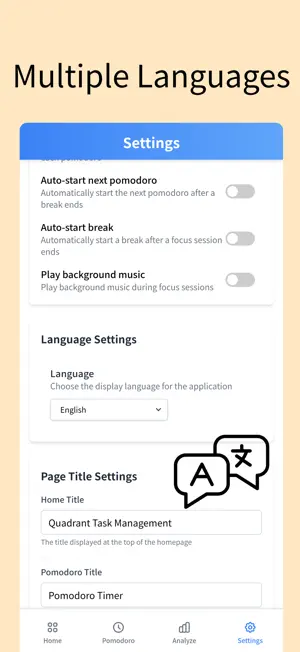
uadrant Task Manager - Focus on What Truly Matters Transform how you manage tasks with the proven Eisenhower Matrix method. This powerful productivity app helps you organize tasks into four quadrants based on urgency and importance, ensuring you always focus on what truly drives results. Key Features: Smart Task Organization - Visual four-quadrant interface (Urgent/Important matrix) - Drag-and-drop task management - Clear priority visualization - Instant task categorization Built-in Focus Timer - 25-minute focus sessions with 5-minute breaks - Customizable timer settings - Audio notifications - Link focus sessions to specific tasks Comprehensive Analytics - Track daily, weekly, and monthly completion rates - Visualize time spent in each quadrant - Monitor focus session statistics - Identify productivity patterns and trends Multi-Language Support - Available in 7 languages: English, Traditional Chinese, Simplified Chinese, Japanese, Korean, Spanish, and French - Seamless language switching Reliable Data Storage - Local SQLite database for privacy and security - Works offline - no internet required - Fast and responsive performance - Your data stays on your device Clean, Intuitive Design - Modern, distraction-free interface - Dark mode support - Smooth animations - Optimized for one-handed use Why Quadrant Task Manager? Stop drowning in endless to-do lists. The Eisenhower Matrix helps you distinguish between what's truly important and what just seems urgent. By focusing on Quadrant 2 (Important but Not Urgent) tasks, you'll make real progress on your goals instead of just putting out fires. Perfect for: - Professionals managing multiple projects - Students balancing coursework and activities - Entrepreneurs prioritizing business growth - Anyone seeking better work-life balance The Eisenhower Principle: "What is important is seldom urgent, and what is urgent is seldom important." Download now and discover how the Eisenhower Matrix can help you achieve your goals. Free to use with no ads or subscriptions required. Take control of your time. Focus on what matters. Get things done.
What’s new
Version 2.1 · Updated July 28, 2026
What's new: • Cross-device use is now supported. Sign in with the same account to sync tasks and settings across your devices. • Added Workspaces to organize tasks by work, personal life, or project. • Improved cloud sync and recurring daily task reliability. • Refined the interface and fixed various issues.
App privacy
The developer, Zhegang Xu, reported these privacy practices to Apple.
Data Used to Track You
The following data may be used to track you across apps and websites owned by other companies:
- Identifiers: Device ID
Data Linked to You
The following data, which may be collected and linked to your identity, may be used for the following purposes:
- Contact Info: Email Address, Name
- Identifiers: User ID
Used for: App Functionality
Data Not Linked to You
The following data, which may be collected but is not linked to your identity, may be used for the following purposes:
- Identifiers: Device ID
Used for: Third-Party Advertising
Alternatives to Quadrant Task Manager
Looking for apps like Quadrant Task Manager? Here are 6 similar apps on the App Store. The highest rated is Eisenhower Todo App (5.0/5), and all 6 are free to download.
-
 Eisenhower Todo App
5.0
Eisenhower Todo App
5.0
-
 Eisen - Eisenhower Task Man...
-
 Eisenhower Matrix Planner
5.0
Eisenhower Matrix Planner
5.0
-
 Eisenhower Matrix Task Manager
-
 Priority Matrix AI
-
 Task Quadrant
| App | Rating | Price | Last updated | Compare |
|---|---|---|---|---|
| Quadrant Task Manager | – | Free | July 28, 2026 | |
| Eisenhower Todo App | 5.0 / 5 (1) | Free | Sep 26, 2026 | Compare |
| Eisen - Eisenhower Task Man... | – | Free | Mar 9, 2026 | Compare |
| Eisenhower Matrix Planner | 5.0 / 5 (2) | Free | Aug 9, 2025 | Compare |
| Eisenhower Matrix Task Manager | – | Free | Jan 8, 2026 | Compare |
| Priority Matrix AI | – | Free | Sep 16, 2025 | Compare |
| Task Quadrant | – | Free | Apr 14, 2026 | Compare |