

ScanToPDF Plus :Scan & Convert
Mayur Domadiya Productivity iPhoneiPadiPod touch
ScanToPDF Plus :Scan & Convert is a free Productivity app for iPhone and iPad by Mayur Domadiya. Requires iOS 15.6. Updated October 28, 2025.
- Price
- Free
- on the App Store
- Size
- 54 MB
- Age 4+
- Updated
- Oct 28
- 2025 · v1.0.1
Screenshots
About ScanToPDF Plus :Scan & Convert
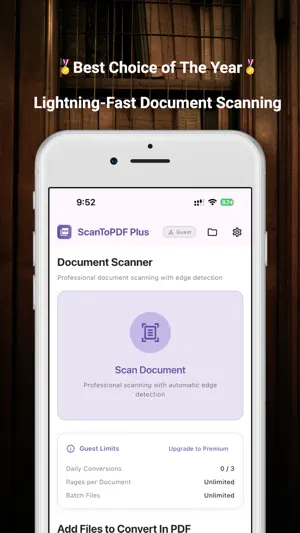
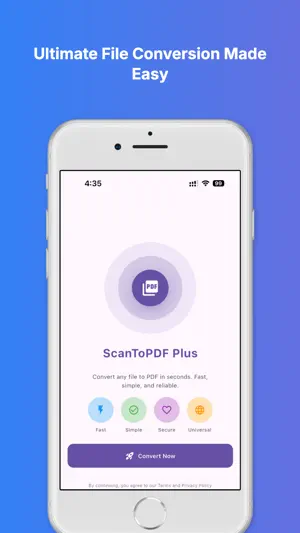
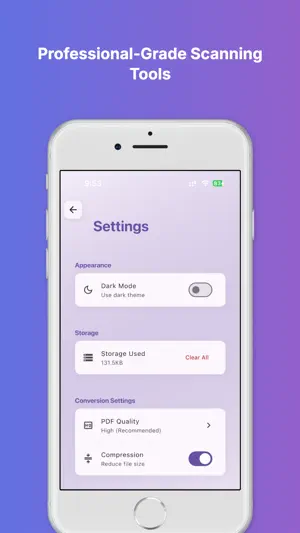
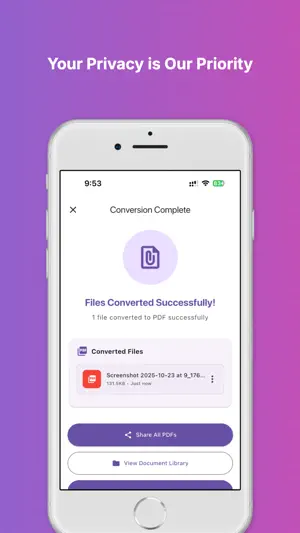
Transform your documents into professional PDFs with ScanToPDF Plus — the ultimate document scanning and file conversion app for iOS. PROFESSIONAL DOCUMENT SCANNING • High-quality camera scanning with iOS advanced edge detection • Automatic document boundary correction • Multi-page scanning with easy page management • Image enhancement tools (Auto-enhance, Black & White, Grayscale, Contrast) • Import from Gallery or Files app UNIVERSAL FILE CONVERSION • Convert images (JPG, PNG, GIF, WebP) to PDF • Convert Microsoft Office files (Word, Excel, PowerPoint) • Convert text or HTML files to PDF • Batch process multiple files at once • Supports 15+ popular file formats MODERN, INTUITIVE INTERFACE • Clean and elegant Material Design 3 UI • Dark mode support • Optimized for both iPhone and iPad • Smooth transitions and touch-friendly navigation PRIVACY & SECURITY • 100% on-device processing — no data uploaded to servers • Your documents remain private and secure • No account or login required for basic features POWERFUL PREMIUM FEATURES • Unlimited conversions with Premium access • Advanced file organization tools • Customizable quality settings (Low, Medium, High, Maximum) • PDF compression options PERFECT FOR EVERYONE • Students: Scan lecture notes, assignments, and handwritten documents • Professionals: Digitize contracts, invoices, and reports • Businesses: Convert presentations and spreadsheets to PDF • Personal Use: Organize receipts, photos, and official documents WHY CHOOSE ScanToPDF Plus: • Lightning-fast performance • Professional-quality results • Simple 3-step conversion process • No watermarks in the free version • Regular updates with new features • Dedicated customer support Start scanning and converting like a pro — completely free! Download ScanToPDF Plus today and turn paper documents into digital PDFs in seconds. Privacy Policy: https://appsdoms.com/privacy-policy Terms of Use: https://appsdoms.com/terms
What’s new
Version 1.0.1 · Updated October 28, 2025
Bug fixes and improvements.
App privacy
The developer, Mayur Domadiya, reported these privacy practices to Apple.
Data Not Collected
The developer does not collect any data from this app.
Alternatives to ScanToPDF Plus :Scan & Convert
Looking for apps like ScanToPDF Plus :Scan & Convert? Here are 6 similar apps on the App Store.
-
 Webito Lens
-
 Vinyas-IIID Expo
-
 Webisheet
-
 To Do List - Notes & Reminders
-
 Scan Signature - Digital Sign
-
 PPSK
PPSK
| App | Rating | Price | Last updated | Compare |
|---|---|---|---|---|
| ScanToPDF Plus :Scan & Convert | – | Free | October 28, 2025 | |
| Webito Lens | – | Free | Sep 8, 2026 | Compare |
| Vinyas-IIID Expo | – | Free | Feb 28, 2025 | Compare |
| Webisheet | – | Free | Jun 28, 2026 | Compare |
| To Do List - Notes & Reminders | – | Free | Aug 7, 2024 | Compare |
| Scan Signature - Digital Sign | – | Free | Feb 14, 2025 | Compare |
| PPSK | – | Free | Sep 15, 2026 | Compare |