

qFocus: The Private Browser
Sascha Rhein Utilities iPhoneiPadiPod touchMac
qFocus: The Private Browser is a free Utilities app for iPhone and iPad by Sascha Rhein. Rated 2.0/5 from 2 ratings. Requires iOS 18.6.
- Rating
- 2.0
- 2 ratings
- Price
- Free
- on the App Store
- Size
- 11 MB
- Age 17+
- Updated
- Nov 16
- 2025 · v25.11.16
Screenshots


About qFocus: The Private Browser
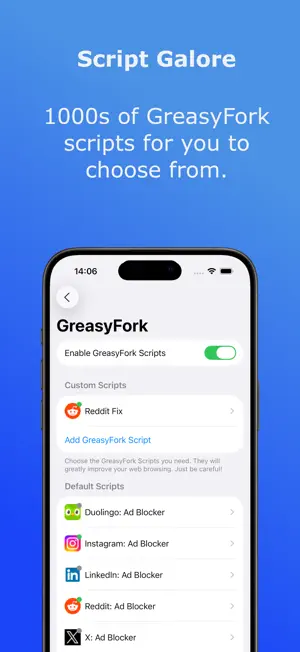
qFocus is not “just another browser”:! Most browsers try to block ads and trackers but still run everything together. qFocus takes the radical step of splitting social media from the rest of the internet. That’s what makes it unique. It’s not about giving you another copy of Safari or Chrome. It’s about giving you back control. Social media is powerful, but it doesn’t need to follow you everywhere. With qFocus Browser, your favorite platforms live in one place, securely locked away from the rest of your digital life. qFocus isn’t a typical web browser. It’s designed to separate social media from your everyday browsing. Instead of scattering Facebook, LinkedIn, Reddit, Instagram, and other platforms across apps and tabs, and letting them track what you do elsewhere. You add them into qFocus and once added, they stay contained, isolated, and locked inside the app. Think of it as a cage for social media. You still have full access to all their features, and the ability to scroll or post, but the tracking stops there. When you leave qFocus and open your standard browser, those social networks cannot see or influence what you do. Why this matters: • True Privacy: Social networks thrive on cross-site tracking. By walling them off, qFocus breaks the loop. • All-in-One Hub: No more juggling between apps, you open qFocus, and your chosen social sites are neatly organized in one secure space. • Peace of Mind: You can browse, research, or shop in your main browser knowing your social accounts are locked away. • Cleaner Focus: Having them in a dedicated app keeps distraction under control. When you want social, it’s there. When you don’t, it’s gone. Who is qFocus for? • Professionals who use LinkedIn, Slack-style communities, or Reddit groups but don’t want their personal browsing profiled. • Everyday users who love social media, but not the constant surveillance. • Parents, students, and privacy-minded individuals who want a simple, no-setup way to reduce digital noise. Why not just use the apps? You might think: “Why not just install the official app for Facebook, Instagram, or LinkedIn?” The truth is, social media apps don’t just track what you do inside them, they often track what you do across your entire phone. Location data, contacts, notifications, even background activity can be harvested. By keeping these platforms inside qFocus, you avoid the extra layers of surveillance that come bundled with their native apps. You still get the full experience of the site, but without handing over even more of your digital life. How it works: 1. Download qFocus Browser. 2. Pick up to six social media platforms you want to contain. 3. Use them inside qFocus, which isolates them from your main browsing. 4. Keep your normal browser free, private, and untouched by social media tracking. Pro-tip: Clear the cookies in your normal browser once. This wipes out old trackers, so from then on social media stays locked where it belongs. By using qFocus, you finally decide when and where social networks live in your digital life. They don’t get to decide for you. The bigger picture: The internet today is full of invisible strings. Social networks pull at them constantly, predicting, nudging, and shaping what you see. qFocus cuts those strings. Your social apps live together, securely contained. Your browsing stays yours. It’s privacy, structure, and calm, all in one.
What’s new
Version 25.11.16 · Updated November 16, 2025
* Fixed issue where the keyboard moves the view upwards. * Fixed issue with alignment during iPad onboarding.
App privacy
The developer, Sascha Rhein, reported these privacy practices to Apple.
Data Not Linked to You
The following data, which may be collected but is not linked to your identity, may be used for the following purposes:
- Usage Data: Product Interaction, Other Usage Data
Used for: Analytics
Alternatives to qFocus: The Private Browser
Looking for apps like qFocus: The Private Browser? Here are 6 similar apps on the App Store. The highest rated is Sundial Browser (5.0/5), and all 6 are free to download.
-
 BuyIt - Hidden Secret Browser
1.0
BuyIt - Hidden Secret Browser
1.0
-
 CC Browser: Private & Secure
-
 Snopy AI Browser
-
 Private Browser: Loopius
4.2
Private Browser: Loopius
4.2
-
 Sundial Browser
5.0
Sundial Browser
5.0
-
 StealthOS: Private Browser
5.0
StealthOS: Private Browser
5.0
| App | Rating | Price | Last updated | Compare |
|---|---|---|---|---|
| qFocus: The Private Browser | 2.0 / 5 (2 ratings) | Free | November 16, 2025 | |
| BuyIt - Hidden Secret Browser | 1.0 / 5 (1) | Free | Mar 16, 2025 | Compare |
| CC Browser: Private & Secure | – | Free | Sep 22, 2026 | Compare |
| Snopy AI Browser | – | Free | Mar 5, 2026 | Compare |
| Private Browser: Loopius | 4.2 / 5 (5) | Free | Sep 29, 2026 | Compare |
| Sundial Browser | 5.0 / 5 (10) | Free | Oct 22, 2026 | Compare |
| StealthOS: Private Browser | 5.0 / 5 (9) | Free | Oct 22, 2026 | Compare |