

Zin Feed: RSS to EPUB
祎 万 Productivity iPhoneiPadiPod touch
Zin Feed: RSS to EPUB is a free Productivity app for iPhone and iPad by 祎 万. Rated 4.0/5 from 1 ratings. Requires iOS 18.0. Updated August 21, 2026.
- Rating
- 4.0
- 1 ratings
- Price
- Free
- on the App Store
- Size
- 17 MB
- Age 4+
- Updated
- Aug 21
- 2026 · v1.8
Screenshots
About Zin Feed: RSS to EPUB
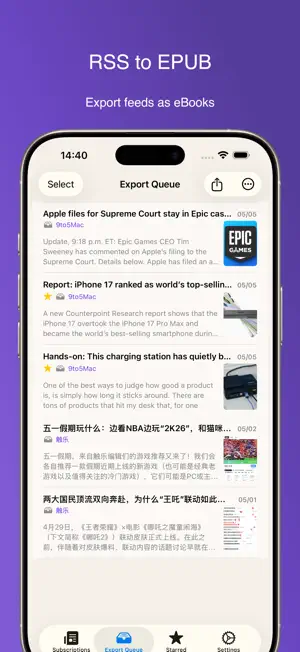
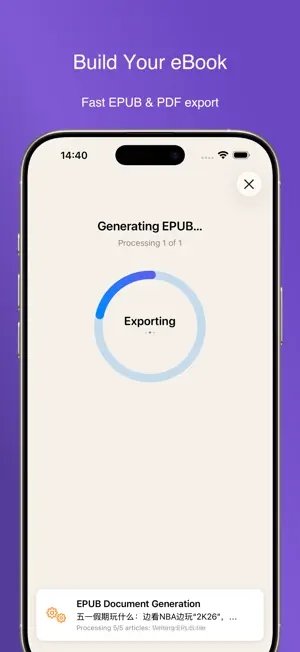
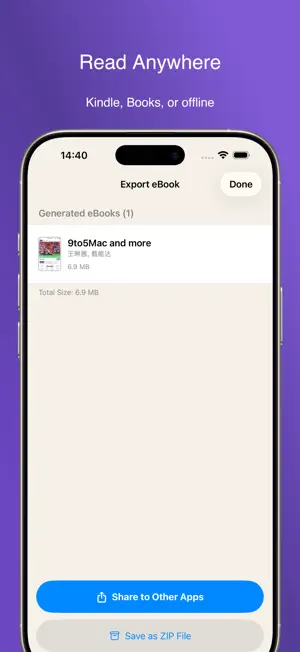
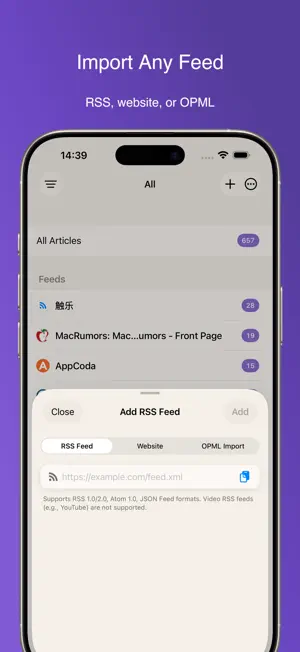
More than an RSS reader — Zin Feed turns your daily subscriptions into a personal ebook library. Instead of reading fragmented articles one by one, Zin Feed helps you collect, organize, and export your favorite RSS content into beautifully formatted EPUB or PDF ebooks. Send them to Kindle, read them in your favorite ebook app, or enjoy distraction-free offline reading anywhere. Why Zin Feed: • Turn RSS into ebooks Transform daily feeds into organized reading collections, just like your own digital magazine. • Read offline, anytime Exported EPUB and PDF files stay with you even without internet access. • Built for Kindle and popular ebook apps Send your exported books to Kindle, tablets, smartphones, or any device that supports EPUB or PDF. • Flexible export workflow Collect articles from different feeds, build your own reading queue, and export only what matters. • Designed for real reading Browse all articles in one timeline, auto mark-as-read while scrolling, and manage content with intuitive gestures. • Easy migration Already using another RSS reader? Import your subscriptions instantly with OPML. Core Features: Manage RSS subscriptions with ease Adding feeds is as easy as bookmarking a website. Paste a feed URL, import an OPML file, or simply enter a website and let Zin Feed discover available RSS feeds automatically. A better reading experience • Unified All Articles timeline across all subscriptions • Auto mark articles as read while scrolling • Swipe gestures for quick export and reading management • Long press menus for favorites, reading lists, and export actions Professional export queue system • Combine articles from multiple feeds into one ebook • Export selected articles or entire reading queues • Choose between EPUB and PDF formats based on your reading device Free Version Includes: • Full RSS reading experience • EPUB and PDF export (10 exports total) • OPML import support • All Articles view • Auto mark-as-read while scrolling Pro Features: • Unlimited exports • Remove export watermark • Background refresh while charging • Full article extraction for summary-only feeds Privacy First: Zin Feed never collects your personal data and never tracks your reading habits. Your reading library always belongs to you. Privacy Policy: https://wanyi.dev/en/zinfeed/privacy This app is licensed under Apple’s Standard EULA: https://www.apple.com/legal/internet-services/itunes/dev/stdeula/
What’s new
Version 1.8 · Updated August 21, 2026
Zin Feed 1.8 adds custom EPUB settings so you can tailor your exports to your reading habits and manage your reading material with greater ease. New Features: • EPUB custom settings: freely adjust cover watermark, table of contents, image compression, links, and small image handling options • Remove cover watermark: remove the watermark from exported covers as needed, exclusive to Pro users ZinFeed - Focus on Collecting, Export at Will.
App privacy
The developer, 祎 万, reported these privacy practices to Apple.
Data Not Linked to You
The following data, which may be collected but is not linked to your identity, may be used for the following purposes:
- Usage Data: Product Interaction
- Diagnostics: Crash Data
Used for: Analytics, App Functionality
Alternatives to Zin Feed: RSS to EPUB
Looking for apps like Zin Feed: RSS to EPUB? Here are 6 similar apps on the App Store. The highest rated is Clipora:Read & Learn Languages (3.0/5), and all 6 are free to download.
-
 Clipora:Read & Learn Languages
3.0
Clipora:Read & Learn Languages
3.0
-
 CrawlSense
-
 专注计时
专注计时
-
 人生账单
人生账单
-
 Takt - Notes & Tasks together
-
 锤锻 - 稍后阅读与知识沉淀
| App | Rating | Price | Last updated | Compare |
|---|---|---|---|---|
| Zin Feed: RSS to EPUB | 4.0 / 5 (1 rating) | Free | August 21, 2026 | |
| Clipora:Read & Learn Languages | 3.0 / 5 (2) | Free | Nov 25, 2025 | Compare |
| CrawlSense | – | Free | Jun 25, 2026 | Compare |
| 专注计时 | – | Free | Jun 9, 2026 | Compare |
| 人生账单 | – | Free | Feb 5, 2026 | Compare |
| Takt - Notes & Tasks together | – | Free | Jun 1, 2026 | Compare |
| 锤锻 - 稍后阅读与知识沉淀 | – | Free | Oct 23, 2026 | Compare |