

MinoClock
MINOWORKS Lifestyle iPhoneiPadiPod touchMac
MinoClock is a paid Lifestyle app for iPhone and iPad by MINOWORKS. Requires iOS 17.6. Updated September 30, 2026.
- Price
- 4.99 USD
- on the App Store
- Size
- 22 MB
- Age 4+
- Updated
- Sep 30
- 2026 · v26.9.2
Screenshots


About MinoClock
Introducing a clock that expresses time with words, not numbers. Instead of "1:02:03", it says "One hour two minutes three seconds." Instead of "2025.12.25", it says "Two thousand twenty-five, December twenty-fifth." Instead of "AM/PM", it says "Ante Meridiem/Post Meridiem ." Key features include expressing time in English or many other languages around the world, as well as the option to display numbers. By combining 10+ language clock types and backgrounds, you can enjoy dozens of unique clock styles. [ Key Features ] Time in Words • Expresses time in natural sentences instead of numbers. • Supported languages: English, Korean, Japanese, Chinese, French, Spanish, Arabic, Hindi, Russian, Italian, Bengali, Portuguese, German, and more. • Various combinations allow dozens of unique time expressions. • Switch between 12-hour / 24-hour modes. • Screen always-on option available. Animated Backgrounds • Supports 30+ dynamic backgrounds such as the Solar System (Mercury, Venus, Jupiter, Sun, Moon, Earth, etc.), nature, and weather themes. • Combine with blur options to make clock fonts stand out more clearly. Theme • Provides more than 30 themes in various colors. • Select a theme to easily change the clock color. Voice Announcements • Announces the current time by voice while the app is running. • Get voice alerts every hour or every 5 minutes. • Adjustable voice volume options. • Natural TTS voices for each supported language. • Tap the Minocat character to hear the current time. Push Notifications • Receive hourly or 5-minute interval push notifications. • Works even when the app is closed. • Customizable push notification tones. Second Hand Sounds • Tick sounds like "punk heart" or "click" available while using the clock. Menu Bar Mini Clock • Check the time anytime with a small, handy menu bar clock. Gesture Controls • Easily change settings with touch gestures. • Change clock types: swipe up/down. • Change backgrounds: swipe left/right. • Adjust clock font size: pinch zoom. • Switch between vertical/horizontal layouts: long press to toggle. Upcoming Features - Custom alarms - D-Day counter - Countdown timer - World clock - Pomodoro timer - Analog clock combination - Workout set-based timer - Alarm sync across all devices - 100+ additional backgrounds - 30+ additional language clock types - 10+ second hand sounds ...and much more! Get it now at a discounted price before all features are added! Thank you~ If you have feature requests, please send us feedback. https://minoworks.net
What’s new
Version 26.9.2 · Updated September 30, 2026
• Renamed the app to MinoClock and introduced a new cat-and-clock icon. • Improved window dragging on Mac, adjusted the default character size and its position on iPad, and improved the settings background and readability. • Fixed saved voice volume at startup and aligned widget dates and weekdays with the displayed time. • Preserved custom color opacity and enabled tick sounds for digital and dot clocks. • Improved background image saving and fixed missing dot clock digits in Arabic and Persian environments.
App privacy
The developer, MINOWORKS, reported these privacy practices to Apple.
Data Not Collected
The developer does not collect any data from this app.
Alternatives to MinoClock
Looking for apps like MinoClock? Here are 6 similar apps on the App Store.
-
 modakbul: Campfire & Burn It
-
 Word Clock Pro - Text Time
-
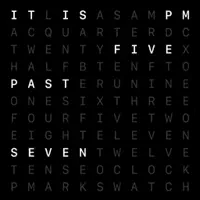 LEXIS - Word Clock Live Widget
-
 TimeInWords
-
 AKEMUTSU
-
 Japanese Edo clock
| App | Rating | Price | Last updated | Compare |
|---|---|---|---|---|
| MinoClock | – | 4.99 USD | September 30, 2026 | |
| modakbul: Campfire & Burn It | – | Free | Oct 8, 2026 | Compare |
| Word Clock Pro - Text Time | – | 2.99 USD | Sep 9, 2026 | Compare |
| LEXIS - Word Clock Live Widget | – | 1.99 USD | Jul 10, 2026 | Compare |
| TimeInWords | – | Free | Dec 16, 2025 | Compare |
| AKEMUTSU | – | Free | Mar 4, 2026 | Compare |
| Japanese Edo clock | – | Free | Oct 11, 2026 | Compare |
Compare MinoClock with the top alternatives: ratings, updates, ASO score and keyword gaps →