

Auto Tap & Swipe on Screen
Abdessamad Hergoum Utilities iPhoneiPadiPod touch
Auto Tap & Swipe on Screen is a free Utilities app for iPhone and iPad by Abdessamad Hergoum. Rated 4.6/5 from 98 ratings. Requires iOS 18.1.
- Rating
- 4.6
- 98 ratings
- Price
- Free
- on the App Store
- Size
- 50 MB
- Age 4+
- Updated
- Dec 7
- 2025 · v1.3
Screenshots



About Auto Tap & Swipe on Screen
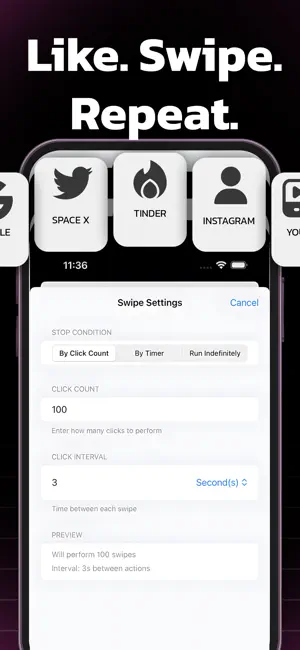
Boost your productivity and save time with TapFlow! TapFlow is your personal assistant for automating routine actions on your favorite websites. Whether you need to refresh a page, tap a button, or perform simple repetitive tasks, TapFlow makes it effortless—all within a secure, built-in browser. Key Features: Customizable Automation: Easily set up tap, swipe, or refresh actions for any website. Flexible Scheduling: Choose intervals and repetition counts to match your workflow. Safe & Secure: All automation happens inside the app’s private browser—your data stays private. Intuitive Interface: Designed for simplicity, so you can get started in seconds. Usage Insights: Track your activity and optimize your routines. Premium Upgrade: Unlock unlimited actions and advanced features. Perfect For: Monitoring live updates (sports, news, stock tickers) Refreshing web dashboards Repeating simple web tasks Saving time on daily routines Why TapFlow? No more manual refreshing or repetitive tapping. TapFlow streamlines your web experience, helping you focus on what matters most. Download TapFlow today and take control of your web productivity! Note: TapFlow is designed for use within its built-in browser and does not automate other apps or system functions, in accordance with App Store policies. you need a paid subscription. Prices may vary by country and are subject to change without notice. Prices are clearly displayed in the app. * Payment will be charged to your iTunes account at confirmation of purchase. * Your subscription will automatically renew unless auto-renew is turned off at least 24 hours before the end of the current period. * Your account will be charged for renewal within 24 hours before the end of the current period. * You can manage your subscriptions and turn off auto-renewal by going to your Account Settings in the iTunes Store. * If offered, if you choose to use our free trial, any unused portion of the free trial period will be forfeited when you purchase a subscription to that publication, where applicable. Privacy Policy : https://sites.google.com/view/abdo-hergo-pp/home Terms of Use: https://sites.google.com/view/abdohergo-terms/home
Ratings & reviews
4.6
98 ratings
What’s new
Version 1.3 · Updated December 7, 2025
-New Tools -Faster and smoother experience -Bug Fixes:
App privacy
The developer, Abdessamad Hergoum, reported these privacy practices to Apple.
Data Used to Track You
The following data may be used to track you across apps and websites owned by other companies:
- Diagnostics: Crash Data, Performance Data
Data Not Linked to You
The following data, which may be collected but is not linked to your identity, may be used for the following purposes:
- Diagnostics: Crash Data, Performance Data
Used for: Analytics, App Functionality
Alternatives to Auto Tap & Swipe on Screen
Looking for apps like Auto Tap & Swipe on Screen? Here are 6 similar apps on the App Store. The highest rated is QR Code Maker ◌ (4.9/5), and all 6 are free to download.
-
 Wigion: Notion Widgets
3.9
-
 Air Finder - find my device
4.7
-
 Daily Planner Todo list - Revo
4.4
-
 Live Speech to Text: iScribe
4.1
-
 QR Code Maker ◌
4.9
-
 AI Humanizer - Paraphrase Tool
4.8
| App | Rating | Price | Last updated | Compare |
|---|---|---|---|---|
| Auto Tap & Swipe on Screen | 4.6 / 5 (98 ratings) | Free | December 7, 2025 | |
| Wigion: Notion Widgets | 3.9 / 5 (21) | Free | Sep 16, 2026 | Compare |
| Air Finder - find my device | 4.7 / 5 (56) | Free | Sep 8, 2025 | Compare |
| Daily Planner Todo list - Revo | 4.4 / 5 (51) | Free | Aug 18, 2025 | Compare |
| Live Speech to Text: iScribe | 4.1 / 5 (125) | Free | Sep 22, 2026 | Compare |
| QR Code Maker ◌ | 4.9 / 5 (75) | Free | Aug 26, 2025 | Compare |
| AI Humanizer - Paraphrase Tool | 4.8 / 5 (93) | Free | Jun 23, 2026 | Compare |