

Parental Controls: TapGuardian
TAP GUARDIAN CORPORATION (CA) Lifestyle iPhoneiPadiPod touch
Parental Controls: TapGuardian is a free Lifestyle app for iPhone and iPad by TAP GUARDIAN CORPORATION (CA). Rated 5.0/5 from 1 ratings. Requires iOS 16.1.
- Rating
- 5.0
- 1 ratings
- Price
- Free
- on the App Store
- Size
- 74 MB
- Age 4+
- Updated
- Oct 5
- 2026 · v1.0.4
Screenshots
About Parental Controls: TapGuardian
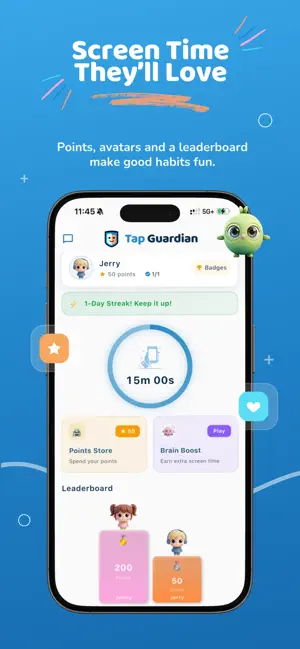
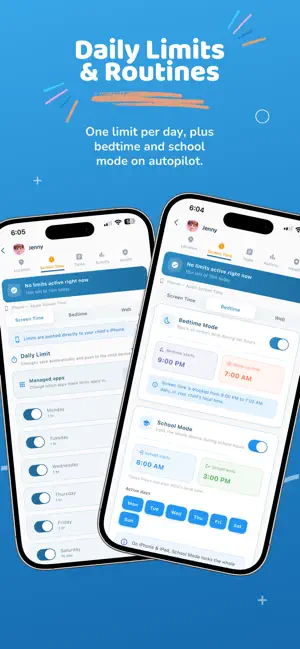
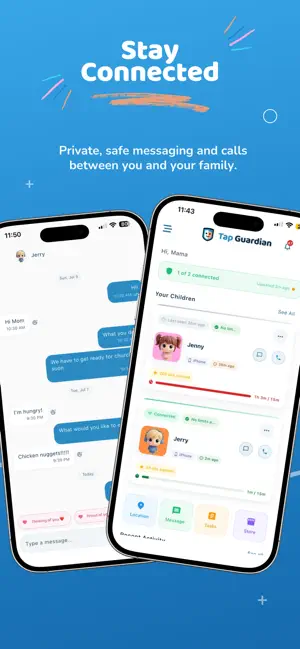
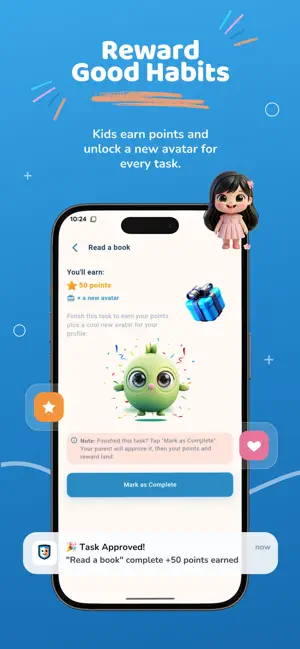
Screen time without the daily argument. Set your rules once — daily limits, bedtime, school hours, app blocking — and Tap Guardian keeps them running on your child's device, even offline. What you can do: Daily screen time limits Set a healthy amount of time for each day. Tap Guardian keeps track and steps in when the time is up. App and category blocking Pause a single app or a whole group like games, social, or video with one tap. Turn it back on just as easily. Bedtime and school schedules Set quiet hours for bedtime and focus hours for school once, and let them run on their own every week. Tasks and rewards Give your kids tasks to complete and reward them with extra time. Streaks and small wins make good habits feel earned. Location and Safety Zones See where your family members are, and get a notification when someone arrives at or leaves a place like home or school. One simple dashboard Manage every device from one clear view. Changes sync in the background, so what you set is what happens. Why parents like Tap Guardian: Quick to set up Clean, calm design Runs quietly in the background Built for real family routines New parents get a 7-day free trial. Cancel anytime in your App Store settings. Questions? Reach us at [email protected] Privacy Policy: https://tapguardian.io/privacy Terms of Use: https://tapguardian.io/terms
What’s new
Version 1.0.4 · Updated October 5, 2026
• Earned screen-time rewards now show on your child's home straight away • SOS on iPhone no longer fails to find a location • Removing a child now cleanly disconnects their phone • The child card shows time left including bonus time • Points and task approvals update live • Smoother location setup on iPhone, plus streak and chat-badge fixes
App privacy
The developer, TAP GUARDIAN CORPORATION (CA), reported these privacy practices to Apple.
Data Linked to You
The following data, which may be collected and linked to your identity, may be used for the following purposes:
- Location: Precise Location
- Contact Info: Email Address, Name
- Identifiers: User ID, Device ID
Used for: App Functionality
Data Not Linked to You
The following data, which may be collected but is not linked to your identity, may be used for the following purposes:
- Contact Info: Phone Number
Used for: App Functionality
Alternatives to Parental Controls: TapGuardian
Looking for apps like Parental Controls: TapGuardian? Here are 6 similar apps on the App Store. The highest rated is Lunar Calendar MoonFlow (5.0/5), and all 6 are free to download.
-
 Kidoks - Parental Control App
-
 Lunar Calendar MoonFlow
5.0
Lunar Calendar MoonFlow
5.0
-
 Parental Control App: Tic Lock
-
 ScreenHarmony:Parental control
5.0
ScreenHarmony:Parental control
5.0
-
 Dreams: Get dreams decoded
-
 Parental Control App – KidSure
5.0
Parental Control App – KidSure
5.0
| App | Rating | Price | Last updated | Compare |
|---|---|---|---|---|
| Parental Controls: TapGuardian | 5.0 / 5 (1 rating) | Free | October 5, 2026 | |
| Kidoks - Parental Control App | – | Free | Jul 30, 2026 | Compare |
| Lunar Calendar MoonFlow | 5.0 / 5 (4) | Free | Feb 25, 2026 | Compare |
| Parental Control App: Tic Lock | – | Free | Aug 4, 2026 | Compare |
| ScreenHarmony:Parental control | 5.0 / 5 (2) | Free | Jul 29, 2026 | Compare |
| Dreams: Get dreams decoded | – | Free | Jan 13, 2025 | Compare |
| Parental Control App – KidSure | 5.0 / 5 (1) | Free | Jul 10, 2026 | Compare |