

sizeless SiteScan
sizeless Corporation Productivity iPhoneiPadiPod touch
sizeless SiteScan is a free Productivity app for iPhone and iPad by sizeless Corporation. Rated 5.0/5 from 1 ratings. Requires iOS 26.0.
- Rating
- 5.0
- 1 ratings
- Price
- Free
- on the App Store
- Size
- 12 MB
- Age 4+
- Updated
- Oct 15
- 2026 · v5.3.0
Screenshots

About sizeless SiteScan
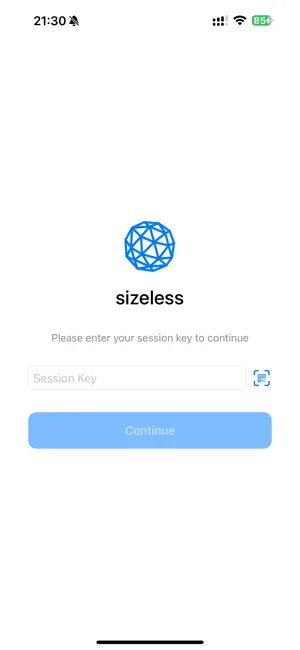
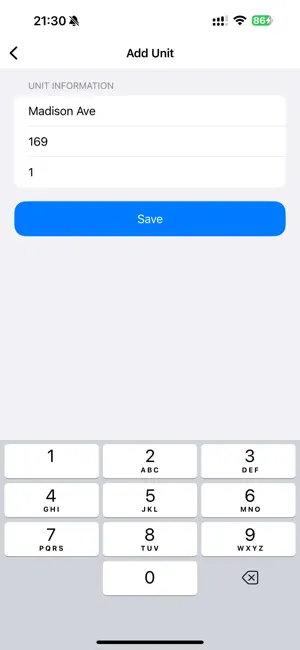
Capture infrastructure on site - fast and precise. sizeless SiteScan turns your iPhone Pro into a documentation tool for open trenches, house connections, and technical rooms. Record the site in 3D for centimeter-accurate measurements and as-built documentation in the sizeless platform. Features: - Capture trenches, house connections, and pipe runs in 3D - Add project details such as address, type, and notes on site - Works without GPS, including in basements and shafts - Save and manage multiple projects - All data syncs seamlessly with your sizeless account Built for Tiefbau, utilities, and surveying teams who need fast, structured site documentation; no special hardware, no training.
What’s new
Version 5.3.0 · Updated October 15, 2026
What was added from version 5.2.0: - The app now requires iOS 26: every phone the app runs on (iPhone 12 Pro or newer, for LiDAR) can run it. A phone left on an older iOS stops receiving updates and cannot reinstall the app, so update it before the next site visit. - Nearby projects come first: up to three projects within 500 m appear at the top of the list, each with its distance. The app only uses a location you have already allowed, taking one fix each time the list opens; it does not track you. - The main buttons moved to the bottom, in thumb reach: Recently deleted and New on the Projects screen, Back and + on a project's Recordings screen. The + used to sit in the top-right corner, which meant changing your grip for the action used most. - A new project starts with its location: the first step offers your current location, an address search, or no address, and the title is filled in from the street and number. Using the current location is now close to instant. - Duplicate projects are flagged: if a project already exists within 50 m, the app offers to open that one instead, so a site doesn't get scanned into two projects by mistake. - Starts recording straight away: recordings are named Recording 1, Recording 2, and so on, instead of asking for a title first. Renaming stays under Edit. Backing out before pressing record leaves no empty entry behind. - Low storage is caught before recording, not during it: under 4 GB free, the app says how many minutes of recording that leaves on this phone. It also offers to empty Recently deleted, since deleting a recording frees no space until the bin is emptied. - The recording screen is simpler: the record button is a plain red circle in the middle, and connection points are called Markierungen in German. The undo button says that it removes only the last marker, and the timer is translated. The recording tips are shorter and now ask you to keep people out of the scan, since anyone walking through ends up in the model. - Larger sites can be recorded in parts: after Done, the app offers to record another area as a separate recording that continues the last one. It asks you to start where the previous one stopped, so the areas overlap. - Notes can be written right after a scan: a Notes field sits on the summary, so something noticed while filming gets written down before it's forgotten. When the recording has audio, the summary also says that whatever you said will be transcribed and shown in the workspace after upload. - The 3D preview shows markers and handles large scans: markers appear as red pins where they were set, and scans above a million triangles get a coloured preview instead of a plain white one. - Deleting can be undone: deleting a recording or a project shows Undo for six seconds. Nothing is gone for good until Recently deleted is emptied or 30 days pass.
App privacy
The developer, sizeless Corporation, reported these privacy practices to Apple.
Data Linked to You
The following data, which may be collected and linked to your identity, may be used for the following purposes:
- Surroundings: Environment Scanning
Used for: App Functionality
Data Not Linked to You
The following data, which may be collected but is not linked to your identity, may be used for the following purposes:
- Diagnostics: Crash Data
Used for: App Functionality
Alternatives to sizeless SiteScan
Looking for apps like sizeless SiteScan? Here are 6 similar apps on the App Store. The highest rated is A-Projects (3.0/5), and 4 of the 6 are free to download.
-
 vSite Scan
-
 A-Projects
3.0
A-Projects
3.0
-
 vSite AR Custom
-
 Electronic-Toolbox 2
2.3
Electronic-Toolbox 2
2.3
-
 AI Note Taker: Voice Notes AI
-
 ProgressCenter
| App | Rating | Price | Last updated | Compare |
|---|---|---|---|---|
| sizeless SiteScan | 5.0 / 5 (1 rating) | Free | October 15, 2026 | |
| vSite Scan | – | Free | Oct 22, 2026 | Compare |
| A-Projects | 3.0 / 5 (2) | 8.99 USD | Jun 19, 2026 | Compare |
| vSite AR Custom | – | Free | Feb 4, 2026 | Compare |
| Electronic-Toolbox 2 | 2.3 / 5 (3) | 9.99 USD | Apr 4, 2026 | Compare |
| AI Note Taker: Voice Notes AI | – | Free | Nov 16, 2025 | Compare |
| ProgressCenter | – | Free | Sep 26, 2026 | Compare |
Compare sizeless SiteScan with the top alternatives: ratings, updates, ASO score and keyword gaps →