

JPG Converter - Photo to PDF
Varasol Technologies Private Limited Utilities iPhoneiPadiPod touch
JPG Converter - Photo to PDF is a free Utilities app for iPhone and iPad by Varasol Technologies Private Limited. Requires iOS 16.6.
- Price
- Free
- on the App Store
- Size
- 3 MB
- Age 4+
- Updated
- Nov 11
- 2025 · v1.2
Screenshots

About JPG Converter - Photo to PDF
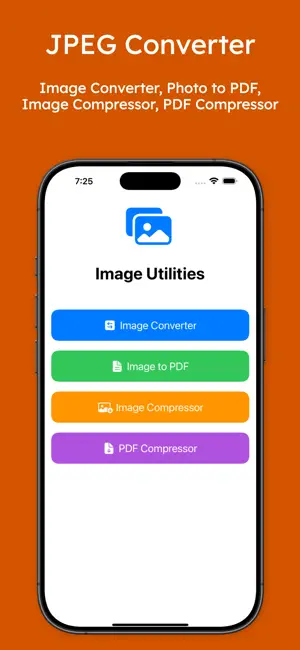
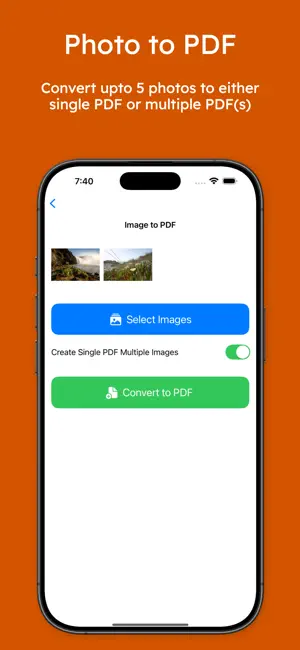
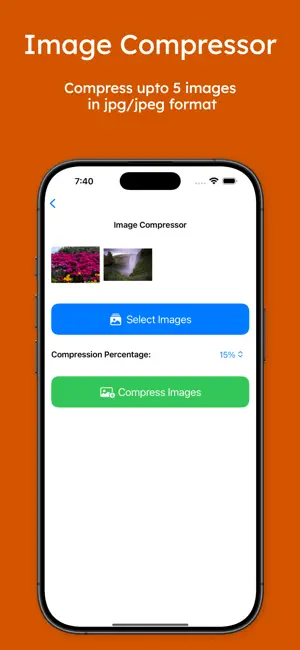
JPG Converter is the ultimate image converter and file converter app designed exclusively for iPhone and iPad users who need seamless photo management right at their fingertips. Whether you want to convert HEIC images to JPG, create high-quality photo PDFs, or compress large files to save space, this powerful tool offers an intuitive, user-friendly interface optimized for all Apple devices. Quickly convert PDF files, resize your photos, and compress images without compromising on quality – JPG Converter handles it all effortlessly. With the JPG Converter app, transforming your media library has never been easier. It integrates smoothly with the native Photos app and Files, letting you batch convert several photos at once. Turn those iPhone HEIC shots into the more universally accepted JPG format using our advanced jpeg converter. This ensures that your images are compatible across all platforms and devices. If you’re looking to create professional-grade documents, you can easily convert your photos to PDFs or generate photo to PDF files directly from your camera roll. Save storage on your iPhone or iPad with the handy image compressor and pdf compressor features built into JPG Converter. Large photo and PDF files can quickly fill up precious device space – this app compresses these files without sacrificing clarity or detail. Ideal for content creators who need optimized images for social media platforms like Instagram and TikTok, JPG Converter enhances performance by reducing file sizes for faster uploads and smoother sharing. Privacy is paramount with this app – all conversions, compressions, and file processing occur entirely on your device. No internet connection is required, so your valuable photos, PDFs, and documents remain private and secure at all times. This local processing capability ensures that your personal pdf files and images are protected from external access, giving you peace of mind. The JPG Converter is perfect for a diverse range of users: * Students can swiftly convert photos of whiteboard notes into clean, editable PDF photos to organize and study efficiently. * Content creators can resize, compress, and convert images to improve quality and sharing efficiency on social channels. * Anyone managing limited storage on iOS devices can save space by compressing large image and PDF files without losing quality. * Families and friends sharing memories across different devices benefit from seamless conversion between photo formats and PDFs. Beyond just photos, the app is also an effective png converter. Convert PNG files to JPG or vice versa, depending on your requirements. Whether working with raster images or digital documents, JPG Converter streamlines these tasks into a single app experience. Get the most out of your iPhone and iPad’s photo library by downloading JPG Converter today. Efficiently convert photos to JPG, create photo to PDF documents, compress files to save valuable storage, and manage all your image and PDF needs with a straightforward iOS-native app. Try the best pdf converter for your mobile device and take control of your digital media now. Experience the freedom of converting and compressing photos and PDF files securely and efficiently without any hassle. Simplify your workflow with one of the leading photo converters, jpg converters, and pdf compressors available on the App Store. Transform, resize, and optimize your images and documents effortlessly with JPG Converter.
What’s new
Version 1.2 · Updated November 11, 2025
Updated with no ads.
App privacy
The developer, Varasol Technologies Private Limited, reported these privacy practices to Apple.
Data Not Linked to You
The following data, which may be collected but is not linked to your identity, may be used for the following purposes:
- Identifiers: Device ID
- Usage Data: Advertising Data
Used for: Developer’s Advertising or Marketing
Alternatives to JPG Converter - Photo to PDF
Looking for apps like JPG Converter - Photo to PDF? Here are 6 similar apps on the App Store. The highest rated is Image to PDF Converter Fast (5.0/5), and all 6 are free to download.
-
 Image to PDF Converter Fast
5.0
-
 PDFiy - JPG to PDF converter
-
 TAB estorage
-
 Aiultrar
-
 Zip-Unzip & Rar Files
-
 SnapPDF
5.0
| App | Rating | Price | Last updated | Compare |
|---|---|---|---|---|
| JPG Converter - Photo to PDF | – | Free | November 11, 2025 | |
| Image to PDF Converter Fast | 5.0 / 5 (1) | Free | Jan 21, 2026 | Compare |
| PDFiy - JPG to PDF converter | – | Free | Sep 18, 2025 | Compare |
| TAB estorage | – | Free | Nov 10, 2023 | Compare |
| Aiultrar | – | Free | Oct 30, 2025 | Compare |
| Zip-Unzip & Rar Files | – | Free | Dec 19, 2024 | Compare |
| SnapPDF | 5.0 / 5 (1) | Free | Sep 29, 2025 | Compare |