

vibetime.
Syntax Layer, LLC Productivity iPhoneiPadiPod touch
vibetime. is a free Productivity app for iPhone and iPad by Syntax Layer, LLC. Rated 5.0/5 from 3 ratings. Requires iOS 26.0. Updated July 30, 2026.
- Rating
- 5.0
- 3 ratings
- Price
- Free
- on the App Store
- Size
- 5 MB
- Age 4+
- Updated
- Jul 30
- 2026 · v1.3
Screenshots
About vibetime.
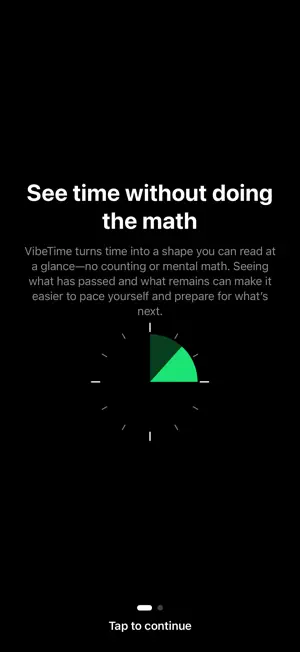
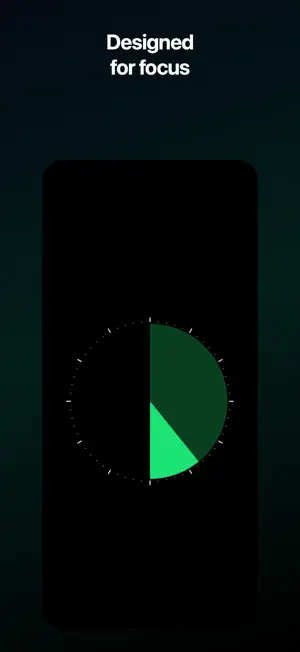
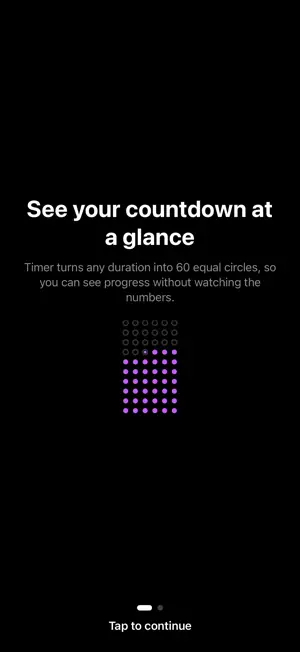
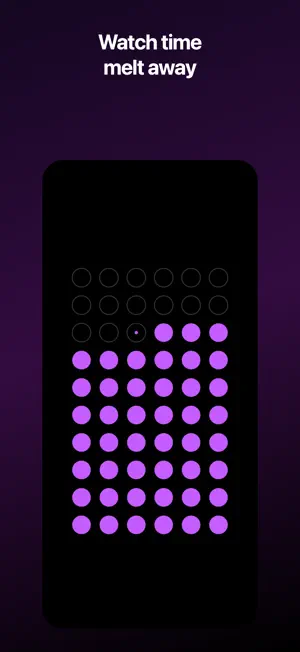
vibetime is a visual clock and countdown timer designed to make time easier to understand at a glance. Instead of relying on numbers alone, VibeTime turns passing time into simple, colorful visuals. Use the Clock to see where you are within the current interval, or switch to the Timer and watch a grid of circles gradually disappear as time runs down. Whether you’re focusing, teaching, presenting, exercising, cooking, or helping someone transition between activities, VibeTime gives time a shape you can understand instantly. CLOCK MODE • Choose a 5, 10, 15, 20, 30, or 60-minute interval. VibeTime stays aligned with the actual clock and displays how much of the current interval has passed. • The display changes from green to yellow and red as the end approaches, making urgency visible without requiring you to constantly read the time. TIMER MODE • Set an independent countdown from 5 minutes to 2 hours. Sixty circles represent the full duration, disappearing in reading order as time passes. • Start, pause, resume, or reset the timer whenever you need. Because the countdown is based on its stored end time, it remains accurate when the app moves to the background or your device is locked. FEATURES • Visual Clock and Timer modes • Wall-clock-aligned intervals • Countdown durations from 5 to 120 minutes • Smooth, animated circle-grid countdown • Optional completion and interval alerts • Haptic feedback and tactile picker controls • Multiple clock-ring styles • Persistent settings and timer state • Dark, distraction-free presentation • Support for iPhone and iPad • Dynamic Type and Reduce Motion support • No account required • No third-party advertising or analytics SDKs vibetime is intentionally simple: open it, choose how you want to see time, and focus on what matters.
What’s new
Version 1.3 · Updated July 30, 2026
VibeTime is now more flexible: • Full support for every iPad orientation, including landscape. • Multitasking and resizable windows so you can use it alongside other apps. • A new wide-screen layout that keeps your clock or timer large, with controls in a dedicated side panel. • Layout and interaction refinements across compact and expanded iPad spaces. • Clearer, mode-specific tutorials for Clock and Timer.
App privacy
The developer, Syntax Layer, LLC, reported these privacy practices to Apple.
Data Not Collected
The developer does not collect any data from this app.
Alternatives to vibetime.
Looking for apps like vibetime.? Here are 6 similar apps on the App Store. The highest rated is Blocks: Budget Time Better (5.0/5), and all 6 are free to download.
-
 Waves: Focus Timer
-
 Blocks: Budget Time Better
5.0
Blocks: Budget Time Better
5.0
-
 Quicky Timer
-
 TimeBlock - Planner for ADHD
-
 TimeGlass Notes - Sticky memo
-
 Just Start - Habit Tracker
5.0
Just Start - Habit Tracker
5.0
| App | Rating | Price | Last updated | Compare |
|---|---|---|---|---|
| vibetime. | 5.0 / 5 (3 ratings) | Free | July 30, 2026 | |
| Waves: Focus Timer | – | Free | Jul 28, 2026 | Compare |
| Blocks: Budget Time Better | 5.0 / 5 (1) | Free | Sep 11, 2026 | Compare |
| Quicky Timer | – | Free | Sep 25, 2026 | Compare |
| TimeBlock - Planner for ADHD | – | Free | Sep 24, 2026 | Compare |
| TimeGlass Notes - Sticky memo | – | Free | Jan 22, 2026 | Compare |
| Just Start - Habit Tracker | 5.0 / 5 (1) | Free | Jan 25, 2026 | Compare |
Compare vibetime. with the top alternatives: ratings, updates, ASO score and keyword gaps →