

Zip Extractor: Unzip RAR Files
CHINAR MAHMUDOVA KORUK Utilities iPhoneiPadiPod touch
Zip Extractor: Unzip RAR Files is a free Utilities app for iPhone and iPad by CHINAR MAHMUDOVA KORUK. Rated 5.0/5 from 2 ratings. Requires iOS 17.0.
- Rating
- 5.0
- 2 ratings
- Price
- Free
- on the App Store
- Size
- 46 MB
- Age 4+
- Updated
- Sep 14
- 2026 · v2.0.1
Screenshots



About Zip Extractor: Unzip RAR Files
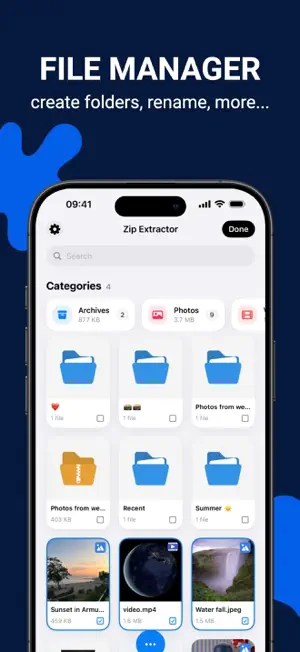
Got a ZIP or RAR file your iPhone won't open? Zip Extractor opens it in seconds — no computer, no account, no waiting. Unpack an email attachment, a Safari download or an archive someone AirDropped you, then keep everything tidy in one place. ZIP, RAR, 7Z, TAR, GZ and TAR.GZ are all supported, password-protected archives included. ----- ◆◆◆ WHY YOU'LL LOVE IT ◆◆◆ • Opens what other apps can't — ZIP, RAR, 7Z, TAR, GZ, TAR.GZ • Look before you unpack: see everything inside an archive and pull out just the one file you need • Everything happens on your device — your files are never uploaded • Face ID or Touch ID keeps private files private • Clean, fast and built for iPhone and iPad ----- EXTRACT – Unzip with one tap, or choose the exact folder it lands in – Password-protected ZIP or RAR? Just type the password – Send photos and videos straight to your Camera Roll COMPRESS – Turn any files into a ZIP, TAR.GZ, TAR or GZ archive – Lock a ZIP with a password before you share it – Bundle a whole folder into a single file to send MANAGE – Move, copy, rename, duplicate and delete files and folders – Import from Files, Photos, AirDrop, email or browser downloads – Search your whole library by name – Grid or list view, sorted by name, date, size or type – Photos, videos, documents and archives, each gathered in one place – See what is using space, then clear extracted copies and temporary files VIEW & PLAY – PDF, Word, Excel, PowerPoint, text files and images – Music and video play right inside the app – Share anything by AirDrop, Messages, email or any other app ----- ZIP EXTRACTOR PRO Extracting, browsing, moving and sharing are free. PRO adds compressing archives, saving media to Photos, changing file extensions and the Face ID app lock. Pay only for as long as you need PRO. ----- Support Contact: [email protected] Terms of Use: https://akoruk.github.io/apps/manager/terms.html Privacy Policy: https://akoruk.github.io/apps/manager/privacy.html
What’s new
Version 2.0.1 · Updated September 14, 2026
Thanks for using the app! This update brings: • Faster, smoother performance throughout the app • A cleaner, easier-to-use interface • Fixes for the issues you reported
App privacy
The developer, CHINAR MAHMUDOVA KORUK, reported these privacy practices to Apple.
Data Not Linked to You
The following data, which may be collected but is not linked to your identity, may be used for the following purposes:
- Diagnostics: Crash Data
Used for: Analytics, App Functionality
Alternatives to Zip Extractor: Unzip RAR Files
Looking for apps like Zip Extractor: Unzip RAR Files? Here are 6 similar apps on the App Store. The highest rated is File Manager: File Finder Pro (5.0/5), and all 6 are free to download.
-
 File Manager - Files Explorer
4.9
-
 Unzip - Rar,Zip,7z Extractor
-
 File Manager: File Finder Pro
5.0
-
 File Cube
-
 Zip Unzip
5.0
-
 Zip Extractor - Unzip Files
5.0
| App | Rating | Price | Last updated | Compare |
|---|---|---|---|---|
| Zip Extractor: Unzip RAR Files | 5.0 / 5 (2 ratings) | Free | September 14, 2026 | |
| File Manager - Files Explorer | 4.9 / 5 (7) | Free | Mar 25, 2025 | Compare |
| Unzip - Rar,Zip,7z Extractor | – | Free | Feb 28, 2026 | Compare |
| File Manager: File Finder Pro | 5.0 / 5 (2) | Free | Aug 7, 2025 | Compare |
| File Cube | – | Free | Sep 22, 2026 | Compare |
| Zip Unzip | 5.0 / 5 (2) | Free | Oct 15, 2024 | Compare |
| Zip Extractor - Unzip Files | 5.0 / 5 (2) | Free | Apr 16, 2024 | Compare |