

Quick Draw: AR Tracing
Aaron Jones Graphics & Design iPhoneiPadiPod touch
Quick Draw: AR Tracing is a paid Graphics & Design app for iPhone and iPad by Aaron Jones. Rated 4.0/5 from 12 ratings. Requires iOS 18.0.
- Rating
- 4.0
- 12 ratings
- Price
- 0.99 USD
- on the App Store
- Size
- 2 MB
- Age 4+
- Updated
- Sep 13
- 2026 · v1.0.7
Screenshots


About Quick Draw: AR Tracing
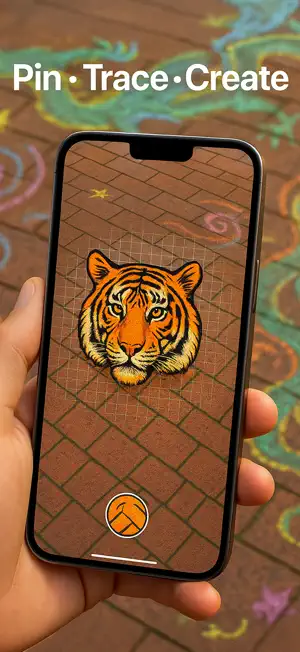
Turn your iPhone or iPad into a powerful AR tracing projector. Project any image onto a wall, canvas, or sidewalk — no grid lines, no bulky projector, just your screen and your imagination. One-time purchase — no ads, no subscriptions. How it works 1. Tag – Choose any photo and tap your surface. QuickDraw AR locks it in 3-D space using advanced ARKit and LiDAR precision on iPhone Pro and iPad Pro. 2. Tweak – Pinch, rotate, and move to size your reference exactly where you want it. Adjust opacity so your lines stay visible without blocking your view. 3. Trace – Draw naturally while your image stays perfectly anchored — even when you move or step back. Key features * LiDAR-powered precision for rock-solid image anchoring on iPhone Pro & iPad Pro * Works anywhere — walls, sidewalks, canvases, whiteboards, classroom posters * Instantly scale designs—from small sketches to giant murals * Use any photo on your device * Universal purchase — works on both iPhone and iPad * 100% Ad-free. Zero subscriptions. Buy once, create forever. Who’s it for * Parents and kids tracing chalk art or coloring pages * Teachers projecting diagrams or maps in class * Chalk and street artists scaling up sketches outdoors * Muralists and sign painters planning complex layouts * Anyone who loves to draw — faster and easier Why Quick Draw AR? Go from idea to outline in minutes, not hours. QuickDraw AR keeps your reference image steady so you can focus on what matters—the fun of creating. One-time purchase. No subscriptions. No ads. Just pure, fast tracing magic.
Ratings & reviews
4.0
12 ratings
What’s new
Version 1.0.7 · Updated September 13, 2026
• Enhanced AR anchoring stability for iPhone Pro & iPad Pro models. • Smoother opacity and scaling controls for precise tracing visibility. • Performance improvements and bug fixes for seamless tracing on any surface.
App privacy
The developer, Aaron Jones, reported these privacy practices to Apple.
Data Not Collected
The developer does not collect any data from this app.
Alternatives to Quick Draw: AR Tracing
Looking for apps like Quick Draw: AR Tracing? Here are 6 similar apps on the App Store. The highest rated is Focus Line (5.0/5), and 1 of the 6 are free to download.
-
 Mirror Drawing Studio
-
 Relax For A Minute
4.2
Relax For A Minute
4.2
-
 Focus Line
5.0
Focus Line
5.0
-
 Explorer for Sketchfab
2.4
Explorer for Sketchfab
2.4
-
 Tinto: Personal Color Wheel
-
 Pixelux
5.0
Pixelux
5.0
| App | Rating | Price | Last updated | Compare |
|---|---|---|---|---|
| Quick Draw: AR Tracing | 4.0 / 5 (12 ratings) | 0.99 USD | September 13, 2026 | |
| Mirror Drawing Studio | – | 1.99 USD | Oct 29, 2025 | Compare |
| Relax For A Minute | 4.2 / 5 (10) | 0.99 USD | Mar 16, 2026 | Compare |
| Focus Line | 5.0 / 5 (1) | 0.29 USD | Dec 2, 2025 | Compare |
| Explorer for Sketchfab | 2.4 / 5 (7) | 0.99 USD | Oct 27, 2026 | Compare |
| Tinto: Personal Color Wheel | – | 0.99 USD | Aug 20, 2026 | Compare |
| Pixelux | 5.0 / 5 (9) | Free | May 3, 2026 | Compare |