

OCR Text Scan : Photo to Text
Bhavik Savaliya Productivity iPhoneiPadiPod touch
OCR Text Scan : Photo to Text is a free Productivity app for iPhone and iPad by Bhavik Savaliya. Rated 5.0/5 from 1 ratings. Requires iOS 16.6.
- Rating
- 5.0
- 1 ratings
- Price
- Free
- on the App Store
- Size
- 64 MB
- Age 4+
- Updated
- Jun 20
- 2025 · v1.0
Screenshots

About OCR Text Scan : Photo to Text
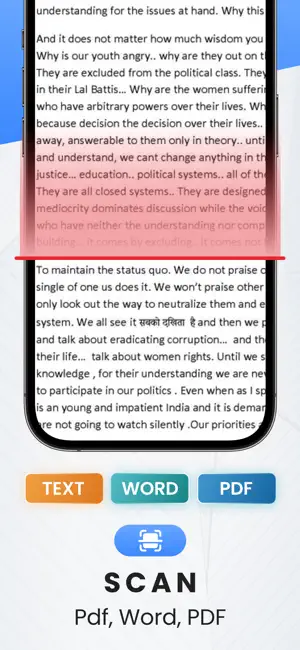
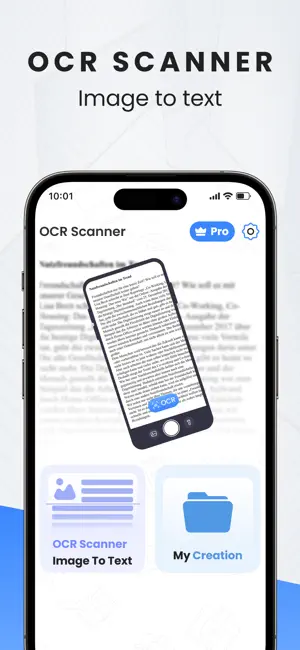
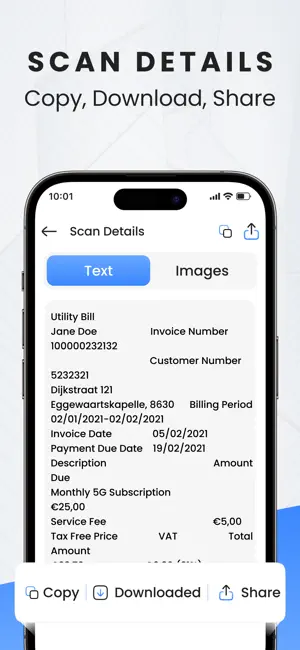
Turn Images into Text – Instantly OCR Text Scan: Photo to Text is the ultimate tool to extract text from any image, photo, or document with lightning-fast precision. Whether you're scanning notes, converting paper documents, or grabbing text from screenshots, our powerful OCR engine makes it easy, accurate, and efficient. Key Features: Smart Text Recognition (OCR) Extract text from images, documents, handwriting, or camera in real time. Scan from Photos or Camera Upload any photo or take a new one — convert instantly to editable text. Copy, Share & Save Text Copy scanned text, share via apps, or save it for later in just one tap. Supports Multiple Languages Recognizes and converts text in dozens of languages with high accuracy. Clean & Organized Results Keep your scanned text neat, editable, and ready to paste anywhere. Perfect for students, professionals, and anyone who wants to digitize printed or handwritten content. OCR Text Scan: Photo to Text saves time, boosts productivity, and helps you go paperless with ease. Download now and turn any image into text — fast, simple, and accurate. PRO FEATURES: • Free unlimited signature generation. • 100% Ad-free • All Premium features Choose from different subscription options. Our standard subscription options are: OCTText One Week - 6.99 USD OCTText One Year - 44.99 USD Subscribe to have unlimited access to premium version of the app. • Ads starting from the beginning of your subscription. • Your payment will be charged to your iTunes Account as soon as you confirm your purchase. For more information : Privacy Policy : https://sites.google.com/escrowinfotech.com/musicbassbooster/home Terms of Use : https://sites.google.com/escrowinfotech.com/termsofuse/home
App privacy
The developer, Bhavik Savaliya, reported these privacy practices to Apple.
Data Used to Track You
The following data may be used to track you across apps and websites owned by other companies:
- Identifiers: Device ID
- Usage Data: Advertising Data
Data Not Linked to You
The following data, which may be collected but is not linked to your identity, may be used for the following purposes:
- Identifiers: Device ID
- Usage Data: Advertising Data
- Diagnostics: Performance Data
Used for: Third-Party Advertising, Analytics
Alternatives to OCR Text Scan : Photo to Text
Looking for apps like OCR Text Scan : Photo to Text? Here are 6 similar apps on the App Store. The highest rated is Bookmarx AI (4.5/5), and all 6 are free to download.
-
 Luya Ai
-
 Unloc — Earn Your Screen Time
2.0
Unloc — Earn Your Screen Time
2.0
-
 TextSnapper–OCR Text Scanner
-
 Bookmarx AI
4.5
Bookmarx AI
4.5
-
 TypePrompt: AI Keyboard&Paste
-
 PulNama: Smart Business Ledger
| App | Rating | Price | Last updated | Compare |
|---|---|---|---|---|
| OCR Text Scan : Photo to Text | 5.0 / 5 (1 rating) | Free | June 20, 2025 | |
| Luya Ai | – | Free | Aug 19, 2026 | Compare |
| Unloc — Earn Your Screen Time | 2.0 / 5 (1) | Free | Jun 21, 2026 | Compare |
| TextSnapper–OCR Text Scanner | – | Free | Mar 4, 2026 | Compare |
| Bookmarx AI | 4.5 / 5 (8) | Free | Mar 14, 2026 | Compare |
| TypePrompt: AI Keyboard&Paste | – | Free | Jun 1, 2026 | Compare |
| PulNama: Smart Business Ledger | – | Free | Aug 24, 2026 | Compare |