

MyCardsAndDocs
vignesh karnika Productivity iPhoneiPadiPod touch
MyCardsAndDocs is a free Productivity app for iPhone and iPad by vignesh karnika. Requires iOS 16.0. Updated May 13, 2026.
- Price
- Free
- on the App Store
- Size
- 3 MB
- Age 4+
- Updated
- May 13
- 2026 · v2.0.0
Screenshots
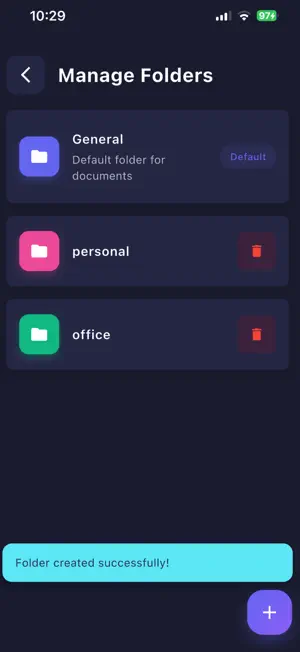


About MyCardsAndDocs
Your personal vault. Completely offline. Zero cloud. MyCardsandDocs keeps your credit cards, debit cards, IDs, passwords, and important documents in one secure place — encrypted on your device, never uploaded anywhere. ◆ BANK-GRADE SECURITY • AES-GCM encryption — the same standard trusted by banks • Face ID / Touch ID unlock — instant and secure • 6-digit PIN backup — works even without biometrics • Auto-lock when app goes to background • Decoy vault — a separate PIN opens fake data for duress situations ◆ ALL YOUR CARDS • Credit, debit, ID, loyalty, insurance cards • Beautiful card renderer with realistic chip & network logos • Masked numbers — tap to reveal, tap to copy • Card scanner — point your camera at any card to auto-fill details ◆ PASSWORD MANAGER • Store logins, secure notes, Wi-Fi passwords • Real-time password strength meter • Built-in password generator (8–32 characters) • Copy username or password with one tap ◆ DOCUMENT VAULT • Certificates, passports, policies, medical records • Import via camera scan, photo library, or Files app • PDF and image support • Thumbnail grid for quick browsing ◆ ALWAYS OFFLINE • No account required • No internet connection needed • No data ever leaves your device • Export encrypted .mcd backups anytime ◆ SEARCH EVERYTHING • One search bar finds cards, passwords, and documents instantly Your data is yours alone. We can't see it. We can't sell it. We can't lose it.
What’s new
Version 2.0.0 · Updated May 13, 2026
• Complete redesign with iOS-native navigation and controls • Face ID / Touch ID biometric setup during onboarding • Real card scanner with VisionKit OCR — point camera at any card • Smart form validation — auto-formatting card numbers, expiry dates, CVV • Luhn algorithm validation on card numbers • Password strength meter with generator • Empty state illustrations for new users • Light / Dark mode toggle in Settings • Context menus for quick delete actions • Keyboard toolbar with Done button on all forms • Haptic feedback throughout the app
App privacy
The developer, vignesh karnika, reported these privacy practices to Apple.
Data Not Collected
The developer does not collect any data from this app.