

Obook – Text to Speech
MHD AMIN ALLAHHAM Book iPhoneiPadiPod touch
Obook – Text to Speech is a free Book app for iPhone and iPad by MHD AMIN ALLAHHAM. Requires iOS 15.1. Updated November 8, 2026.
- Price
- Free
- on the App Store
- Size
- 59 MB
- Age 4+
- Updated
- Nov 8
- 2026 · v1.0.66
Screenshots
Save to Pinterest


About Obook – Text to Speech
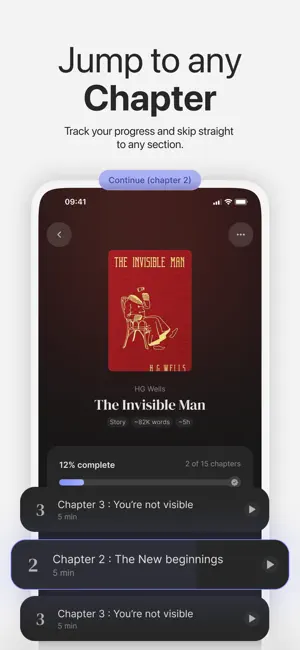
oBook is your AI reading assistant that turns written content into natural, clear audio so you can read smarter, faster, and anywhere. Listen to PDFs, EPUB books, documents, articles, and other written content with realistic AI voices while following along with the text. KEY FEATURES AI Text to Speech Turn written content into natural-sounding speech with realistic AI voices across multiple languages. Read Aloud Listen to your content instead of reading every word. Perfect for studying, working, commuting, relaxing, or improving accessibility. PDF & EPUB Support Import and listen to your PDF and EPUB books with an audio reading experience designed for long-form content. Control Your Reading Speed Slow down for better focus or speed up to get through more content in less time while keeping speech clear and natural. Smart Chapter Reading Books are automatically organized into chapters, making long-form reading easier to navigate and helping you stay focused on one section at a time. Follow Along While Listening Read and listen at the same time to better understand and retain important information. Reading Streaks & Reminders Build a consistent reading habit with daily streaks and reminders that help you keep coming back to your books and documents. Notes & Highlights Save important passages, highlight key ideas, and return to them whenever you need. Public Books Library Discover books from our public-domain library and start listening without needing to import your own content. Offline & Online Access your saved content whenever you need it, including when you are offline. Whether you're a student, professional, lifelong learner, or someone who simply prefers listening to reading, oBook helps make reading easier and more accessible. SUBSCRIPTION INFORMATION oBook Pro is available as a monthly or annual auto-renewable subscription. Payment will be charged to your Apple ID account at confirmation of purchase. Your subscription automatically renews unless canceled at least 24 hours before the end of the current subscription period. You can manage or cancel your subscription through your App Store account settings. Terms of Use (EULA): https://www.apple.com/legal/internet-services/itunes/dev/stdeula/ Privacy Policy: https://www.obookapp.com/statics/privacy-policy
What’s new
Version 1.0.66 · Updated November 8, 2026
• New books list: tap any category in Discover to see all of its books • Smoother setup with clearer questions and a Back button • Voice names shown while you pick your voice • Easier email sign-in with autofill • Bug fixes and performance improvements
App privacy
The developer, MHD AMIN ALLAHHAM, reported these privacy practices to Apple.
Data Linked to You
The following data, which may be collected and linked to your identity, may be used for the following purposes:
- Purchases: Purchase History
- Identifiers: User ID
- Usage Data: Other Usage Data
- Contact Info: Email Address, Name
- User Content: Photos or Videos, Other User Content
Used for: Analytics, App Functionality
Data Not Linked to You
The following data, which may be collected but is not linked to your identity, may be used for the following purposes:
- Diagnostics: Crash Data, Performance Data
Used for: Analytics, App Functionality
Alternatives to Obook – Text to Speech
Looking for apps like Obook – Text to Speech? Here are 6 similar apps on the App Store.
-
 OpenReader: Read Aloud
-
 Fablium: AI Book Translator
-
 Ambio Reader: Books & Sound
-
 CocoReader: Book to Audiobook
-
 Epubly
-
 ChapterWing
| App | Rating | Price | Last updated | Compare |
|---|---|---|---|---|
| Obook – Text to Speech | – | Free | November 8, 2026 | |
| OpenReader: Read Aloud | – | Free | Nov 2, 2026 | Compare |
| Fablium: AI Book Translator | – | Free | Aug 17, 2026 | Compare |
| Ambio Reader: Books & Sound | – | Free | Nov 10, 2026 | Compare |
| CocoReader: Book to Audiobook | – | Free | Nov 7, 2026 | Compare |
| Epubly | – | Free | May 19, 2026 | Compare |
| ChapterWing | – | Free | Sep 8, 2026 | Compare |