

Big Timer - Focus & Countdown
Seulki Eom Utilities iPhoneiPadiPod touch
Big Timer - Focus & Countdown is a free Utilities app for iPhone and iPad by Seulki Eom. Requires iOS 13.0. Updated August 8, 2026.
- Price
- Free
- on the App Store
- Size
- 33 MB
- Age 4+
- Updated
- Aug 8
- 2026 · v1.0.3
Screenshots



About Big Timer - Focus & Countdown
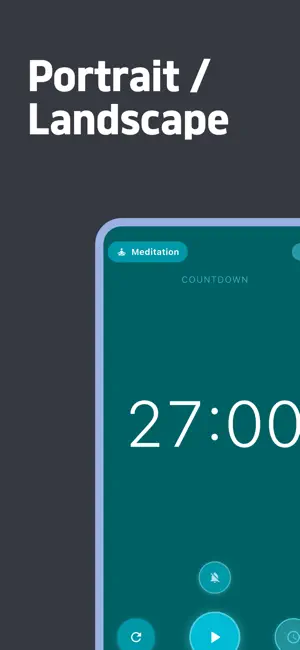
Big Timer: Minimalist Large Digit Focus & Countdown Timer Looking for a clean, distraction-free timer with massive, easy-to-read digits across the room? Big Timer is designed with an ultra-minimalist full-screen interface featuring high-contrast extra-large numbers. Whether you are conducting a keynote presentation, studying with the Pomodoro technique, timing high-intensity interval workouts, cooking in the kitchen, or practicing meditation, Big Timer keeps your time perfectly visible at a glance. How to Use 1. Set Time: Tap the big display to quickly adjust minutes and seconds with the smooth wheel selector. 2. Mode Selection: Toggle effortlessly between Countdown mode for timed tasks and Count-Up Stopwatch mode for track sessions. 3. Start & Pause: Single-tap anywhere to start or pause the timer instantly. 4. Auto-Theme Matching: Enjoy 8 purpose-driven color themes automatically matched to your activity (Focus, Workout, Cooking, Presentation, Meditation, Deadline, Break, General). Key Features - Extra Large High-Contrast Display: Huge digital numbers designed for maximum legibility from any distance. - Dual Timer Modes: Supports both Countdown Timer and Count-Up Stopwatch functions. - 8 Purpose-Driven Dynamic Themes: Beautiful color palettes tailored for Focus (Blue), Workout (Green), Cooking (Orange), Presentation (Purple), Meditation (Cyan), Deadline (Red), Break (Lime), and General (Slate). - Keep Screen On (Wakelock): Prevents your display from sleeping or dimming automatically during important timer sessions. - Audio & Haptic Feedback: Optional pleasant completion sound and vibration alerts when your session finishes. - Lightweight & Privacy-Focused: Operates 100% locally on your device with instant responsiveness. Recommended For - Students and professionals using the Pomodoro technique for deep focus and study sessions. - Speakers, teachers, and presenters keeping track of talk duration and speech deadlines. - Fitness enthusiasts, coaches, and athletes timing gym workouts, HIIT, and interval training. - Home cooks needing a clear kitchen timer visible from across the room. - Anyone seeking a clean, uncluttered desk clock and timer experience. Download Big Timer today and enjoy a beautifully clear, large-digit focus timer!
What’s new
Version 1.0.3 · Updated August 8, 2026
Stability improvements.
App privacy
The developer, Seulki Eom, reported these privacy practices to Apple.
Data Used to Track You
The following data may be used to track you across apps and websites owned by other companies:
- Location: Coarse Location
- Identifiers: Device ID
- Usage Data: Product Interaction, Advertising Data, Other Usage Data
- Diagnostics: Crash Data
Data Linked to You
The following data, which may be collected and linked to your identity, may be used for the following purposes:
- Location: Coarse Location
- Identifiers: Device ID
- Usage Data: Product Interaction, Advertising Data, Other Usage Data
- Diagnostics: Crash Data
Used for: Third-Party Advertising, Developer’s Advertising or Marketing
Alternatives to Big Timer - Focus & Countdown
Looking for apps like Big Timer - Focus & Countdown? Here are 6 similar apps on the App Store. The highest rated is Big Colorful Timer (5.0/5), and all 6 are free to download.
-
 Timer - The simplest timer
4.0
Timer - The simplest timer
4.0
-
 Big Colorful Timer
5.0
Big Colorful Timer
5.0
-
 Big Tap Digital Stopwatch
4.6
Big Tap Digital Stopwatch
4.6
-
 Stopwatch & Countdown
4.1
Stopwatch & Countdown
4.1
-
 Stopwatch°
4.8
Stopwatch°
4.8
-
 Big Timer - Simple
3.3
Big Timer - Simple
3.3
| App | Rating | Price | Last updated | Compare |
|---|---|---|---|---|
| Big Timer - Focus & Countdown | – | Free | August 8, 2026 | |
| Timer - The simplest timer | 4.0 / 5 (4) | Free | Apr 27, 2026 | Compare |
| Big Colorful Timer | 5.0 / 5 (1) | Free | Oct 9, 2024 | Compare |
| Big Tap Digital Stopwatch | 4.6 / 5 (227) | Free | Jun 14, 2026 | Compare |
| Stopwatch & Countdown | 4.1 / 5 (7) | Free | Mar 13, 2026 | Compare |
| Stopwatch° | 4.8 / 5 (318) | Free | Oct 10, 2026 | Compare |
| Big Timer - Simple | 3.3 / 5 (7) | Free | Jul 23, 2026 | Compare |