

AI Chat with PDF : Remove Ink
Bhakti Dave Productivity iPhoneiPadiPod touch
AI Chat with PDF : Remove Ink is a free Productivity app for iPhone and iPad by Bhakti Dave. Rated 1.0/5 from 1 ratings. Requires iOS 14.0.
- Rating
- 1.0
- 1 ratings
- Price
- Free
- on the App Store
- Size
- 92 MB
- Age 4+
- Updated
- Jun 19
- 2025 · v2.0
Screenshots

About AI Chat with PDF : Remove Ink
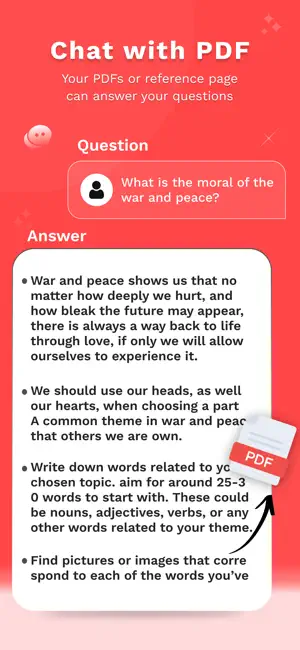
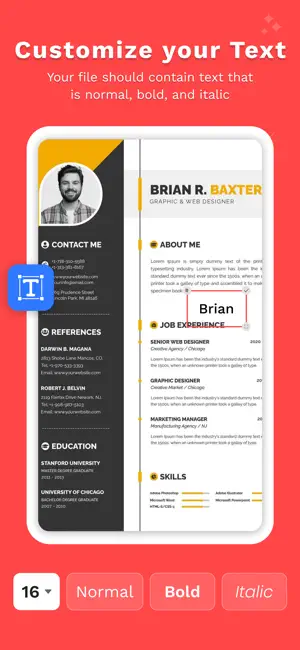
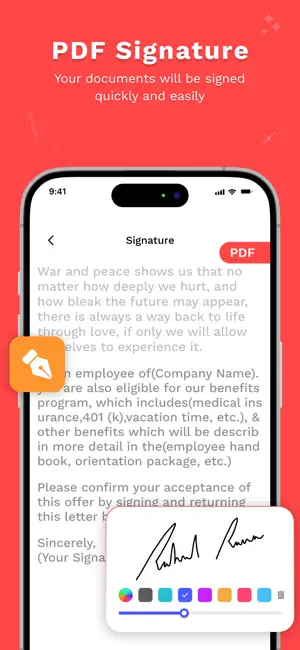
AI Chat With PDF: Remove Ink is a smart app designed to enhance your document handling experience. One of its key features is the Remove Handwriting tool, which allows you to upload an image of any handwritten document and remove all handwritten text with a single tap on the Generate button. This is especially useful for cleaning up scanned notes or documents with unwanted markings. The AI Chat with PDF app also includes Chat With PDF, where you can scan or upload any PDF file and ask questions about its content. The AI quickly analyzes the document and provides instant answers, making it ideal for studying, reviewing contracts, or understanding reports. The AI Chat With PDF: Remove Ink app offers convenient tools like PDF Signature, enabling you to sign PDF files using customizable text—choose your preferred font style, color, and size—or draw your signature manually. Once done, you can save your signed PDFs in the Creation Gallery for easy access and sharing. With this app, you can also save entire chat sessions for future reference or export them as PDF files. Whether you're working professionally, studying, or managing personal documents, the AI Chat With PDF: Remove Ink app streamlines your workflow and lets you manage and share files via social media or other platforms. Key Features: - Chat with PDF Ask questions about your PDFs and get instant answers from an AI assistant. Perfect for contracts, school notes, or complex documents. - Remove Ink / Handwriting Erase handwritten notes, pen marks, or unwanted scribbles from scanned or image-based PDFs using powerful AI. Erase handwriting notes simple way. - Add Signature Draw or type your signature, customize style and position it anywhere in the PDF. - Draw or Annotate Use freehand tools to draw, write, or mark up any page. Great for editing, notes, and teaching. - Smart Erase Tool Remove any drawn or marked content — either manually or with one tap via AI. - Export & Share Download your edited PDF, or share directly via email, cloud, or messaging apps. All features are accessible with a subscription, including... •Unlock Premium feature •Ads free version Premium Plans are as Above: One Week : 6.99$ for 1 Week One Year : 44.99$ for 1 Year For more information : Privacy Policy : https://bhaktidave03.blogspot.com/2025/05/privacy-policy.html Terms of Use : https://bhaktidave03.blogspot.com/2025/05/terms-of-use.html
What’s new
Version 2.0 · Updated June 19, 2025
erase handwriting improvement, bug fixes
App privacy
The developer, Bhakti Dave, reported these privacy practices to Apple.
Data Used to Track You
The following data may be used to track you across apps and websites owned by other companies:
- Identifiers: Device ID
- Usage Data: Advertising Data
Data Not Linked to You
The following data, which may be collected but is not linked to your identity, may be used for the following purposes:
- Identifiers: Device ID
- Usage Data: Advertising Data
- Diagnostics: Performance Data
Used for: Third-Party Advertising, Analytics
Alternatives to AI Chat with PDF : Remove Ink
Looking for apps like AI Chat with PDF : Remove Ink? Here are 6 similar apps on the App Store. The highest rated is Remove Handwriting AI (5.0/5), and all 6 are free to download.
-
 Document : Text & Ink Remover
4.5
Document : Text & Ink Remover
4.5
-
 Remove Handwriting AI
5.0
Remove Handwriting AI
5.0
-
 StudySnap:AI Homework Scanner
5.0
StudySnap:AI Homework Scanner
5.0
-
 LensDoc: AI Document Cleaner
4.0
LensDoc: AI Document Cleaner
4.0
-
 Pointron - Focus time tracker
5.0
Pointron - Focus time tracker
5.0
-
 ChatPDF - AI Chat with PDF
3.0
ChatPDF - AI Chat with PDF
3.0
| App | Rating | Price | Last updated | Compare |
|---|---|---|---|---|
| AI Chat with PDF : Remove Ink | 1.0 / 5 (1 rating) | Free | June 19, 2025 | |
| Document : Text & Ink Remover | 4.5 / 5 (4) | Free | Jan 7, 2026 | Compare |
| Remove Handwriting AI | 5.0 / 5 (2) | Free | Oct 20, 2026 | Compare |
| StudySnap:AI Homework Scanner | 5.0 / 5 (1) | Free | Aug 3, 2026 | Compare |
| LensDoc: AI Document Cleaner | 4.0 / 5 (4) | Free | Mar 6, 2026 | Compare |
| Pointron - Focus time tracker | 5.0 / 5 (2) | Free | Oct 20, 2025 | Compare |
| ChatPDF - AI Chat with PDF | 3.0 / 5 (2) | Free | Jul 8, 2025 | Compare |