

Numly AI: Smart Tally Counter
Roxwin Vietnam Technologies Company Limited Utilities iPhoneiPadiPod touch
Numly AI: Smart Tally Counter is a paid Utilities app for iPhone and iPad by Roxwin Vietnam Technologies Company Limited. Requires iOS 17.6.
- Price
- 1.99 USD
- on the App Store
- Size
- 23 MB
- Age 4+
- Updated
- Oct 5
- 2025 · v1.2.8
Screenshots

About Numly AI: Smart Tally Counter
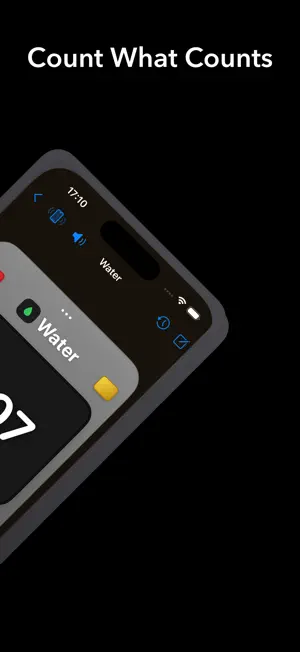
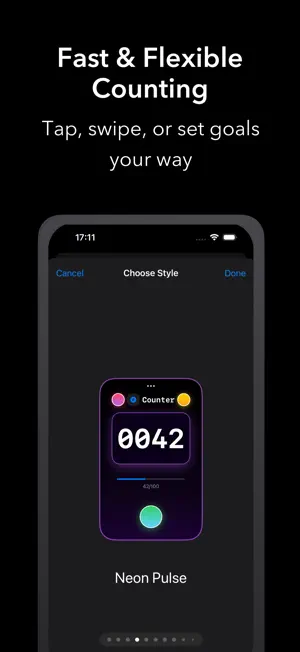
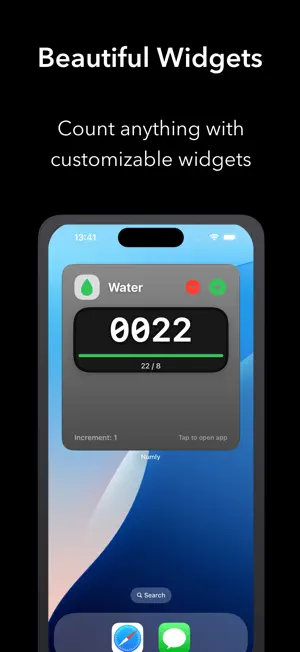
Numly Counter – The Ultimate Customizable Counter Numly Counter is a powerful, beautifully designed, and highly customizable counting tool that helps you track anything in your life — steps, water intake, books read, workouts, savings, and more. Explore the advanced features below: Key Features Create & Manage Unlimited Counters • Add as many counters as you want, each with its own name, icon, color, style, and target. • Edit or delete counters at any time. Stunning Visual Styles • Choose from over 20 unique counter card styles: Modern, Classic, Glass, Neon, Minimal, Retro, and more. • Each style includes gradients, shadows, and custom shapes for a premium look. Live Preview & Customization • Instantly preview your counter as you customize its name, icon, color, font, style, and gradient. • See exactly how your counter will appear before saving. Gradient & Color Personalization • Select from 24+ curated gradients for your counter background. • Use default style gradients or customize for each counter individually. Flexible Counting Logic • Set custom increment values and optional target goals. • Enable or disable negative values to suit your counting preferences. Quick Actions & Gestures • Tap to increment, decrement, or reset instantly. • Swipe left or right on the counter value for fast counting (if enabled). Templates for Instant Setup • Get started quickly with pre-designed templates for common activities like water tracking, reading, workouts, and more. • Tap any template to create a ready-to-use counter. Progress Tracking & Stats • Visual progress bars for counters with target goals. • View detailed statistics: total count, daily average, highest/lowest values, streaks, and last update time. History & Undo • Access full history of actions: increment, decrement, reset, and manual adjustments. • Option to clear history for individual counters. Modern UI/UX • Clean, responsive layout across all screen sizes. • Thoughtful empty state design with onboarding tips and quick template access. • Smooth navigation and style selection with intuitive paging. System Integration • Optional haptic feedback and sound effects for a more engaging experience. • Full support for Light and Dark Mode with high-contrast, adaptive themes. • Accent colors and backgrounds adjust to match your system settings. Advanced Settings • Set default icon, color, and increment values for new counters. • Global toggles for quick count mode, haptics, and sounds. Numly Counter is the perfect tool for anyone who wants to track, motivate, and visualize progress in any area of life — with style and flexibility. Start counting your way, your style.
What’s new
Version 1.2.8 · Updated October 5, 2025
- Ready for iOS 26 - Supports Themes & Languages
App privacy
The developer, Roxwin Vietnam Technologies Company Limited, reported these privacy practices to Apple.
Data Not Collected
The developer does not collect any data from this app.
Alternatives to Numly AI: Smart Tally Counter
Looking for apps like Numly AI: Smart Tally Counter? Here are 6 similar apps on the App Store. The highest rated is ScreenShield (5.0/5), and 1 of the 6 are free to download.
-
 Event Countdown ProX
-
 Cleaner Pro - Phone Storage
-
 Call Shield: Spam Call Blocker
1.0
Call Shield: Spam Call Blocker
1.0
-
 ScreenShield
5.0
ScreenShield
5.0
-
 Timora - Voice Clock
4.0
Timora - Voice Clock
4.0
-
 Digital Building Twin
2.0
Digital Building Twin
2.0
| App | Rating | Price | Last updated | Compare |
|---|---|---|---|---|
| Numly AI: Smart Tally Counter | – | 1.99 USD | October 5, 2025 | |
| Event Countdown ProX | – | 0.99 USD | Feb 21, 2026 | Compare |
| Cleaner Pro - Phone Storage | – | Free | Jun 30, 2026 | Compare |
| Call Shield: Spam Call Blocker | 1.0 / 5 (1) | 1.99 USD | Oct 11, 2026 | Compare |
| ScreenShield | 5.0 / 5 (1) | 0.99 USD | Jun 11, 2025 | Compare |
| Timora - Voice Clock | 4.0 / 5 (1) | 0.99 USD | Jul 16, 2026 | Compare |
| Digital Building Twin | 2.0 / 5 (1) | 12.9 USD | Aug 10, 2025 | Compare |