

DOC2PDF
CAGAN DURGUN Productivity iPhoneiPadiPod touch
DOC2PDF is a free Productivity app for iPhone and iPad by CAGAN DURGUN. Rated 3.5/5 from 2 ratings. Requires iOS 26.0. Updated May 20, 2026.
- Rating
- 3.5
- 2 ratings
- Price
- Free
- on the App Store
- Size
- 5 MB
- Age 4+
- Updated
- May 20
- 2026 · v5.7
Screenshots
About DOC2PDF
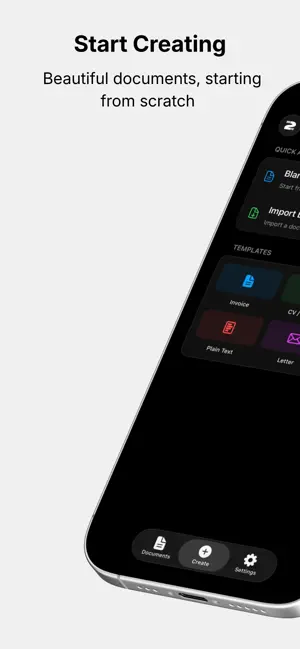
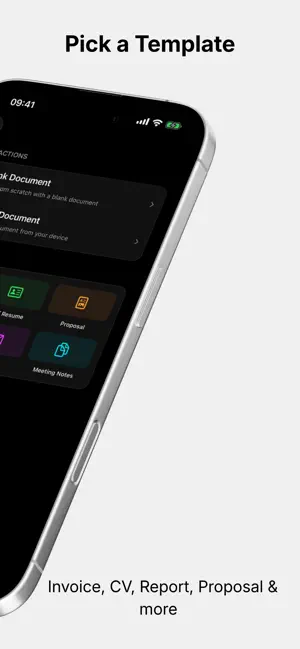
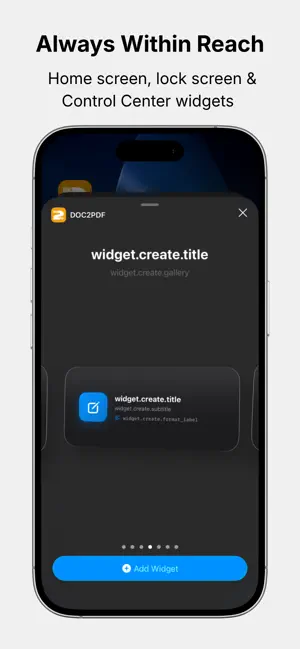
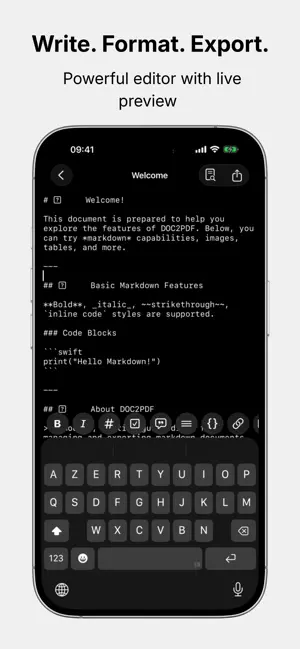
Create professional documents and export them as beautiful PDFs. DOC2PDF is a powerful document creator and PDF converter for iPhone and iPad. From invoices and resumes to reports and proposals — create any document, choose a theme, and export a stunning PDF in seconds. PROFESSIONAL DOCUMENT TEMPLATES Start fast with ready-made templates built for real work: • Invoice • CV / Resume • Project Proposal • Business Report • Formal Letter • Meeting Notes Fill in your details and export a clean, watermark-free PDF instantly. 8 BEAUTIFUL PDF THEMES Every export looks polished and professional. Choose the style that fits: • Light • Sepia • Slate • Nord • Rose • Midnight • Lavender • Sand BUILT-IN DOCUMENT EDITOR • Write and edit with live preview • Quick-formatting toolbar • Import DOCX, PPTX, LaTeX, Markdown & TXT files • Organize, search, and sort all your documents FOLDERS & BULK OPERATIONS • Create folders and organize your documents into collections • Select multiple documents at once • Bulk export, move, or delete in a single action STATISTICS & STREAKS • Track your writing streak — syncs automatically via iCloud • View your weekly activity chart • See a breakdown of the formats you use most ALWAYS WITHIN REACH • Home screen, lock screen & Control Center widgets • Long-press the app icon for Quick Actions • Create a document or jump to recents — without opening the app LIVE EXPORT • Watch your PDF come to life in real time • Dynamic Island & Live Activity keep you updated during export PREMIUM — TRY FREE • Unlimited document creation • Unlimited PDF exports • All 8 themes • All templates • No watermarks Start your free trial today. Cancel anytime. Built for students, freelancers, developers, and professionals who need great-looking documents — fast. Available in 15 languages: English, Japanese, Chinese, German, French, Korean, Spanish, Portuguese, Italian, Russian, Arabic, Turkish, and Hindi.
What’s new
Version 5.7 · Updated May 20, 2026
What's New in 5.7 A focused polish update — smoother, more accessible and even safer. — SMOOTHER ANIMATIONS — The logo button now flows with a single, consistent spring across every state. Subtle, but you'll feel it. — ACCESSIBILITY — VoiceOver now reads a clear summary of your weekly activity chart — your whole week at a glance. Decorative animations are properly hidden from assistive technologies. — STABILITY & SECURITY — Hardened file imports from the Share sheet against malformed filenames, removed unsafe code paths, and tightened internals for snappier performance. Thanks for using DOC2PDF — keep creating!
App privacy
The developer, CAGAN DURGUN, reported these privacy practices to Apple.
Data Not Collected
The developer does not collect any data from this app.
Alternatives to DOC2PDF
Looking for apps like DOC2PDF? Here are 6 similar apps on the App Store. The highest rated is PromoSender (5.0/5), and 5 of the 6 are free to download.
-
 WhisperDirect:AI Meeting Notes
-
 MindPace
-
 PromoSender
5.0
PromoSender
5.0
-
 Clipboard History IO Mobile
3.3
Clipboard History IO Mobile
3.3
-
 iLinkVault: Bookmark Manager
4.8
iLinkVault: Bookmark Manager
4.8
-
 Convert Picture to Pdf
5.0
Convert Picture to Pdf
5.0
| App | Rating | Price | Last updated | Compare |
|---|---|---|---|---|
| DOC2PDF | 3.5 / 5 (2 ratings) | Free | May 20, 2026 | |
| WhisperDirect:AI Meeting Notes | – | Free | Oct 10, 2026 | Compare |
| MindPace | – | Free | Aug 29, 2025 | Compare |
| PromoSender | 5.0 / 5 (3) | 0.99 USD | Dec 30, 2025 | Compare |
| Clipboard History IO Mobile | 3.3 / 5 (3) | Free | Jul 3, 2025 | Compare |
| iLinkVault: Bookmark Manager | 4.8 / 5 (4) | Free | Oct 23, 2026 | Compare |
| Convert Picture to Pdf | 5.0 / 5 (9) | Free | Feb 18, 2026 | Compare |
Compare DOC2PDF with the top alternatives: ratings, updates, ASO score and keyword gaps →