

Docu Nest
Topal Oleg Productivity iPhoneiPadiPod touch
Docu Nest is a free Productivity app for iPhone and iPad by Topal Oleg. Requires iOS 16.0. Updated June 4, 2025.
- Price
- Free
- on the App Store
- Size
- 22 MB
- Age 4+
- Updated
- Jun 4
- 2025 · v1.1
Screenshots
About Docu Nest
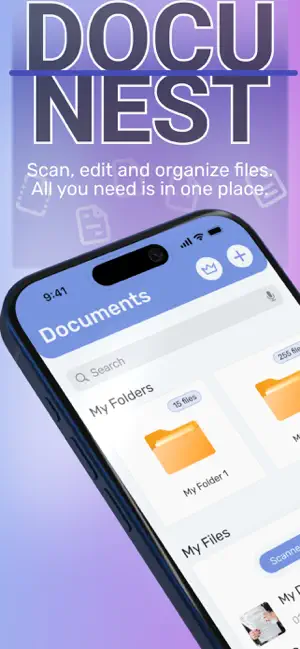
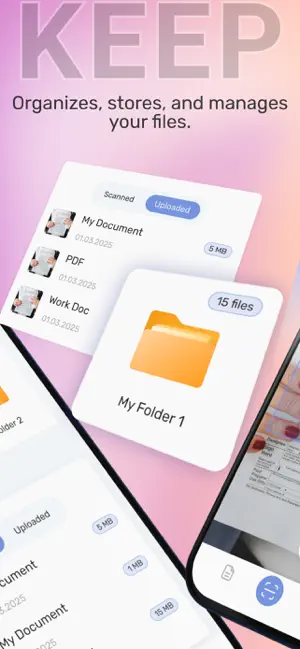
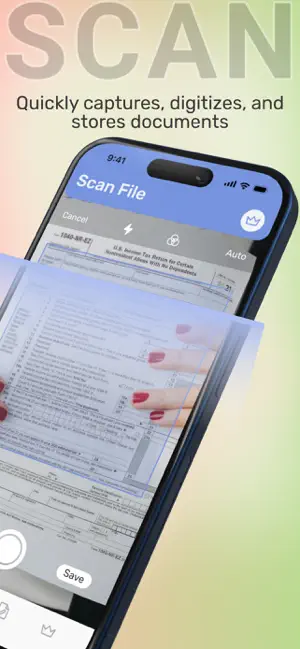
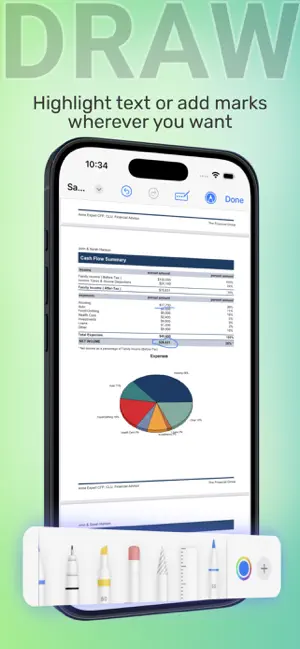
Docu Nest – All-in-One Document Manager, Scanner & Quick Look Viewer Docu Nest is the ultimate solution for managing, scanning, and viewing documents directly from your phone. Designed for efficiency and simplicity, Docu Nest ensures that you can organize, preview, and share documents wherever you are, with just a few taps. Whether you’re scanning physical papers, organizing your files, jotting down notes, or adding a signature, Docu Nest makes document management easy and accessible. KEY FEATURES of Docu Nest: Document Manager Create and manage folders, upload documents, rename or delete files, and easily find everything with the search bar. Keep your documents organized and at your fingertips. Smart Scanner Quickly scan documents using your phone’s camera with automatic edge detection, ensuring clean scans every time. Save documents directly to your library and rename them for easy reference. Quick Look Viewer Instantly preview your documents, images, and PDFs with Quick Look—fast, smooth, and without the need for additional editing tools. Includes simple editing options like crop, pen, and signature for quick adjustments. Notes Functionality Quickly jot down ideas, tasks, and reminders with the built-in Notes feature. Keep everything in one place! In the free version, you can enjoy the following options: Keep up to 3 documents Scan up to 2 documents Quick Look up to 2 times 3 notes for your ideas Need more? Upgrade to Premium for unlimited access Docu Nest Subscription Subscribe to stay informed about the latest innovations in Docu Nest. Auto-Renewal: Subscriptions automatically renew unless canceled 24 hours before the end of the current period. Manage Settings: You can adjust your subscription settings anytime in your Account Settings. By subscribing, you agree to our Privacy Policy and Terms of Use. Continued use indicates your acceptance. Docu Nest is perfect for professionals, students, or anyone who needs a simple, efficient way to manage and view their documents on the go. Download Docu Nest now and experience the ultimate document management tool in your pocket! Privacy Policy: https://docs.google.com/document/d/1N8Nptm_f6IiqLk3aw4Hdf7em8wLEvbLCiMl9_FXfLDU Terms of Use: https://docs.google.com/document/d/14a-BwcB3koh_mX1Y0uFtWMN3yDJ1jYtEoyMTyn4u95c
What’s new
Version 1.1 · Updated June 4, 2025
Improvements of user experience
App privacy
The developer, Topal Oleg, reported these privacy practices to Apple.
Data Not Collected
The developer does not collect any data from this app.
Alternatives to Docu Nest
Looking for apps like Docu Nest? Here are 6 similar apps on the App Store. The highest rated is Supercal Calendar (4.4/5), and all 6 are free to download.
-
 Team To Do List
-
 Supercal Calendar
4.4
-
 Leexi - AI Notetaker
-
 Littlebird AI
4.3
-
 SyncGene Sync Contact Calendar
2.1
-
 3D Viewer by Chief Architect
3.7
| App | Rating | Price | Last updated | Compare |
|---|---|---|---|---|
| Docu Nest | – | Free | June 4, 2025 | |
| Team To Do List | – | Free | Dec 10, 2025 | Compare |
| Supercal Calendar | 4.4 / 5 (50) | Free | Nov 6, 2026 | Compare |
| Leexi - AI Notetaker | – | Free | Oct 30, 2026 | Compare |
| Littlebird AI | 4.3 / 5 (66) | Free | Nov 3, 2026 | Compare |
| SyncGene Sync Contact Calendar | 2.1 / 5 (23) | Free | Oct 1, 2024 | Compare |
| 3D Viewer by Chief Architect | 3.7 / 5 (527) | Free | Oct 29, 2025 | Compare |
Compare Docu Nest with the top alternatives: ratings, updates, ASO score and keyword gaps →