

Simply Multi Timer
Jisu Jung Productivity iPhoneiPadiPod touch
Simply Multi Timer is a free Productivity app for iPhone and iPad by Jisu Jung. Requires iOS 15.1. Updated November 13, 2026.
- Price
- Free
- on the App Store
- Size
- 38 MB
- Age 4+
- Updated
- Nov 13
- 2026 · vSMT V1.5.4
Screenshots

About Simply Multi Timer
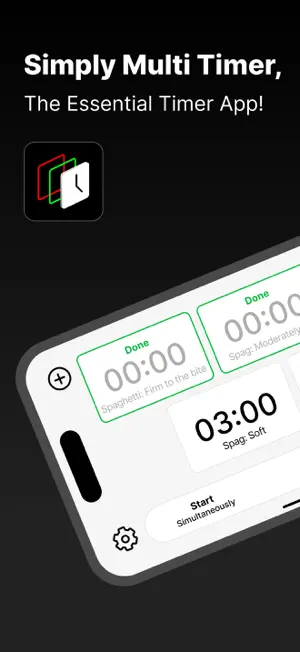
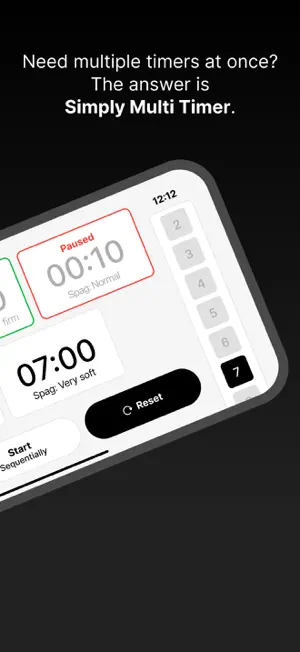
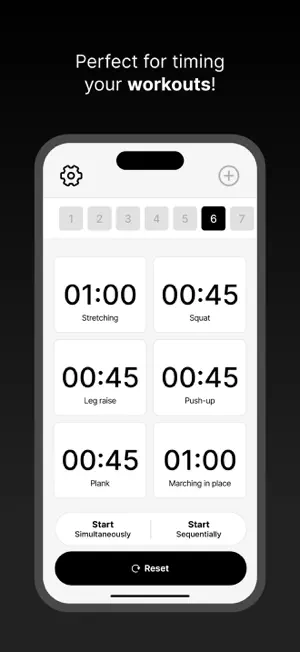
Run multiple countdown timers on one screen for study, work, cooking, and exercise. Start timers individually, together for tasks that overlap, or in sequence for routines with several steps. RUN TIMERS YOUR WAY • Start, pause, resume and reset individual timers. • Start multiple timers simultaneously and track each task’s remaining time. • Run timers sequentially for focus and breaks, or exercise and recovery. Use your own durations for Pomodoro study sessions and interval workouts. SAVE YOUR FAVORITES Customize timer names and durations, then save timer sets as favorites. Bring back your setup for cooking, brewing coffee, studying or working out without entering everything again. CLEAR TO SEE, EASY TO HEAR • Timer cards on one screen, with portrait and landscape layouts • Light and dark themes • 11 alarm sounds and timer-completion notifications • A guide to help you get started • English, Korean, Japanese, Traditional and Simplified Chinese, French and Spanish CHOOSE HOW TO UNLOCK MORE The first timer set is free. Finish one rewarded video and earn the reward to unlock all features for 2 hours without video ads. Banner ads may still appear. Buy Lifetime Pro Pass once to unlock all features and remove ads. Restore a previous purchase from the purchase screen. Notifications and background alarms depend on your device’s permissions and system settings. Made with LOVE in Canada.
What’s new
Version SMT V1.5.4 · Updated November 13, 2026
• Lifetime Pro Pass gives you all features and removes ads with a one-time purchase. • Improved purchase confirmation and restoration. • Improved how rewarded videos reload when an ad expires or your connection changes.
App privacy
The developer, Jisu Jung, reported these privacy practices to Apple.
Data Used to Track You
The following data may be used to track you across apps and websites owned by other companies:
- Identifiers: User ID, Device ID
- Usage Data: Product Interaction, Advertising Data
Data Not Linked to You
The following data, which may be collected but is not linked to your identity, may be used for the following purposes:
- Location: Coarse Location
- Identifiers: User ID, Device ID
- Usage Data: Product Interaction, Advertising Data
- Diagnostics: Crash Data, Performance Data
Used for: Third-Party Advertising, Analytics
Alternatives to Simply Multi Timer
Looking for apps like Simply Multi Timer? Here are 6 similar apps on the App Store. The highest rated is OCD Countdown (5.0/5), and 5 of the 6 are free to download.
-
 OCD Countdown
5.0
-
 FocusPaws - Social Focus Timer
-
 fecit: Task Manager & Planner
1.0
-
 dottodash: AI To-Do & Journal
-
 YayMe
-
 Plani Log - Diary & Calendar
| App | Rating | Price | Last updated | Compare |
|---|---|---|---|---|
| Simply Multi Timer | – | Free | November 13, 2026 | |
| OCD Countdown | 5.0 / 5 (1) | Free | Oct 15, 2026 | Compare |
| FocusPaws - Social Focus Timer | – | Free | Jun 23, 2026 | Compare |
| fecit: Task Manager & Planner | 1.0 / 5 (1) | Free | Nov 13, 2026 | Compare |
| dottodash: AI To-Do & Journal | – | Free | Aug 21, 2026 | Compare |
| YayMe | – | 2.99 USD | Sep 25, 2026 | Compare |
| Plani Log - Diary & Calendar | – | Free | Oct 31, 2026 | Compare |
Compare Simply Multi Timer with the top alternatives: ratings, updates, ASO score and keyword gaps →