

iDOCTOR: Hardware Test
Rodrigo Belloso Utilities iPhoneiPadiPod touch
iDOCTOR: Hardware Test is a free Utilities app for iPhone and iPad by Rodrigo Belloso. Rated 4.8/5 from 19 ratings. Requires iOS 15.6.
- Rating
- 4.8
- 19 ratings
- Price
- Free
- on the App Store
- Size
- 15 MB
- Age 4+
- Updated
- Sep 11
- 2026 · v1.0.3
Screenshots
About iDOCTOR: Hardware Test
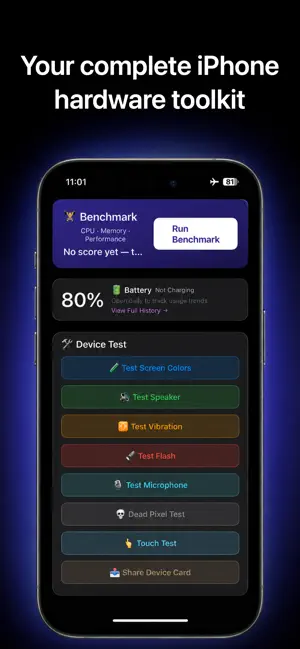
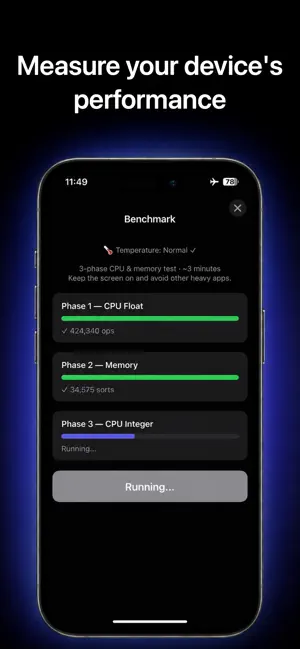
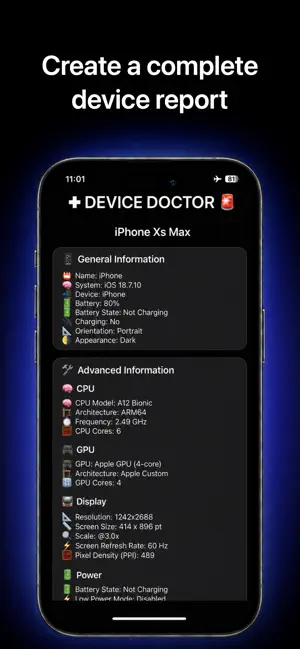
iDOCTOR: CPU & System gives you a clear, reliable view of your iOS device’s technical specifications. Whether you are a developer, tester, advanced user, or simply curious about what makes your iPhone run, this app delivers the hardware and system information you need in one place. Designed to be fast, simple, and private, Device Info offers real-time access to essential specs—no logins, subscriptions, or unnecessary permissions. What does Device Info show? Device Info collects and displays accurate technical data using official Apple APIs. The app includes the following categories: System Overview Device model and generation iOS system version Device type (iPhone or iPad) Interface language and region Time zone CPU and Performance Chip type (Apple A-series) Number of processor cores Active processor threads System uptime (since last reboot) Low Power Mode status Memory and Storage Installed RAM (physical memory) Available memory at runtime Total storage capacity Free disk space (formatted) Screen and Display Resolution in physical pixels Retina scale factor Screen orientation (portrait or landscape) Brightness level Appearance mode: light or dark Battery and Power Battery level (%) Charging status: unplugged, charging, or full Battery state (charging or not) Low Power Mode on/off Security and Accessibility Biometric authentication (Face ID, Touch ID, or none) VoiceOver status Reduce Motion enabled/disabled Reduce Transparency enabled/disabled ***Why choose Device Info? -Device Info: CPU & System is the ultimate tool for viewing your iPhone’s hardware and system status. This lightweight iOS app gives you: -Instant access to CPU info, memory, battery, and more -A clean, user-friendly dashboard -No logins, no tracking, no ads -Optional advanced diagnostics (via rewarded ads) -Full compatibility with the latest iOS devices ***Perfect for: -Developers checking test environments -QA testers verifying device specs -Power users monitoring performance -Buyers and sellers confirming hardware details -Anyone curious about their device’s true capabilities Free to use. No accounts. Built for speed and accuracy.
Ratings & reviews
4.8
19 ratings
What’s new
Version 1.0.3 · Updated September 11, 2026
updated to latest iOS.
App privacy
The developer, Rodrigo Belloso, reported these privacy practices to Apple.
Data Used to Track You
The following data may be used to track you across apps and websites owned by other companies:
- Identifiers: Device ID
Data Linked to You
The following data, which may be collected and linked to your identity, may be used for the following purposes:
- Identifiers: Device ID
Used for: App Functionality
Data Not Linked to You
The following data, which may be collected but is not linked to your identity, may be used for the following purposes:
- Diagnostics: Performance Data
Used for: Analytics
Alternatives to iDOCTOR: Hardware Test
Looking for apps like iDOCTOR: Hardware Test? Here are 6 similar apps on the App Store. The highest rated is iChecker: Phone Diagnostics (5.0/5), and all 6 are free to download.
-
 Phone Clinix
-
 TS Testing
-
 iChecker: Phone Diagnostics
5.0
iChecker: Phone Diagnostics
5.0
-
 Device Tester - Phone Check
-
 Device Info X
-
 iDevice Doctor
| App | Rating | Price | Last updated | Compare |
|---|---|---|---|---|
| iDOCTOR: Hardware Test | 4.8 / 5 (19 ratings) | Free | September 11, 2026 | |
| Phone Clinix | – | Free | May 11, 2026 | Compare |
| TS Testing | – | Free | Sep 30, 2026 | Compare |
| iChecker: Phone Diagnostics | 5.0 / 5 (10) | Free | Aug 11, 2026 | Compare |
| Device Tester - Phone Check | – | Free | Oct 9, 2026 | Compare |
| Device Info X | – | Free | Jul 14, 2025 | Compare |
| iDevice Doctor | – | Free | Jun 17, 2025 | Compare |