

Magical Text Formatter
Eboore LLC Utilities iPhoneiPadiPod touch
Magical Text Formatter is a free Utilities app for iPhone and iPad by Eboore LLC. Rated 5.0/5 from 1 ratings. Requires iOS 15.1. Updated May 30, 2025.
- Rating
- 5.0
- 1 ratings
- Price
- Free
- on the App Store
- Size
- 22 MB
- Age 4+
- Updated
- May 30
- 2025 · v1.0.3
Screenshots


About Magical Text Formatter
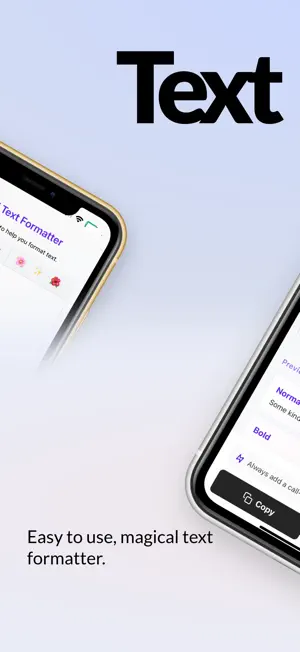
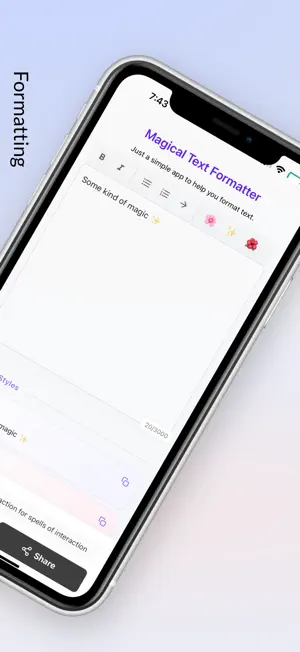
You know that feeling when you're about to post something important on LinkedIn, but your text looks... ordinary? Same boring font. Same plain look. Nothing that makes people stop scrolling. Here's what changed everything: text that actually looks professional. Not flashy or over-the-top – just clean, polished, and different enough to catch attention. Beautiful Fonts That Work Clean serif fonts for professional posts. Modern sans-serif for casual updates. Script fonts when you want that personal touch. All readable, all classy. Simple Formatting Bold headers that organize your thoughts. Subtle decorations that frame your key points. Clean spacing that makes everything easier to read. LinkedIn-Ready Styles Text that looks intentional. Professional enough for business posts. Personal enough for your stories. Always appropriate, never distracting. How It Works Open the app. Type or paste your text. Pick a style. Copy and paste wherever you need it. That's it. Perfect For: LinkedIn posts that need to stand out Twitter threads that look polished Instagram captions with personality Any time plain text isn't enough No learning curve. No complicated settings. Just better-looking text in about 30 seconds. The difference? Your posts look intentional. Professional. Like you put thought into how they appear. And people respond differently when your text has that extra bit of polish. Try it once. You'll see how much better your content looks. Ready to make your next post look effortlessly professional?
What’s new
Version 1.0.3 · Updated May 30, 2025
• Enhanced text transformation engine for smoother, more reliable results • Improved share card design with polished animations • Optimized performance and stability • Better handling of special characters and emojis
App privacy
The developer, Eboore LLC, reported these privacy practices to Apple.
Data Not Collected
The developer does not collect any data from this app.
Alternatives to Magical Text Formatter
Looking for apps like Magical Text Formatter? Here are 6 similar apps on the App Store. The highest rated is Units, Currency Converter Omni (4.9/5), and 5 of the 6 are free to download.
-
 domoment ‐ Voice AI to Action
4.0
domoment ‐ Voice AI to Action
4.0
-
 Voice Recorder & Memos: Vokmee
3.2
Voice Recorder & Memos: Vokmee
3.2
-
 Address Finder
-
 Photo Cleaner: Swipe Sorter
4.0
Photo Cleaner: Swipe Sorter
4.0
-
 Convert Video to MP3: VidoTune
4.0
Convert Video to MP3: VidoTune
4.0
-
 Units, Currency Converter Omni
4.9
Units, Currency Converter Omni
4.9
| App | Rating | Price | Last updated | Compare |
|---|---|---|---|---|
| Magical Text Formatter | 5.0 / 5 (1 rating) | Free | May 30, 2025 | |
| domoment ‐ Voice AI to Action | 4.0 / 5 (1) | Free | Mar 26, 2026 | Compare |
| Voice Recorder & Memos: Vokmee | 3.3 / 5 (4) | Free | Jan 14, 2026 | Compare |
| Address Finder | – | 0.99 USD | Oct 23, 2026 | Compare |
| Photo Cleaner: Swipe Sorter | 4.0 / 5 (4) | Free | Sep 24, 2026 | Compare |
| Convert Video to MP3: VidoTune | 4.0 / 5 (18) | Free | May 6, 2026 | Compare |
| Units, Currency Converter Omni | 4.9 / 5 (8) | Free | Oct 8, 2026 | Compare |