

Convert HEIC to JPG Converter
汇杭 钟 Productivity iPhoneiPadiPod touch
Convert HEIC to JPG Converter is a free Productivity app for iPhone and iPad by 汇杭 钟. Rated 5.0/5 from 2 ratings. Requires iOS 18.4. Updated June 16, 2026.
- Rating
- 5.0
- 2 ratings
- Price
- Free
- on the App Store
- Size
- 10 MB
- Age 4+
- Updated
- Jun 16
- 2026 · v1.3
Screenshots
About Convert HEIC to JPG Converter
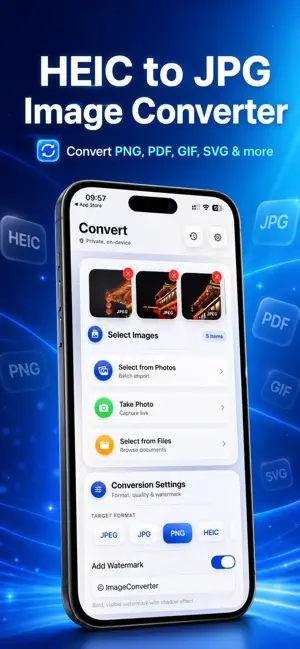
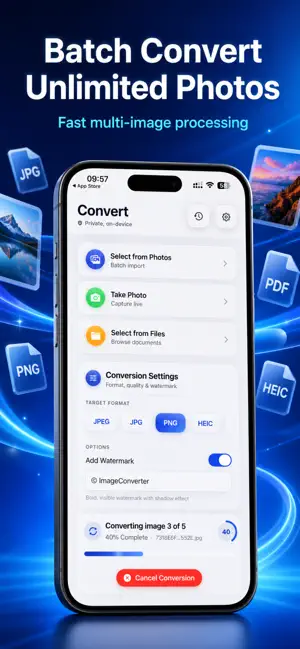
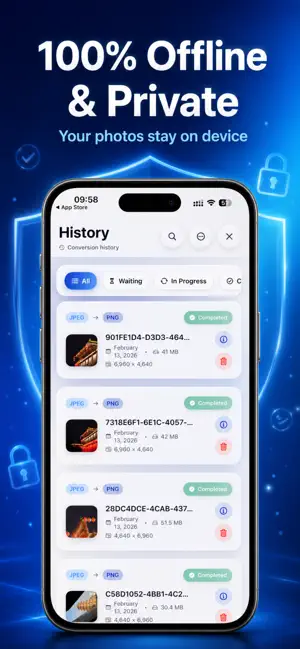
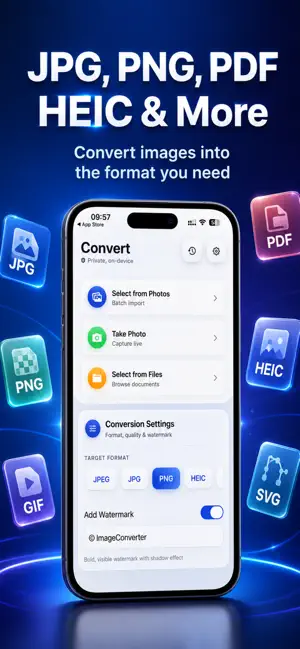
Turn your HEIC photos into universally compatible JPG, PNG, or PDF files in seconds! Photo Converter is the ultimate offline converter designed for privacy and speed. Whether you need to share photos with non-Apple devices, upload to websites that only accept JPG, or free up storage space, we have you covered. WHY CHOOSE US? • 100% Offline Privacy: Your photos never leave your device. All conversion happens locally, ensuring maximum security for your personal memories. • Batch Conversion: Select 1, 10, or 1000 photos at once. Convert entire albums without limits. • High-Quality Output: Advanced compression algorithms keep your photos sharp while reducing file size. KEY FEATURES Universal Compatibility Convert HEIC (High Efficiency Image Coding) and HEIF files to: JPG / JPEG (Best for sharing & web) PNG (Best for quality & transparency) PDF (Best for documents) Advanced Customization: Adjust JPEG Quality (Low, Medium, High) to manage file size. Resize images during conversion to save space. Seamless Workflow: Import directly from Photos, Files, or other apps. Share converted files via AirDrop, Email or drive. Upload failed? Many forms only accept JPG. Use our tool to fix format errors instantly. Running out of space? Compress HEIC files to smaller JPGs for efficient storage. Supported Input Formats:.HEIC,.HEIF,.Live Photos Supported Output Formats:.JPG,.JPEG,.PNG,.PDF Download Photo Converter today and make your photo library truly universal! === Subscription options === The app is free to download, but to access premium features, a subscription is required. With the subscription, you'll enjoy uninterrupted access to our premium features. Your subscription will automatically renew at the end of each term, and your credit card will be charged through your iTunes account within 24 hours before the end of the current period. If you wish to cancel the automatic renewal of your subscription, you can do so at any time by accessing your iTunes account settings. However, please note that refunds will not be provided for any unused portion of the term. To ensure a successful cancellation, please make sure to turn off auto-renewal at least 24 hours before the end of the current period. Privacy Policy: https://imageconverterlp.netlify.app/privacy-policy Terms of Use: https://imageconverterlp.netlify.app/terms-of-use
What’s new
Version 1.3 · Updated June 16, 2026
What’s New in This Version Thanks for using ImageConverter! This update includes: - Faster image conversion and improved output quality - Better support for large files with improved stability - Smoother History browsing and search experience - UI polish and minor bug fixes As always, your images stay processed locally on your device.
App privacy
The developer, 汇杭 钟, reported these privacy practices to Apple.
Data Not Collected
The developer does not collect any data from this app.
Alternatives to Convert HEIC to JPG Converter
Looking for apps like Convert HEIC to JPG Converter? Here are 6 similar apps on the App Store. The highest rated is HEIC Converter - HEIC to JPG (4.7/5), and all 6 are free to download.
-
 Image to PDF - JPG Converter
-
 HEIC Converter - HEIC to JPG
4.7
HEIC Converter - HEIC to JPG
4.7
-
 Image Converter: JPEG PDF HEIC
4.7
Image Converter: JPEG PDF HEIC
4.7
-
 HEIC to JPEG : image converter
4.5
HEIC to JPEG : image converter
4.5
-
 Image Converter to JPG-PDF-PNG
4.7
Image Converter to JPG-PDF-PNG
4.7
-
 The Image Converter □
4.6
The Image Converter □
4.6
| App | Rating | Price | Last updated | Compare |
|---|---|---|---|---|
| Convert HEIC to JPG Converter | 5.0 / 5 (2 ratings) | Free | June 16, 2026 | |
| Image to PDF - JPG Converter | – | Free | Nov 19, 2025 | Compare |
| HEIC Converter - HEIC to JPG | 4.7 / 5 (70) | Free | Sep 8, 2026 | Compare |
| Image Converter: JPEG PDF HEIC | 4.7 / 5 (9,022) | Free | Nov 4, 2025 | Compare |
| HEIC to JPEG : image converter | 4.5 / 5 (162) | Free | Sep 25, 2026 | Compare |
| Image Converter to JPG-PDF-PNG | 4.7 / 5 (369) | Free | Aug 14, 2026 | Compare |
| The Image Converter □ | 4.6 / 5 (16,676) | Free | Apr 6, 2026 | Compare |