

Zentry : Screen Time Control
Serhii Kravchuk Productivity iPhoneiPadiPod touch
Zentry : Screen Time Control is a free Productivity app for iPhone and iPad by Serhii Kravchuk. Requires iOS 17.6. Updated July 14, 2025.
- Price
- Free
- on the App Store
- Size
- 7 MB
- Age 4+
- Updated
- Jul 14
- 2025 · v1.1
Screenshots

About Zentry : Screen Time Control
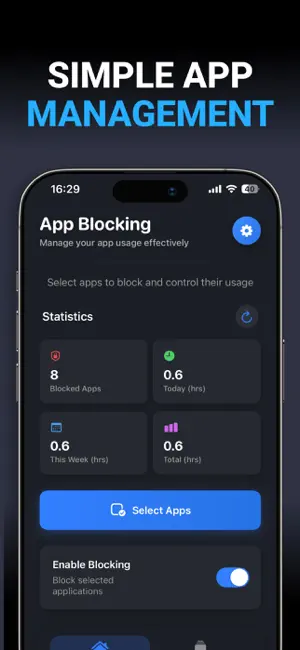
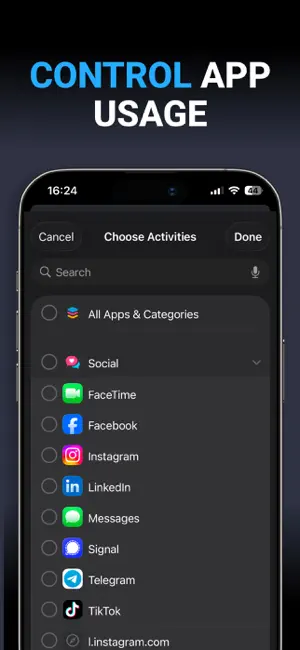
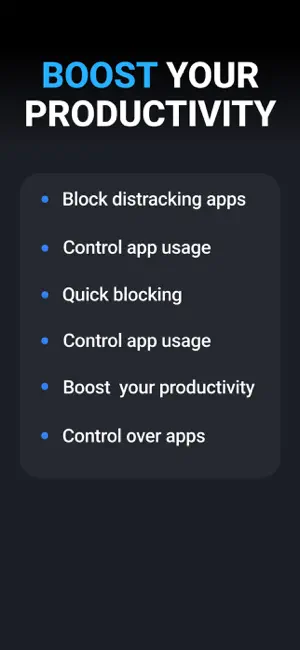
Zentry: Screen Time Control — transform your digital habits with a powerful solution for focus and app time tracking, designed to help you reclaim your time and boost productivity. With Zentry: Screen Time Control, you can easily block distracting apps, set clear usage boundaries, and monitor your progress effortlessly. Its intuitive interface makes Zentry: Screen Time Control the perfect tool for students, professionals, and anyone striving for digital balance. Use Zentry: Screen Time Control daily to build healthy habits, reduce screen time, and make more space for what truly matters. Key Features: Smart App Blocking • Instantly block distracting apps with a single tap • Create custom app groups for organized focus sessions • Schedule app blocking to match your daily routine Detailed Time Tracking • Track your focus time daily, weekly, and in total • See how many apps you’ve blocked and how much time you’ve saved • Stay motivated with clear visual progress Quick & Easy Setup • Simple and intuitive app selection • One-touch activation for blocking • No complex configuration required Flexible Scheduling • Set custom time windows for app blocking • Create multiple focus schedules • Perfect for work, study, or winding down before sleep Privacy-Focused • All tracking and blocking is handled locally on your device • No data is sent to external servers • Uses iOS Screen Time APIs for maximum security Subscription Options: Screen Control offers two options for full access: • Weekly plan with a free trial — great for short-term focus boosts • One-time lifetime purchase — unlock everything forever Experience the power of focus with Zentry: Screen Time Control and turn every day into a productive one. Download Zentry: Screen Time Control today and start taking control of your time! Privacy Policy: https://docs.google.com/document/d/1c03xu4_-3EKQ_c-zmE9Fgif0dxbW1UOsgfG4aNlB3K4/edit?usp=sharing Terms of Use: https://docs.google.com/document/d/1TPlEPgI3bWNEULyUuQzoEtOKnh8v08lW2NouS679fXs/edit?usp=sharing
What’s new
Version 1.1 · Updated July 14, 2025
• Bug fixes and performance improvements in Zentry: Screen Time Control • Minor UI improvements for a smoother setup experience
App privacy
The developer, Serhii Kravchuk, reported these privacy practices to Apple.
Data Linked to You
The following data, which may be collected and linked to your identity, may be used for the following purposes:
- Purchases: Purchase History
- Identifiers: Device ID
Used for: Analytics, Product Personalization, App Functionality
Alternatives to Zentry : Screen Time Control
Looking for apps like Zentry : Screen Time Control? Here are 6 similar apps on the App Store. The highest rated is Promise: Screen Time Control (5.0/5), and all 6 are free to download.
-
 Keevio – Video Insights
-
 Promise: Screen Time Control
5.0
Promise: Screen Time Control
5.0
-
 Orient: Beyond App Blocking
5.0
Orient: Beyond App Blocking
5.0
-
 Reduce Screen Time: Presently
5.0
Reduce Screen Time: Presently
5.0
-
 UFOCUS: Screen time control
5.0
UFOCUS: Screen time control
5.0
-
 Great Notes
5.0
Great Notes
5.0
| App | Rating | Price | Last updated | Compare |
|---|---|---|---|---|
| Zentry : Screen Time Control | – | Free | July 14, 2025 | |
| Keevio – Video Insights | – | Free | Feb 19, 2026 | Compare |
| Promise: Screen Time Control | 5.0 / 5 (4) | Free | Jun 16, 2026 | Compare |
| Orient: Beyond App Blocking | 5.0 / 5 (8) | Free | Sep 11, 2026 | Compare |
| Reduce Screen Time: Presently | 5.0 / 5 (1) | Free | May 5, 2026 | Compare |
| UFOCUS: Screen time control | 5.0 / 5 (1) | Free | Jul 4, 2026 | Compare |
| Great Notes | 5.0 / 5 (1) | Free | Feb 5, 2025 | Compare |