

PDF Tools: Read & Edit
Shilong Lu Utilities iPhoneiPadiPod touch
PDF Tools: Read & Edit is a free Utilities app for iPhone and iPad by Shilong Lu. Rated 5.0/5 from 8 ratings. Requires iOS 14.0. Updated September 22, 2025.
- Rating
- 5.0
- 8 ratings
- Price
- Free
- on the App Store
- Size
- 96 MB
- Age 4+
- Updated
- Sep 22
- 2025 · v1.0.13
Screenshots
About PDF Tools: Read & Edit
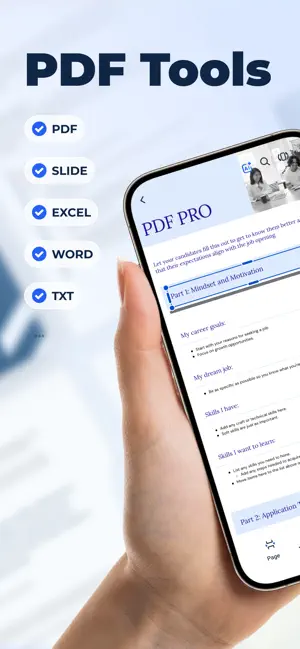
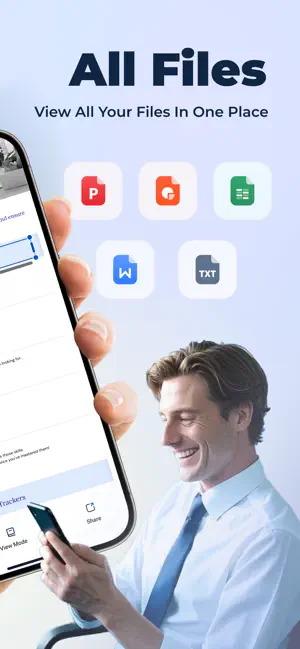
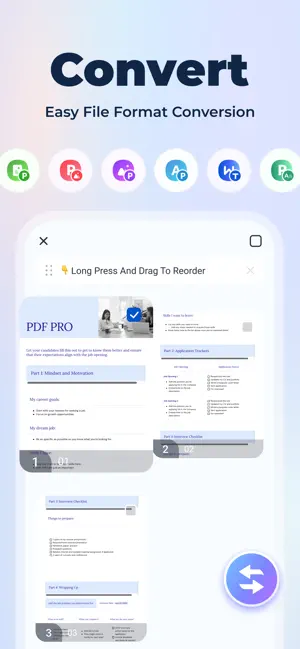
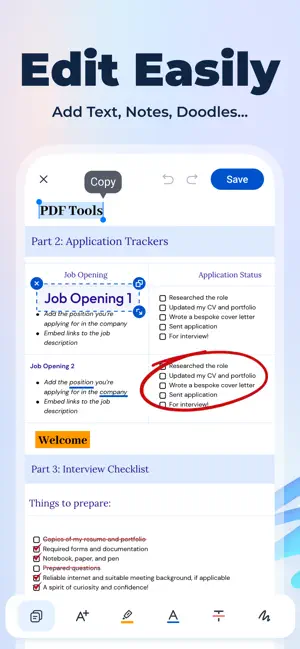
One-click conversion of PDF↔Word/Excel/TXT, no watermark! Supports OCR scanning, electronic signature, merge and split, file encryption, and turns your phone into an office tool in seconds! Core functions: All-round editing - highlight/doodle/add text, modify PDF like editing Word Format conversion - convert PDF to Word/Excel/PPT/picture, 100% retain the original format OCR recognition - scan paper documents → searchable PDF/text File management - merge/split/compress/encrypt PDF, delete blank pages in one click Electronic signature - handwritten signature or upload signature image, business contract is done in seconds Why choose us? No login required - open and use, no privacy concerns Local processing - sensitive files are not uploaded to the cloud, safer High performance - large files open in seconds, hundreds of pages of documents edited smoothly Applicable scenarios Students: Scan textbooks/notes to text, review more efficiently Workers: Sign contracts and change plans at any time, worry-free mobile office Home users: Merge travel guides, compress document scans Download now to experience professional-level PDF processing! Subscription Terms: 1. Payment will be charged to your iThunes account at confirmation of purchase. 2. You can manage your subscription and turn off auto-renewal in your account settings after purchase. 3. Subscription will automatically renew if auto-renew is disabled at least 24 hours before the end of the current period. Privacy Policy: https://h5.pdfpro.xyz/privacy_policy.html Terms of Service: https://h5.pdfpro.xyz/user-agreement.html
Ratings & reviews
5.0
8 ratings
What’s new
Version 1.0.13 · Updated September 22, 2025
Fix known bugs
App privacy
The developer, Shilong Lu, reported these privacy practices to Apple.
Data Not Linked to You
The following data, which may be collected but is not linked to your identity, may be used for the following purposes:
- Identifiers: Device ID
- Usage Data: Advertising Data
- Diagnostics: Crash Data, Performance Data
- Purchases: Purchase History
Used for: Third-Party Advertising, Analytics, App Functionality
Alternatives to PDF Tools: Read & Edit
Looking for apps like PDF Tools: Read & Edit? Here are 6 similar apps on the App Store. The highest rated is Storm Cleaner-Clean up storage (4.8/5), and all 6 are free to download.
-
 Storm Cleaner-Clean up storage
4.8
Storm Cleaner-Clean up storage
4.8
-
 AI Cleaner Master
4.5
AI Cleaner Master
4.5
-
 CleanSweep - Photo Cleaner AI
4.3
CleanSweep - Photo Cleaner AI
4.3
-
 Cleanzy: AI Phone Cleaner
4.5
Cleanzy: AI Phone Cleaner
4.5
-
 Cleano: Smart Cleaning
-
 AI Album Cleaner Pro
4.8
AI Album Cleaner Pro
4.8
| App | Rating | Price | Last updated | Compare |
|---|---|---|---|---|
| PDF Tools: Read & Edit | 5.0 / 5 (8 ratings) | Free | September 22, 2025 | |
| Storm Cleaner-Clean up storage | 4.8 / 5 (13) | Free | Sep 24, 2026 | Compare |
| AI Cleaner Master | 4.5 / 5 (81) | Free | Oct 16, 2025 | Compare |
| CleanSweep - Photo Cleaner AI | 4.3 / 5 (26) | Free | Dec 13, 2025 | Compare |
| Cleanzy: AI Phone Cleaner | 4.5 / 5 (103) | Free | Dec 26, 2025 | Compare |
| Cleano: Smart Cleaning | – | Free | Feb 23, 2026 | Compare |
| AI Album Cleaner Pro | 4.8 / 5 (5) | Free | Oct 29, 2025 | Compare |