

Add Page Numbers to PDF
Muhammad Awais Younas Productivity iPhoneiPadiPod touch
Add Page Numbers to PDF is a free Productivity app for iPhone and iPad by Muhammad Awais Younas. Rated 3.8/5 from 4 ratings. Requires iOS 12.0.
- Rating
- 3.8
- 4 ratings
- Price
- Free
- on the App Store
- Size
- 42 MB
- Age 4+
- Updated
- May 9
- 2025 · v1.0
Screenshots


About Add Page Numbers to PDF
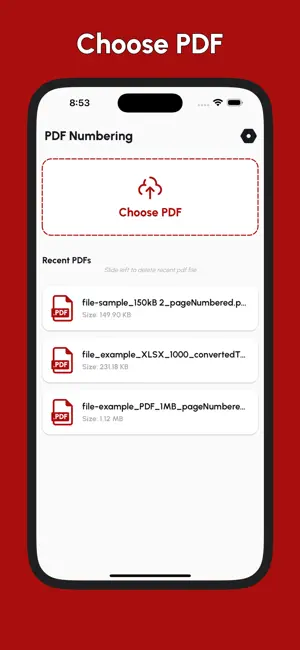
Add Page Numbers to PDF is a smart and easy PDF numbering tool that lets you add custom page numbers to your PDF files in seconds. Whether you're editing a document, organizing a report, or formatting an eBook, this app offers everything you need to insert clean, clear, and stylish page numbers in the header or footer. With full customization—position, font, color, number format, margins, and more—you’ll have complete control over how the page numbers appear in your final PDF. No desktop software required. No watermark. 100% offline and secure. Key Features: Add Page Numbers to PDF Insert page numbers in PDF files with various formatting styles and placements. Position Control Add numbers in header or footer. Choose placement: Header Left, Center, or Right Footer Left, Center, or Right Adjustable Margins Set margin to Small, Recommended, or Big to control spacing from edges. Custom Start Page Number Start from any page number: 1, 2, 5, or any number. Ideal for multi-part documents. Numbering Formats Select from a wide range of numbering formats: Just the number: {n} Page + number: Page {n} Range: {n} of {total} Roman numerals: Roman {n}, Page Roman {n}, etc. Text Styling Options Adjust number size Change font color using HEX code Make text bold, italic, or underline Choose from various professional fonts Live Preview & History Instantly preview PDF with numbered pages Save and access previously processed files View file history and recent activity Export PDF Easily Save and share your new PDF to local storage and more. Works Offline No internet required. All processing is done on your device to keep your files private. Who Should Use This App? Students numbering academic papers Professionals working with legal PDFs Authors formatting books Businesses preparing reports Anyone needing a clean PDF page number tool Bonus Use Cases Add page numbers for multi-section PDFs Maintain page order after merging PDFs Organize exported presentations Use roman numeral styles for formal docs Whether you're working on a 2-page form or a 500-page report, Add Page Numbers to PDF gives you the professional tools to format your PDFs with precision. Download now and start numbering with style!
App privacy
The developer, Muhammad Awais Younas, reported these privacy practices to Apple.
Data Not Linked to You
The following data, which may be collected but is not linked to your identity, may be used for the following purposes:
- Identifiers: Device ID
Used for: Third-Party Advertising
Alternatives to Add Page Numbers to PDF
Looking for apps like Add Page Numbers to PDF? Here are 6 similar apps on the App Store. The highest rated is Preminder - Reminder Offset (5.0/5), and all 6 are free to download.
-
 Antek PDF Builder
1.0
-
 Merge all PDFs
-
 Easy Video Teleprompter
-
 Private Contacts: Secure Vault
4.4
-
 Preminder - Reminder Offset
5.0
-
 AI Link Checker and Saver
4.6
| App | Rating | Price | Last updated | Compare |
|---|---|---|---|---|
| Add Page Numbers to PDF | 3.8 / 5 (4 ratings) | Free | May 9, 2025 | |
| Antek PDF Builder | 1.0 / 5 (1) | Free | May 11, 2025 | Compare |
| Merge all PDFs | – | Free | May 11, 2025 | Compare |
| Easy Video Teleprompter | – | Free | Jun 10, 2025 | Compare |
| Private Contacts: Secure Vault | 4.4 / 5 (5) | Free | Jun 24, 2026 | Compare |
| Preminder - Reminder Offset | 5.0 / 5 (1) | Free | Nov 11, 2024 | Compare |
| AI Link Checker and Saver | 4.6 / 5 (15) | Free | Sep 30, 2026 | Compare |