

PauseBox
Britt Espinosa Productivity iPhoneiPadiPod touch
PauseBox is a free Productivity app for iPhone and iPad by Britt Espinosa. Rated 4.9/5 from 43 ratings. Requires iOS 16.4. Updated June 2, 2026.
- Rating
- 4.9
- 43 ratings
- Price
- Free
- on the App Store
- Size
- 90 MB
- Age 4+
- Updated
- Jun 2
- 2026 · v3.1
Screenshots


About PauseBox
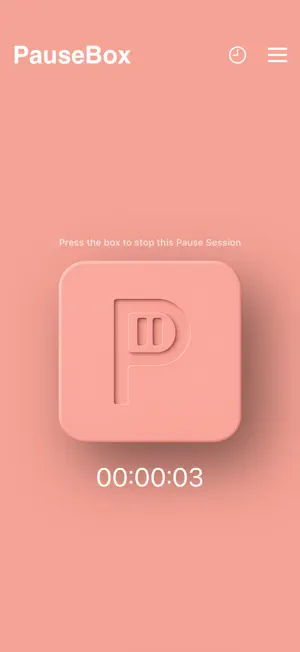
PauseBox creates a physical block between you and distractions. Here's how it works: 1. Select the apps you want to block Open the PauseApp and choose which apps to block, or select the few you want to keep. Create custom Pause Groups like Work, Study, or Family Time, each with its own app rules, schedules, or timers to fit your day.PauseBox creates a physical block between you and distractions. Here's how it works: 2. Tap your phone on PauseBox to block selected apps After selecting a Pause Group, tap your phone on the PauseBox to start blocking apps. Your focus session begins right away. Not nearby? Use “Pause without tap” in the app to start remotely. 3. Put distance between you and the PauseBox Place your PauseBox out of reach to create intentional separation. As a physical barrier to digital distractions, it makes unblocking a conscious choice and helps break the habit loop.
Ratings & reviews
4.9
43 ratings
What’s new
Version 3.1 · Updated June 2, 2026
Fixes a bug where some users updating from a previous version saw their selected apps remain blocked even after unpausing. This update resolves it automatically — no action needed on your part.
App privacy
The developer, Britt Espinosa, reported these privacy practices to Apple.
Data Not Collected
The developer does not collect any data from this app.
Alternatives to PauseBox
Looking for apps like PauseBox? Here are 6 similar apps on the App Store. The highest rated is log off - unrot your brain (4.9/5), and all 6 are free to download.
-
 Bloom - Conquer Screen Time
4.8
-
 Scrolly–Your Screen Time Buddy
4.7
-
 log off - unrot your brain
4.9
-
 Blok — Screen Time Blocker
4.5
-
 Pebble AI: To-Do & Focus
4.2
-
 Hello Haven
4.3
| App | Rating | Price | Last updated | Compare |
|---|---|---|---|---|
| PauseBox | 4.9 / 5 (43 ratings) | Free | June 2, 2026 | |
| Bloom - Conquer Screen Time | 4.8 / 5 (3,443) | Free | May 5, 2026 | Compare |
| Scrolly–Your Screen Time Buddy | 4.7 / 5 (221) | Free | Oct 21, 2026 | Compare |
| log off - unrot your brain | 4.9 / 5 (412) | Free | Oct 15, 2026 | Compare |
| Blok — Screen Time Blocker | 4.5 / 5 (775) | Free | Oct 14, 2026 | Compare |
| Pebble AI: To-Do & Focus | 4.2 / 5 (74) | Free | Apr 29, 2026 | Compare |
| Hello Haven | 4.3 / 5 (29) | Free | Oct 15, 2026 | Compare |
Compare PauseBox with the top alternatives: ratings, updates, ASO score and keyword gaps →