

59 min
Marco Luthi Productivity iPhoneiPadiPod touch
59 min is a free Productivity app for iPhone and iPad by Marco Luthi. Rated 5.0/5 from 1 ratings. Requires iOS 26.0. Updated October 10, 2026.
- Rating
- 5.0
- 1 ratings
- Price
- Free
- on the App Store
- Size
- 10 MB
- Age 4+
- Updated
- Oct 10
- 2026 · v1.3
Screenshots
About 59 min
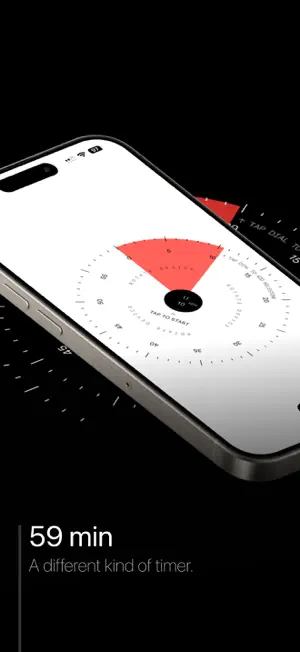
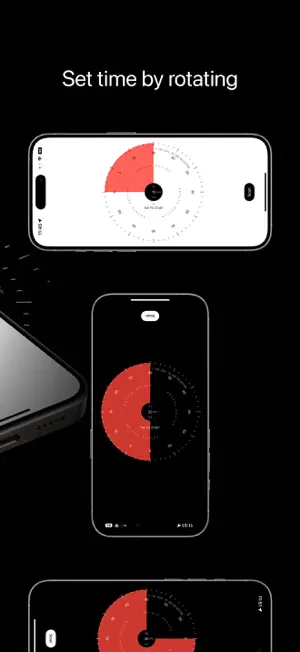
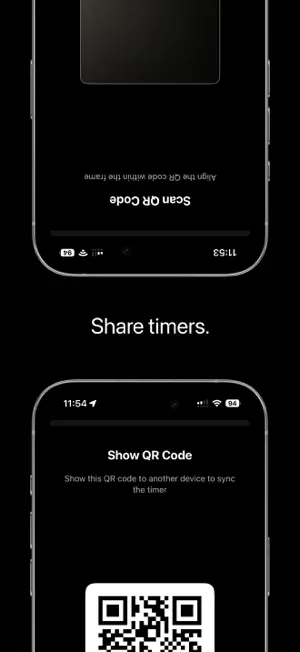
Turn your phone. That’s the timer. 59 min is a visual timer you set the way you set a kitchen timer: by twisting it. Tap +, rotate your iPhone, and a red disk fills the dial. One full turn is one hour. Tap again and the disk starts to shrink, so you can see how much time is left from across the room. TWIST TO SET • Rotate your iPhone to dial in anything up to 60 minutes • A big countdown above the dial shows the exact time, and gentle haptics tick off each minute • The labels stay upright while you turn. No wheels to scroll, no numbers to type SEE TIME DISAPPEAR • A big red disk shows the time that’s left, like a classic classroom timer • The countdown tells you when it ends, like “Ends at 10:45” • The screen stays awake while the timer runs, and the dial rattles like an alarm clock when time’s up MILESTONES: A HEADS‑UP BEFORE TIME’S UP • Tap the dial while setting to add extra alerts, like “10 min left” or “5 min left” • Tap a dot to remove it • Great for talks, exams, meetings and workouts REAL ALARMS THAT RING ON SILENT • Built on Apple’s AlarmKit: your timer rings even in Silent Mode or a Focus • A Live Activity on the Lock Screen and in the Dynamic Island shows the countdown • Stop the alarm with one tap, without unlocking ONE TIMER, EVERY PHONE. NO APP NEEDED • Tap Share to show a QR code of your running timer • Others scan it with the iPhone Camera and join instantly in an App Clip, no download needed • Or tap Send Link to share it in Messages, Mail or anywhere else • Everyone gets the same end time and milestones • Perfect for classrooms, workshops, group workouts or a speaker and their timekeeper • No account, no sign‑up, no server: the timer is in the code ON YOUR HOME SCREEN • A small or medium widget shows the red disk and the time left at a glance CALM BY DESIGN • Shake to cancel • The screen fades to black when you’re not touching it; tap to wake it • Light and Dark Mode • No ads. No account. No tracking. Made for anyone who works better when they can see time: people with ADHD, teachers and students, speakers, cooks, and anyone who just wants a timer without the clutter.
What’s new
Version 1.3 · Updated October 10, 2026
Improved onboarding & tutorial
App privacy
The developer, Marco Luthi, reported these privacy practices to Apple.
Data Not Collected
The developer does not collect any data from this app.
Alternatives to 59 min
Looking for apps like 59 min? Here are 6 similar apps on the App Store. The highest rated is Bear Todo Box: To-Do & Planner (5.0/5), and 5 of the 6 are free to download.
-
 Bear Todo Box: To-Do & Planner
5.0
Bear Todo Box: To-Do & Planner
5.0
-
 Bleep - Visual Ideas & Notes
4.6
Bleep - Visual Ideas & Notes
4.6
-
 Scrap Paper
4.8
Scrap Paper
4.8
-
 Minimalist Launcher: LessPhone
4.8
Minimalist Launcher: LessPhone
4.8
-
 Habit Tracker - HabitBot
4.8
Habit Tracker - HabitBot
4.8
-
 Pomodoro Focus Timer: Krono
4.6
Pomodoro Focus Timer: Krono
4.6
| App | Rating | Price | Last updated | Compare |
|---|---|---|---|---|
| 59 min | 5.0 / 5 (1 rating) | Free | October 10, 2026 | |
| Bear Todo Box: To-Do & Planner | 5.0 / 5 (8) | Free | Jul 25, 2026 | Compare |
| Bleep - Visual Ideas & Notes | 4.6 / 5 (18) | Free | Oct 10, 2026 | Compare |
| Scrap Paper | 4.8 / 5 (35) | 1.99 USD | Feb 15, 2026 | Compare |
| Minimalist Launcher: LessPhone | 4.8 / 5 (61) | Free | Sep 29, 2026 | Compare |
| Habit Tracker - HabitBot | 4.8 / 5 (56) | Free | Jun 16, 2025 | Compare |
| Pomodoro Focus Timer: Krono | 4.6 / 5 (19) | Free | Aug 25, 2025 | Compare |
Compare 59 min with the top alternatives: ratings, updates, ASO score and keyword gaps →