

meDRM
Dmitry Yatsina Utilities iPhoneiPadiPod touch
meDRM is a free Utilities app for iPhone and iPad by Dmitry Yatsina. Requires iOS 15.0. Updated July 27, 2025.
- Price
- Free
- on the App Store
- Size
- 72 MB
- Age 4+
- Updated
- Jul 27
- 2025 · v3.0.31
Screenshots



About meDRM
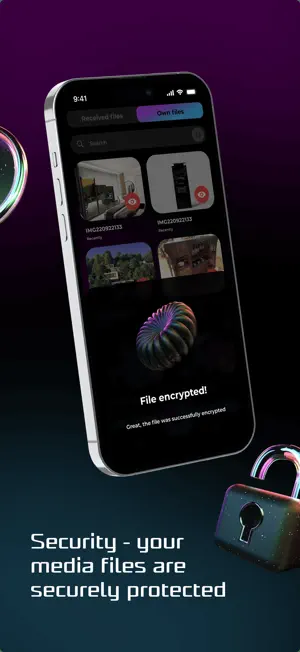
meDRM: Share Your Photos & Videos - Stay in Control Even After Sending! Your photos, videos, and documents deserve reliable protection. With meDRM, you gain unified control over your personal content (photos/videos) stored in encrypted format, while also managing access to it. It's convenient, secure and eliminates unnecessary risks or reliance on third-party applications. What You Get with meDRM - Access control: Customize who can see your Content and how - limit viewing time, set an end date for access, allow or block forwarding to third parties. - Complete data protection: Encryption, screenshot and screen recording blocking make your files inaccessible to unauthorized use. - Ease of control: A user-friendly interface lets you quickly upload, organize, and manage your files effortlessly. - Integration: Share protected content through messengers, email, or special links with fully customized access settings. How Does meDRM Protect You? 1. State-of-the-Art Encryption: Your content (photos/videos) is encrypted with AES-256, a standard used for "Top Secret" classification by the US NSA. 2. Local and Secure Storage: Your content stays only on your phone in encrypted format and it's never transmitted through our servers. Share it directly via any channel (messenger, email, Wi-Fi/Bluetooth, or cloud services) while keeping it encrypted. Even if your correspondence is hacked, the intruder won't be able to access your content. 3. Secure Access Management: - Access keys are stored securely only on your phone and our servers in an encrypted database. - These keys are sent to the recipient's meDRM app only if access criteria set by you are met. - You maintain real-time control over your shared content. 4. Recipient Restrictions: Recipients can view your content only through the meDRM app, protected against unauthorized access. Viewing is denied if: - Access criteria (e.g., viewing time, expiration date, or the number of views) is violated. - The recipient receives the file in an unauthorized manner without forwarding permissions set by you. How to Use meDRM? 1. Upload your file to the meDRM app or select a file from your phone gallery. 2. Click "Share" and choose the meDRM app. 3. Set access rules: - Number of views - Preview time - Expiration date - Permissions to forward 4. Share the protected Content file in any way to your choice and maintain full control over its access. Who Will Appreciate meDRM? - Dating App Users: Securely share photos without worrying about leaks. - Parents: Share photos of your children with loved ones while ensuring privacy. - Business Owners: Safely share confidential documents with partners. - Anyone: Protect your data and enjoy peace of mind when sharing files. Download meDRM Now and Start Protecting Your Content the Way It Deserves!
What’s new
Version 3.0.31 · Updated July 27, 2025
1. multi-language 2. Share-To from Gallery/any app fixed
App privacy
The developer, Dmitry Yatsina, reported these privacy practices to Apple.
Data Not Collected
The developer does not collect any data from this app.
Alternatives to meDRM
Looking for apps like meDRM? Here are 6 similar apps on the App Store. The highest rated is Video DRM (5.0/5), and 4 of the 6 are free to download.
-
 Video DRM
5.0
Video DRM
5.0
-
 隐算密文云-全同态加密,你的文件安全盾
-
 iSpecs : Device Info Diagnose
-
 LILIN Phone Cam
-
 Smart GS1 Barcode Generator
3.5
Smart GS1 Barcode Generator
3.5
-
 GEM Video Player
1.0
GEM Video Player
1.0
| App | Rating | Price | Last updated | Compare |
|---|---|---|---|---|
| meDRM | – | Free | July 27, 2025 | |
| Video DRM | 5.0 / 5 (1) | Free | Sep 26, 2026 | Compare |
| 隐算密文云-全同态加密,你的文件安全盾 | – | Free | May 15, 2026 | Compare |
| iSpecs : Device Info Diagnose | – | Free | Sep 20, 2026 | Compare |
| LILIN Phone Cam | – | Free | Jan 15, 2026 | Compare |
| Smart GS1 Barcode Generator | 3.5 / 5 (4) | 0.99 USD | Oct 6, 2025 | Compare |
| GEM Video Player | 1.0 / 5 (5) | 1.99 USD | Jul 29, 2024 | Compare |
Compare meDRM with the top alternatives: ratings, updates, ASO score and keyword gaps →